



• Ships of Scale has incorportated an extra level of security when you log In. Please follow on-screen prompts to acknowledge that you are not a robot via a "Check Box" or a "Pictorial Check Box Puzzle". This is needed due to higher level of AI Activity Security.
  • SUBSCRIBE TO SHIPS IN SCALE TODAY!

    The beloved Ships in Scale Magazine is back and charting a new course for 2026!
    Discover new skills, new techniques, and new inspirations in every issue.

    NOTE THAT OUR NEXT ISSUE WILL BE July/August 2026
  • Win a Free Custom Engraved Brass Coin!!!
    As a way to introduce our brass coins to the community, we will raffle off a free coin during the month of August. Follow link ABOVE for instructions for entering.

Adding a Digital Readout to a Mini-Mill

Joined
Aug 23, 2020
Messages
10,651
Points
938

Location
Wadsworth, Illinois, USA
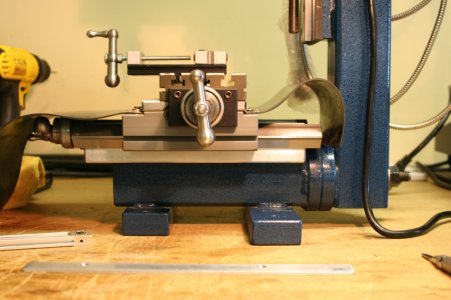
Recently I was able to purchase a used TAIG mini-mill from a ship-modeling colleague. This mill is roughly three times the size of my Proxxon MF70 (which I sold to another member of our forum).
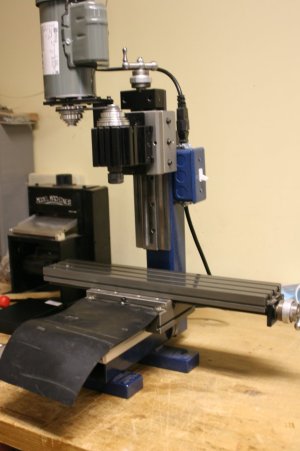
IMG_2318.JPG

I very much liked the Proxxon, but I was never able to fully resolve the backlash (play) in the turning wheels. Plus, I thought a larger mill would be helpful as I considered where this hobby might take me on future projects. I started ship modeling with a few kits that I modified to satisfy my vision for a finished product. My recent project is a (stern section) scratch build, and I believe I will remain in that lane for at least my next project or two.

I was able to add a digital ruler to the Z axis of my Proxxon, and I thought that was a really helpful addition. Now I wondered if digital readouts on all three axes might be worth pursuing on the TAIG.

At first, I ordered stand-alone digital readouts from a company called iGaging. Unfortunately, I learned the iGaging unit could not be used on the X axis (the X axis moves the table left to right) for lack of space. I might have been able to make the iGaging unit work on the Y axis (front to back) - and could easily make it work on the Z axis (vertical) - but I didn't want multiple systems in play.

(A digital readout system has two components: a measuring component that tracks the movement of the table, and a reporting component that tells you how much movement took place. Glass scales (optical readers) are very accurate but tend to be a bit bulky - magnetic scales are less bulky and have the advantage of being able to be cut to length. With both styles the measuring components simply plug into the reporting component.)

I spent a ridiculous amount of time researching magnetic readers trying to find something that met my size limitations. I ended up with a Ditron DRO system. For the record, I ended up spending more on the DRO that I did on the mill :rolleyes:.

To be continued...
 
This all seemed like fun and games until I remembered that I have the metal-working/machining skills of a ground squirrel.

It's one thing to own a digital readout system - it's quite another to install that system on your machine (TAIG does not offer a digital readout for its mills). Given my lack of experience - how was this going to turn out?

Now that I had the magnetic readers in hand, I needed to imagineer how to install them on my mill. I have always known that when it comes to 3-dimensional thinking I am a visual problem solver. Drawings are mostly meaningless to me. So, I spent countless (more) hours holding the magnetic reader strips up to my mill and wondering how best to install them.

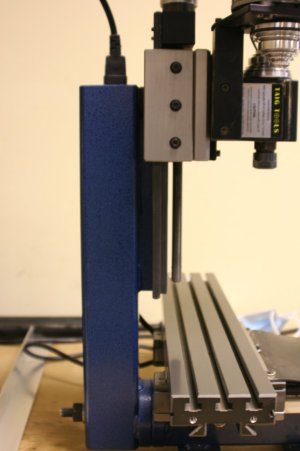
I determined the Z axis could go here:

IMG_2320.JPG

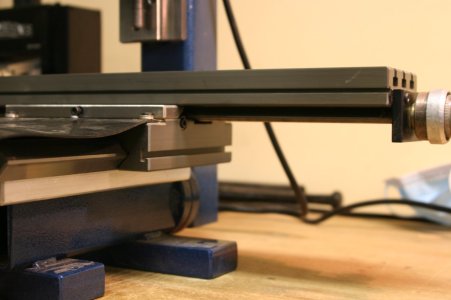
And the Y axis could go here:

IMG_2323.JPG

IMG_2328.JPG

I also decided that the best location for the X axis was going to be on the back of the compound table. Unfortunately, that would require taking my mill apart (removing the vertical column). I'll save that for a future posting.

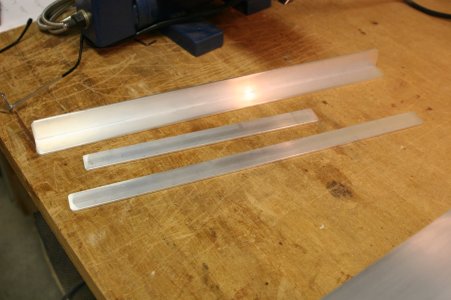
With a plan in mind, I fabricated mounting strips for each of the magnetic scales. This would allow me to use them in their ordered lengths. The magnetic scales are easily cut - but there is no harm in leaving them too long, and that seemed better to me.

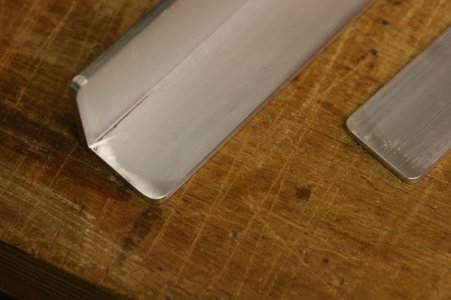
Here are the mounting strips (the L shaped aluminum bar is for the X axis (horizontal) - the flat stock is for the Y and Z axes:

IMG_2324.JPG

IMG_2325.JPG

Aluminum can be processed using your standard woodworking tools (table saw / bandsaw / disc sander) - or at least I did it that way.

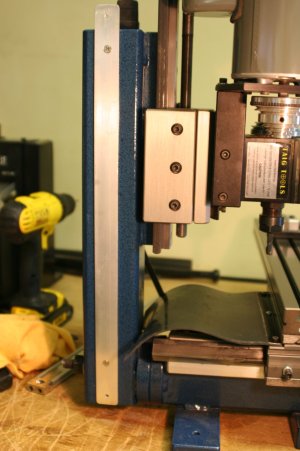
Yesterday I installed the mounting strips to the Z and Y axes. I had to order a drill/tap set for metric screws and watch a few YouTube videos to learn how to use these tools. Here is the mounting strip on the Z axis:

IMG_2327.JPG

I forgot to take a picture of the Y axis...

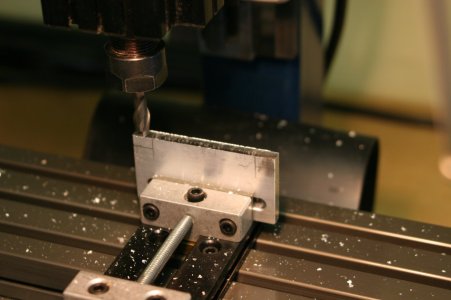
Today I added the magnetic reader strips (and the readers themselves) on the Z and Y axes. Naturally I need to fabricate aluminum brackets for the reader units:

IMG_2326.JPG

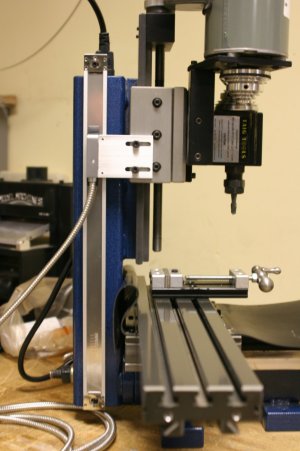
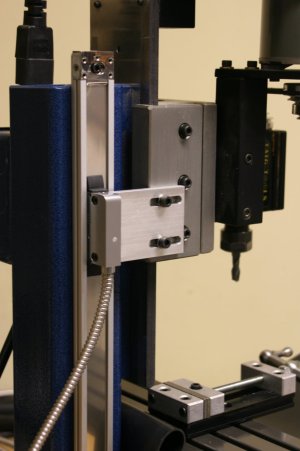
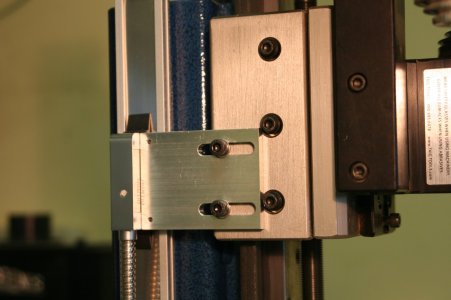
Here is the final installation on the Z axis:

IMG_2333.JPG

IMG_2334.JPG

IMG_2331.JPG

And the Y axis:

IMG_2329.JPG

IMG_2330.JPG

Getting to this point has been a comedy of errors. But thus far it seems that I have not ruined my mill - and I have made a new friend at the big box home improvement store near my house who has been helping me figure out the hardware I should be using for this project.

Next up I will remove the vertical column on the mill and see if I can install the magnetic reader on the X axis - but that will need to wait for another day. You are now up to date with my progress.
 
It is cool to have a digital read out on a mill but..... for purposes of ship modelling it might be a bit to much. It is more just for the love of tools than for necessity. I fully understand you however. I myself own Sherline lathe and the mill and constantly buying tool bits and gadgets for them but I hardly ever use them for modelling if for anything. Just enjoying having them.
 
Hi Paul,

Great addition to your already great small mill.
A tip for a simple solution for a resettable digital reading on a small mill is to buy a cheap digital caliper and attach the caliper arms to the movable surfaces. If you adjust the mill the caliper gives the the reading of the adjustment in 1/100 of a mm. Simple but effective, use it already for years.
But yours is ofcourse fantastic.
 
Well done Paul ! Really nice problem solving and installation. I spent all weekend installing my DROs to the Sherline Lathe and Mill - not nearly as much work as what you are doing here. I believe your Taig will be the superior tool to the Sherline once completed with its DRO, as its larger and more robust piece of equipment.
 
It is cool to have a digital read out on a mill but..... for purposes of ship modelling it might be a bit to much. It is more just for the love of tools than for necessity. I fully understand you however. I myself own Sherline lathe and the mill and constantly buying tool bits and gadgets for them but I hardly ever use them for modelling if for anything. Just enjoying having them.
Oh, for sure you are right Y.T. I have been outfitting my new mill with all sorts of gadgets I will never use ROTF.
 
I was pleasantly surprised by this new thread of yours, Paul. Some interesting modifications you’re showing here.
Regards, Peter
Thanks for finding me over here, Peter. There won't be a lot to this thread - just showing how I am approaching the challenge of installing a DRO on a small mill. Perhaps it will provide others with a tip or two? Given my lack of metal-working experience this falls into the "if I can do it - anyone can do it" category.
 
Hi Paul,

Great addition to your already great small mill.
A tip for a simple solution for a resettable digital reading on a small mill is to buy a cheap digital caliper and attach the caliper arms to the movable surfaces. If you adjust the mill the caliper gives the the reading of the adjustment in 1/100 of a mm. Simple but effective, use it already for years.
But yours is ofcourse fantastic.
Yup. This is exactly what I did on the Z axis of the MF70. It worked really great at a fraction of the cost I am spending on this layout.
 
Well done Paul ! Really nice problem solving and installation. I spent all weekend installing my DROs to the Sherline Lathe and Mill - not nearly as much work as what you are doing here. I believe your Taig will be the superior tool to the Sherline once completed with its DRO, as its larger and more robust piece of equipment.
Thanks, Chris. Learning lots with this little project!
 
Several years ago I bought a dial indicator for setting blades on my jointer. I also found it useful for tuning up my Byrnes saw. A top line Sterrett with 1” travel cost me about $200.

I more recently found it to be very useful as a “DRO” when using my Sherline lathe with its milling column. For modelers like me who are happy remaining unfamiliar with the Wonderful World of Electronics this is a simple and possibly cost effective alternative.

Roger
 
Several years ago I bought a dial indicator for setting blades on my jointer. I also found it useful for tuning up my Byrnes saw. A top line Sterrett with 1” travel cost me about $200.

I more recently found it to be very useful as a “DRO” when using my Sherline lathe with its milling column. For modelers like me who are happy remaining unfamiliar with the Wonderful World of Electronics this is a simple and possibly cost effective alternative.

Roger
Thanks for this, Roger. I expect someone will find your suggestion very helpful.
 
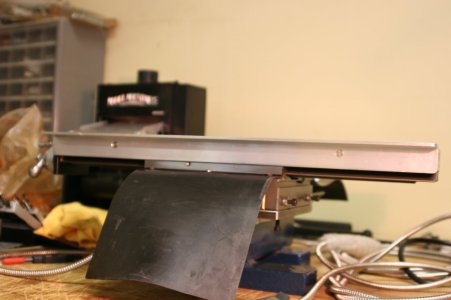
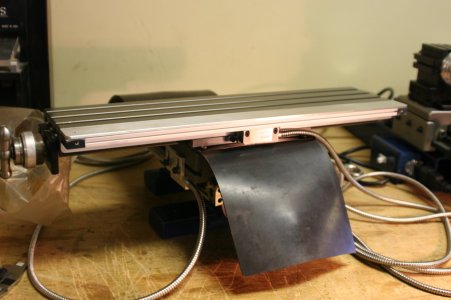
I mentioned earlier that I decided it was best to install the X axis magnetic strip and reader on the back of the compound table. A front mounting is theoretically possible but the space available is very limited vertically and I sort of felt like a front mounting would end up getting in the way - banged into - etc.

The downside of a rear mounting is I will lose about 5 mm of movement in that direction. Only time will tell if I will regret that.

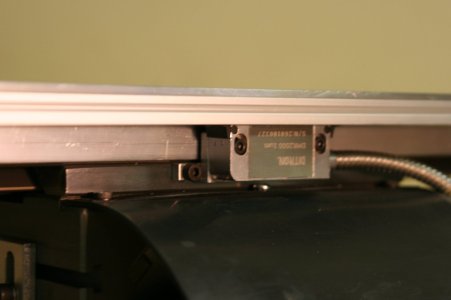
Since the X axis is not covered by the rubber leadscrew cover I decided it would be best to hide the magnetic strip and reader under an L-shaped aluminum bar:

IMG_2337.JPG

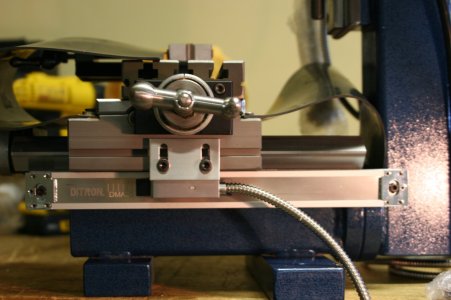
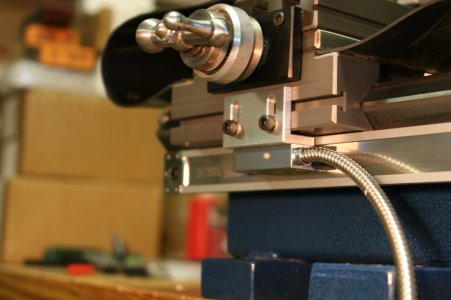
The final installation:

IMG_2339.JPG

IMG_2342.JPG

This coming weekend I'll plug everything in (to the digital readout unit) and make whatever adjustments are necessary to the magnetic strips and readers. This will reveal if my careful work thus far was adequate to the task. I'm nervous. I've made enough modifications to the Ditron kit that returning it is no longer possible.
 
Back
Top