
- Joined
- Sep 20, 2025
- Messages
- 7
- Points
- 53

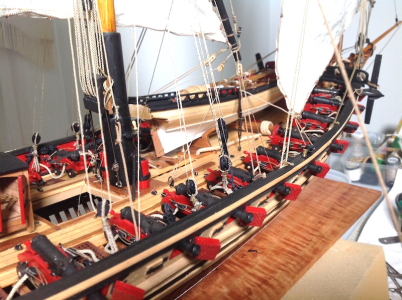
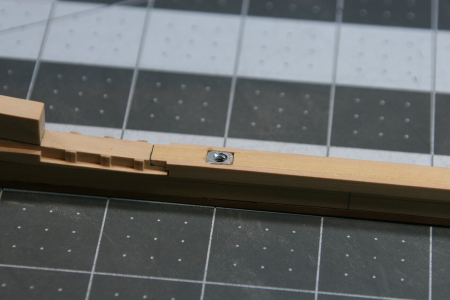
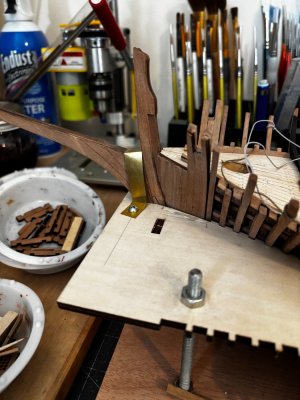
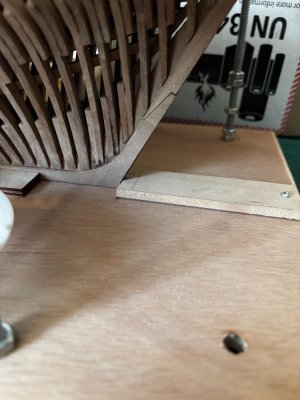
This will be a sort of ad-hoc build log for the ZHL Le Requin kit. The intent is to document aspects which may be of interest to others, such as identification of a problem with the kit and what was done to solve it (or to ask for advice or guidance), changes made to the kit manufacturer’s suggested build process and/or jigs where this hopefully makes the build easier or more accurate, and where some of the provided kit components/materials are discarded and new components made from scratch with raw materials to correct errors in the kit (such as the aft grating behind the sternpost which should be tapered to aft rather than parallel sided).
The actual kit is the Luhaiqingkong brand with pear carvings. I also have the Ancre monograph for Le Requin as a primary reference, and I have bookmarked the Requin build logs of @Crypton, @Daniel20, @kidsgalore, and @Alessandro63 for guidance. I also bookmarked two scratch build Requin logs on MSW (by Daniel Forlani and Jeronimo), but unfortunately these latter two logs have disappeared due to the MSW hack. Fortunately, Daniel Forlani ran a parallel build log on Gerard Delacroix’s French forum so the information is still generally available, and Jeronimo has a photo record of his completed (aft half) model here on SOS.
Thanks to Daniel (@Dematosdg) who replied to my Introduce Yourself post and encouraged me to start this log.
An issue for non-Chinese speakers is translating the instruction manual if it is only in Chinese. Most posts where this has been addressed has been through the use of phones to photograph a page from the printed manual and use a translation app.
My approach has been different as I don’t do apps. I use the phone for calls, and if really necessary - text messages. I used my desktop and the CD that came with the kit.
The CD contains the Microsoft Word native files for the instruction manual, split into fifteen separate files. These are better quality than the printed manual and allow the images to be zoomed if required for clarity. Both Google Translate and paid translators can translate Word files. The process I used is given below. All programs used are available free on-line so there is no need to download anything or pay a subscription. I am not claiming that these are the best, but just what I used and found worked well.
1. The native files provided on the CD are “.doc” files. These need to be converted to “.docx” files as the translation programs need this. The easiest way is to open each file in a word processing program and re-save as .docx.
2. The native files are quite large (the largest being over 45MB). This is due to bloat in the image files, but this can be reduced without losing quality. I use ”tinyjpg.com” or “tinypng.com” to compress individual photos. In this case, it is better to compress the whole document and I used the online file compressor “wecompress.com” on each of the fifteen files. For example, the file for chapters 1-3 went from 10MB to 413KB with no visible loss of quality.
3. The files should then be merged. The aim is to get one file smaller than 10MB in total as 10MB is the size limit imposed by Google Translate, and for paid translators you pay per file. This can be done directly in Word by opening the first file, and then “Insert>Object>Text from File” adding each new file after the preceding one. But I used “converteasly.com”, using its “merge docx” tool. This merges ten files at a time, so I split the fifteen compressed docx files into two batches, merged each batch, and then merged the two together. This resulted in a single docx file about 9MB in size.
Note that the original author was not too consistent in his formatting either within each file or across the files. So the merged file will be rather untidy with left, hanging and right indents being inconsistent, in some cases with the text running off the page. I went through the whole file from start to end and re-aligned the indents consistently, then re-saved it.
4. Now for the translation. This can be done using Google Translate (free) or a paid translator. I used both Google and “openl.io”, as the translations are slightly different. Using one of the original compressed files, I tested alternatives to Google Translate, as found using internet searches, and settled on openl.
a. Google Translate: Open the main translator web page and go to the “documents” tool. Load the file from step 3 above and choose traditional Chinese for the source language. It defaults to simplified Chinese when it chooses automatically, but I am not sure how significant this is. The translation preserves the formatting of the text and images. Note that any Chinese text in the images themselves will not be translated. For the images, open the translated file in a word processing program, right click on each image to be translated and “save as picture” somewhere convenient on your computer. Open the Google main translator page and go to the “images” tool and load the saved image. After translation, this can be re-inserted into the file in place of the original image.
b. openl.io: The “document” tool on the main web page is not suitable as this does not preserve the formatting or keep the images. I used the “Tools>Doc Translator (New)” option. I did not use the advanced option to translate the images as this adds significantly to the cost and processing time for little benefit as only about 60 images have Chinese text. The translation of the whole manual (except images) cost me about £9. The images to be translated can be handled within openl in the same way as described above. In this case, I used the “images” tool on the main web page. The translated image can be re-inserted into the original file as above. This image translation is free, but you are limited to 40 credits (one per translation) per day.
The text in the images is translated using optical character recognition. Some translations are affected by the background and are not always logical or legible. I used both Google Translate and openl and chose the best image translation to use for both versions.
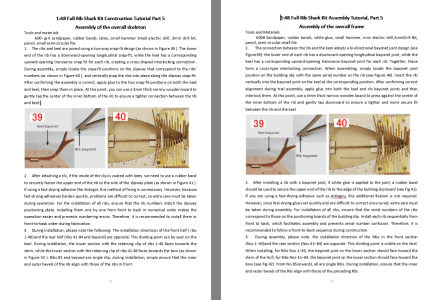
The following is the same section of the manual, with the Google translation on the left and the openl translation on the right. I prefer the openl translation but I have both available for reference.
Hopefully the above process is useful to others building this kit. I do not know if other Chinese kits (SC, CAF) have CDs with the instruction manual files, so this may only be applicable to the ZHL (LHK) Le Requin kit.
Ken
The actual kit is the Luhaiqingkong brand with pear carvings. I also have the Ancre monograph for Le Requin as a primary reference, and I have bookmarked the Requin build logs of @Crypton, @Daniel20, @kidsgalore, and @Alessandro63 for guidance. I also bookmarked two scratch build Requin logs on MSW (by Daniel Forlani and Jeronimo), but unfortunately these latter two logs have disappeared due to the MSW hack. Fortunately, Daniel Forlani ran a parallel build log on Gerard Delacroix’s French forum so the information is still generally available, and Jeronimo has a photo record of his completed (aft half) model here on SOS.
Thanks to Daniel (@Dematosdg) who replied to my Introduce Yourself post and encouraged me to start this log.
An issue for non-Chinese speakers is translating the instruction manual if it is only in Chinese. Most posts where this has been addressed has been through the use of phones to photograph a page from the printed manual and use a translation app.
My approach has been different as I don’t do apps. I use the phone for calls, and if really necessary - text messages. I used my desktop and the CD that came with the kit.
The CD contains the Microsoft Word native files for the instruction manual, split into fifteen separate files. These are better quality than the printed manual and allow the images to be zoomed if required for clarity. Both Google Translate and paid translators can translate Word files. The process I used is given below. All programs used are available free on-line so there is no need to download anything or pay a subscription. I am not claiming that these are the best, but just what I used and found worked well.
1. The native files provided on the CD are “.doc” files. These need to be converted to “.docx” files as the translation programs need this. The easiest way is to open each file in a word processing program and re-save as .docx.
2. The native files are quite large (the largest being over 45MB). This is due to bloat in the image files, but this can be reduced without losing quality. I use ”tinyjpg.com” or “tinypng.com” to compress individual photos. In this case, it is better to compress the whole document and I used the online file compressor “wecompress.com” on each of the fifteen files. For example, the file for chapters 1-3 went from 10MB to 413KB with no visible loss of quality.
3. The files should then be merged. The aim is to get one file smaller than 10MB in total as 10MB is the size limit imposed by Google Translate, and for paid translators you pay per file. This can be done directly in Word by opening the first file, and then “Insert>Object>Text from File” adding each new file after the preceding one. But I used “converteasly.com”, using its “merge docx” tool. This merges ten files at a time, so I split the fifteen compressed docx files into two batches, merged each batch, and then merged the two together. This resulted in a single docx file about 9MB in size.
Note that the original author was not too consistent in his formatting either within each file or across the files. So the merged file will be rather untidy with left, hanging and right indents being inconsistent, in some cases with the text running off the page. I went through the whole file from start to end and re-aligned the indents consistently, then re-saved it.
4. Now for the translation. This can be done using Google Translate (free) or a paid translator. I used both Google and “openl.io”, as the translations are slightly different. Using one of the original compressed files, I tested alternatives to Google Translate, as found using internet searches, and settled on openl.
a. Google Translate: Open the main translator web page and go to the “documents” tool. Load the file from step 3 above and choose traditional Chinese for the source language. It defaults to simplified Chinese when it chooses automatically, but I am not sure how significant this is. The translation preserves the formatting of the text and images. Note that any Chinese text in the images themselves will not be translated. For the images, open the translated file in a word processing program, right click on each image to be translated and “save as picture” somewhere convenient on your computer. Open the Google main translator page and go to the “images” tool and load the saved image. After translation, this can be re-inserted into the file in place of the original image.
b. openl.io: The “document” tool on the main web page is not suitable as this does not preserve the formatting or keep the images. I used the “Tools>Doc Translator (New)” option. I did not use the advanced option to translate the images as this adds significantly to the cost and processing time for little benefit as only about 60 images have Chinese text. The translation of the whole manual (except images) cost me about £9. The images to be translated can be handled within openl in the same way as described above. In this case, I used the “images” tool on the main web page. The translated image can be re-inserted into the original file as above. This image translation is free, but you are limited to 40 credits (one per translation) per day.
The text in the images is translated using optical character recognition. Some translations are affected by the background and are not always logical or legible. I used both Google Translate and openl and chose the best image translation to use for both versions.
The following is the same section of the manual, with the Google translation on the left and the openl translation on the right. I prefer the openl translation but I have both available for reference.
Hopefully the above process is useful to others building this kit. I do not know if other Chinese kits (SC, CAF) have CDs with the instruction manual files, so this may only be applicable to the ZHL (LHK) Le Requin kit.
Ken