• Ships of Scale has incorportated an extra level of security when you log In. Please follow on-screen prompts to acknowledge that you are not a robot via a "Check Box" or a "Pictorial Check Box Puzzle". This is needed due to higher level of AI Activity Security.
  • SUBSCRIBE TO SHIPS IN SCALE TODAY!

    The beloved Ships in Scale Magazine is back and charting a new course for 2026!
    Discover new skills, new techniques, and new inspirations in every issue.

    NOTE THAT OUR NEXT ISSUE WILL BE July/August 2026
  • Win a Free Custom Engraved Brass Coin!!!
    As a way to introduce our brass coins to the community, we will raffle off a free coin during the month of August. Follow link ABOVE for instructions for entering.

La Belle - CAF Models 1/36 by Signet

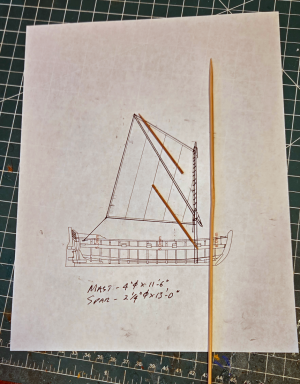
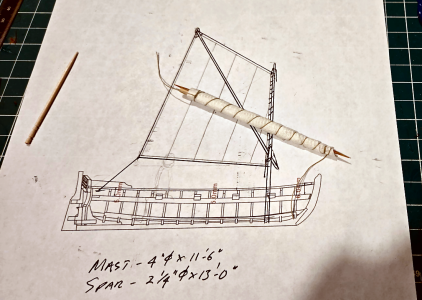
Time to put the wind beneath my wings - oh, wrong song. The wind into my Jolly boat's sail. Which means I have to work on the sail. Let's start with the sail, mast and spar design, which I drew up:
1792247258379.png
The "mast" is wood shish kabob skewer from my wife's kitchen, and the spar will be made up of two toothpicks, glued together with a simple splice joint.

I've found that when not used, the sail was wrapped around mast, to which it's attached, and the spar. They'll just fit within the boat's length:
1792247689113.png

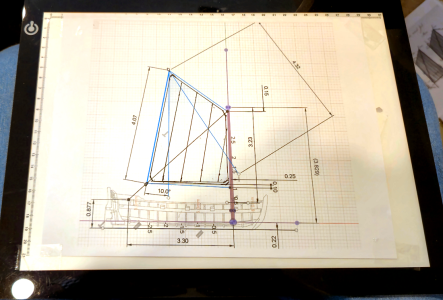
I then drew the sail configuration up more accurately, getting ready to make a sample sail:
1792247889142.png

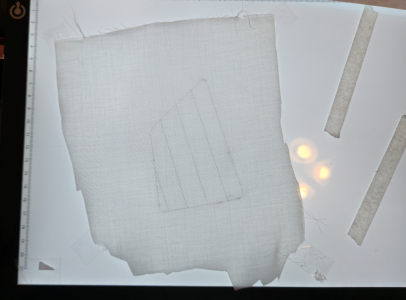
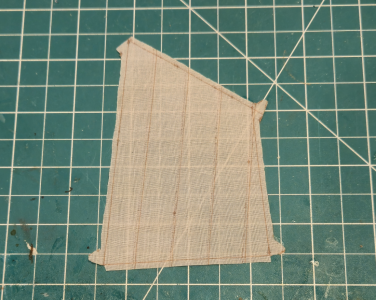
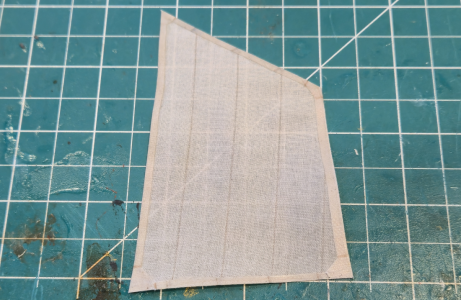
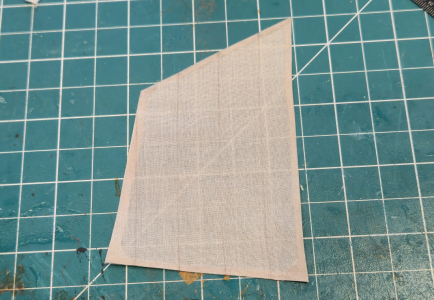
Using a light box, I traced the details of the sail with a pencil. This is just a trial sail, remember, cut from an old hankerchief:
1792248998794.png

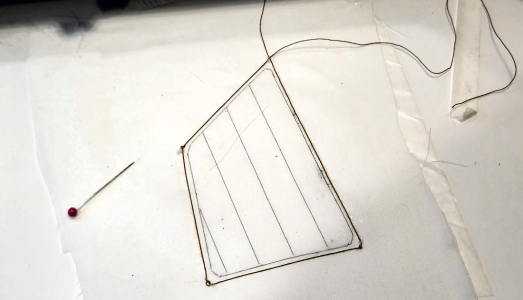
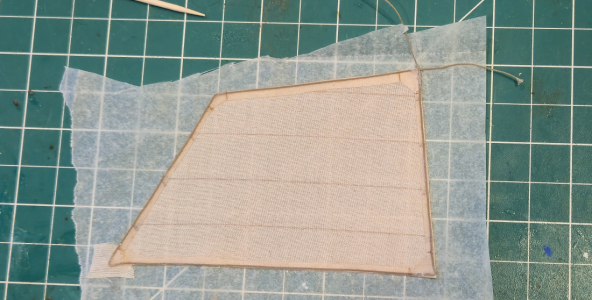
For this trial sail, I thought I'd try gluing the boltrope in place before trimming:
1792249160883.png

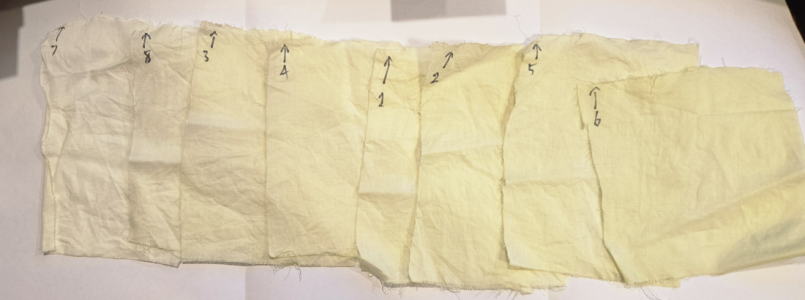
I purchased some cotton yard fabric to use for sails (thinking ahead), and wanted the color to be consistent. I used some Rit Beige dye, leaving small pieces of fabric in for varying times, to determine a color. The results were, uh, surprising:
1792249687927.png
Yes, the pieces are greenish-yellow. More so than it looks in the photo, in fact. I researched the problem, and it was suggested I hadn't mixed it enough, nor used enough dye. A second try ended with even stronger greenish-yellow. So much for Rit dye!

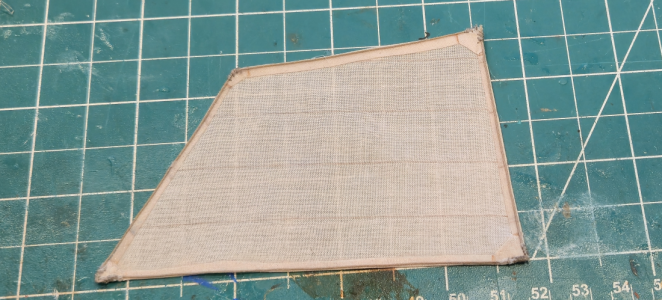
In the meantime, I tried a different sail outline approach, including tabling and reinforcements:
1792250013070.png

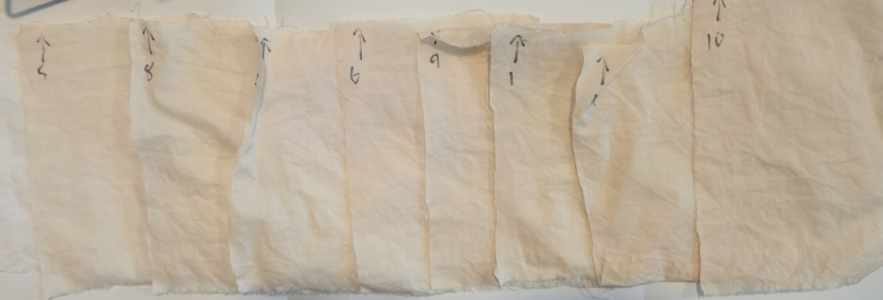
I decided to go the tea route for coloring the sails. My first try was a bit too light, I felt:
1792250132896.png
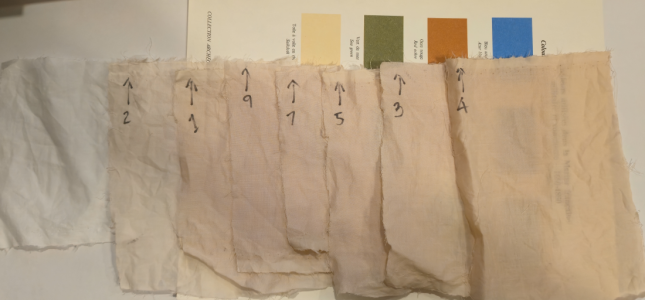
A second try with more tea concentration worked out okay:
1792250176953.png
The beige color in the middle of the picture is what ANCRE says the color that French sails should be. No, this isn't close, but I like it. Plus, I think the beige is not really a great color for sails.

With the tabling folded over and glued using acrylic medium:
1792251022706.png
1792251048997.png

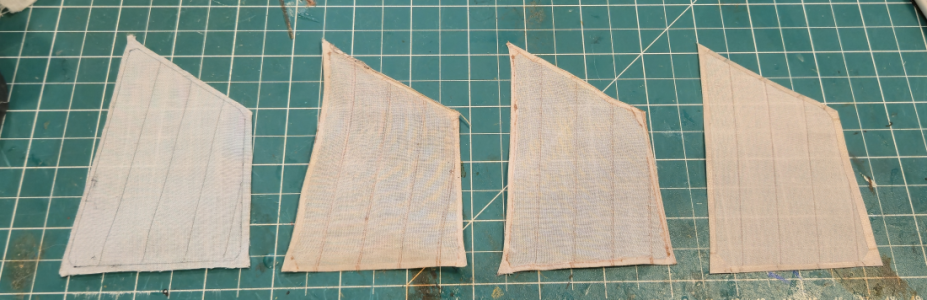
By this time I'd made several. Practice, right?
1792251124581.png

Time to add the boltrope:
1792251171281.png
A little bit of stitching in the corners should make them sturdier:
1792251420152.png

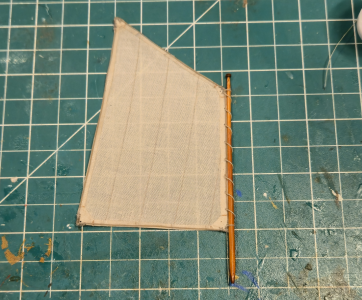
Finally, the sail is laced to the mast:
1792251459955.png
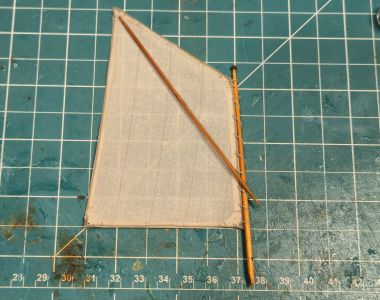
The spar in this case simply holds up the corner of the sail:
1792251536441.png
If you look closely, you can see the scarf joint in the spar.

Next to figure out the rigging required...
 
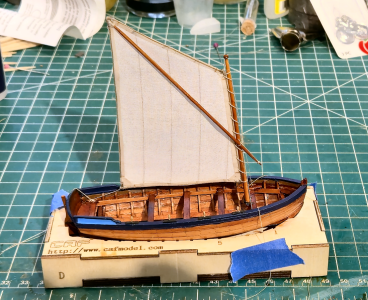
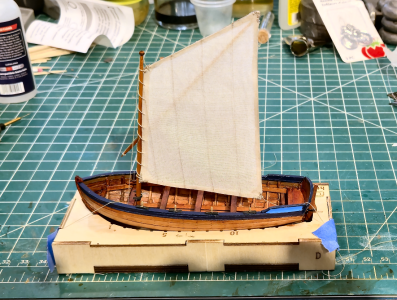
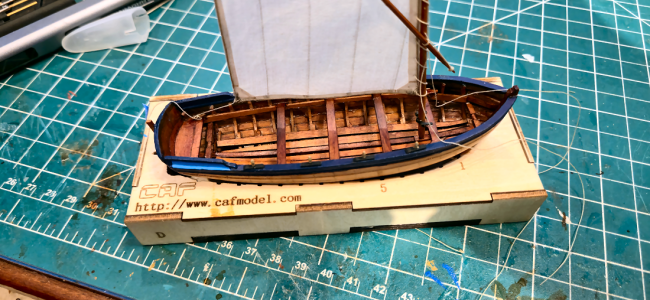
Rigging now determined, it was time to hoist the sail. Here she be:
1792264209022.png
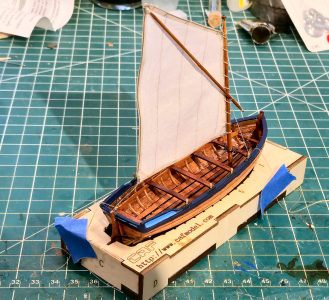
At least 3 lines are required to sail a spritsail-equipped Jolly boat like this. Sometimes more to help stabilize the mast, but I've added the minimum, since it will all be stowed away anyhow.
1792264298983.png
1792264325095.png
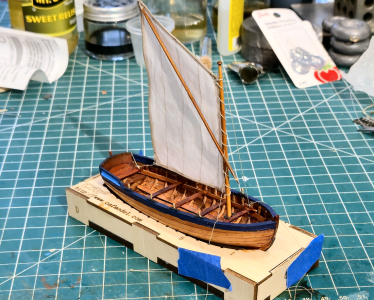
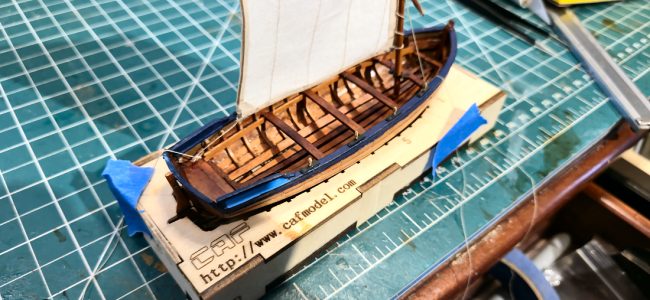
I've mounted 2 cleats for use with the rigging lines in the boat, 2 fore and 2 aft. I'm using 3 of them here. While I wrapped the lines around the cleats, I didn't take the time to do it "right", since I was going to remove it all anyhow. Thus, the blue tape to hold the lines snug. Some more pics:
1792264590448.png
FYI, the three lines are:
1) The Sheet line is attached to an aft cleat and to the sail's clue.
2) The Spar holds the Peak of the sail up, and in turn it is held up and tightened against the peak by what's called a snotter, which goes through the mast and is attached to a fore cleat.
3) Not always used, I've added a line to the head of the snail, which goes through a pulley in the top of the mast, which prevents the sail from falling down in low wind. This line is also attached to a fore cleat.
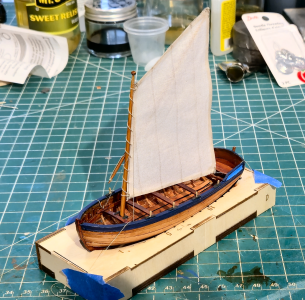
More pics:
1792265081978.png
A better view of the lines to the cleats:
1792265124845.png
1792265170146.png
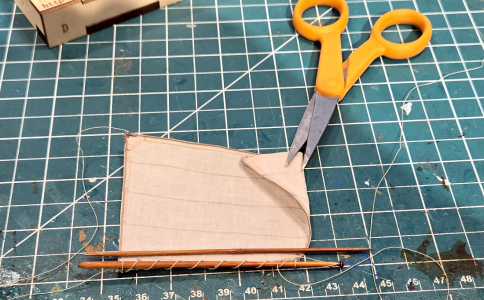
After tearing it apart (I really hated to do it, kinda liked the boat that way), I had to roll the sail like it would have been done for storing when not in use:
1792265326361.png
The scissors aren't indicating any cutting; they're just holding the sail with a triangular portion folded over. This was often done to make the rolled sail shorter and/or neater. I will be rolling the snotter line with the sail, leaving the others outside the roll.

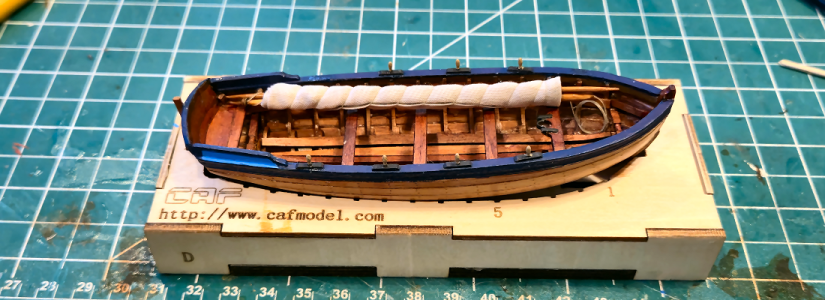
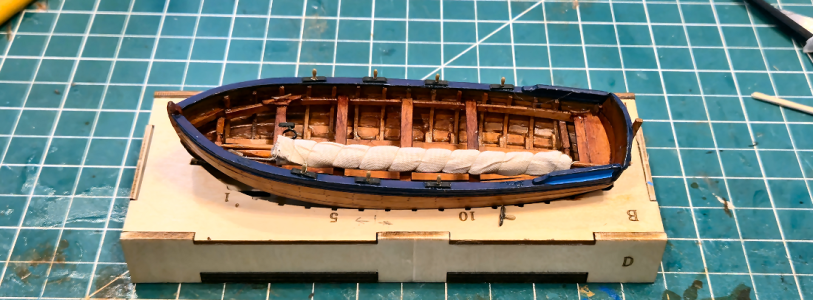
Here's the sail all rolled up and in place on the boat:
1792265464547.png
1792265490747.png
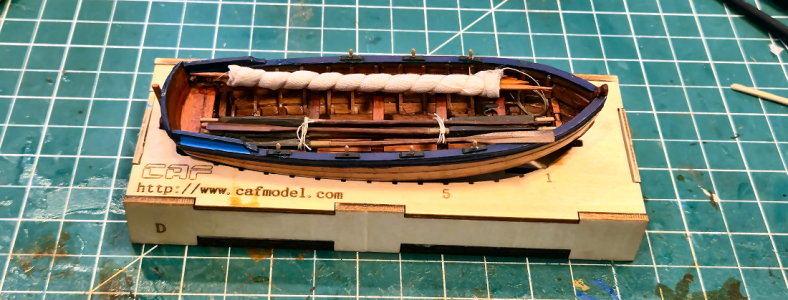
And finally, with both the sail and oars in place:
1792265537454.png
Despite the fact that these are stowed in the normal position, this doesn't leave much room for men. Possibly they left the sail behind if just rowing to shore, or immediately raised the sail, possibly not taking all oars with them, for sailing with the wind. I don't know, but all that stuff is required at one point or another.

Guess that's it for the ship's Jolly boat. Now I'll start working on the hull structure for La Belle.
 
Okay, enough of me screwing around and not working on the subject of this thread, the CAF 1/36 Scale La Belle. CAF had done a 1/48 scale version of this vessel that has been done quite often. I don't envy those modelers; even the 1/36 scale will be a challenge to me in many ways. An Italian outfit made a 1/36 scale version, which appeared to be a group build on a German modeling site, and they are darn well incredible, as it was a great kit to start with. But no longer available, so I'm happy CAF has gone with this model.

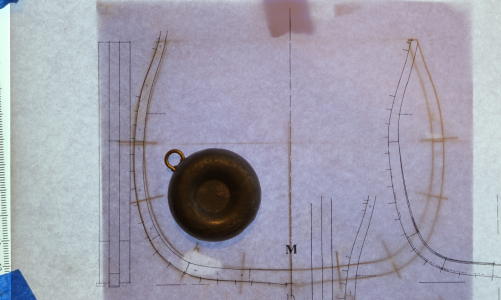
I'll start by comparing the mid-section frame of the model with Boudroit's drawings included with his La Bell monograph:
1792435106536.png
Boudroit's drawing is on top, and includes for reference the plank locations. The kit drawing is below, showing cross-lines where joints are located. The other outline is quite close, with very slight variations in a couple areas. Probably within my sanding and shaping ability. The inner outline is thicker toward the bottom, but I'm happy about that, as it makes it stronger, and if I /really/ wanted it closer to the monograph, I could sand that area more.

(BTW, I know there has been a lot of discussion and research concerning problems with Boudroit's drawings and analysis of the actual, or theorized, shape of the hull. I don't want to get into that here. The small variations between the various versions will not, IMHO, be visible in the model. I will ignore Boudroit's information where I have specific information to the contrary, and will explain why. But the niceties of the hull shape will be beyond the scope of this build. Hopefully.)

I'm going to take the process of building a couple frames tiny-step-by-step, as I think/hope there are a couple details and other information that may help others. Obviously, I won't do this for the remaining frames. I decided to start with the M section frame, the only triple frame on the ship and located at the broadest portion of the hull, and a severely beveled frame #2, to see how that works out.

Anyone who has built a Plank-On-Frame (POF) ship model is familiar with this process, but to help readers who may not have built one, I'm including this detail. The first step is, for each of the 28 built-up frames, to determine which parts are required, and where they go. The manual included with the kit includes diagrams of each laser-cut board with its part, to help in this:
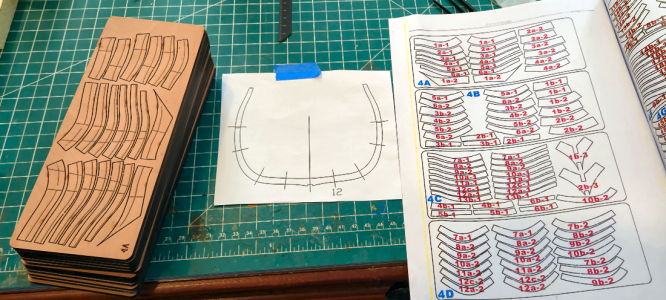
1792436167406.png

The needed parts for one frame are removed from each sheet. In the past, I've marked the part numbers beside each part, but so far I'm not doing that, partly because there's little room here to do it clearly. I do quadruple-check I have the right parts for each frame - the parts from adjacent frames are extremely similar, so this can easily happen. I've seen others write numbers on each part, but I don't like to do that. At least most of the time.
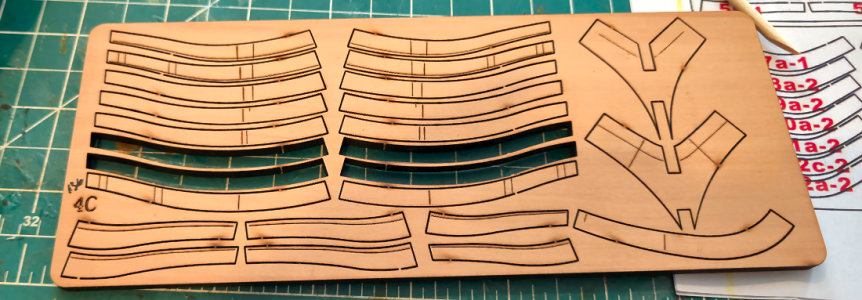
1792436533226.png

While looking at the various parts of the frames, and when comparing them to the frame outlines, you will find some lines that don't make sense, and seem like they shouldn't be there, like those circled below:
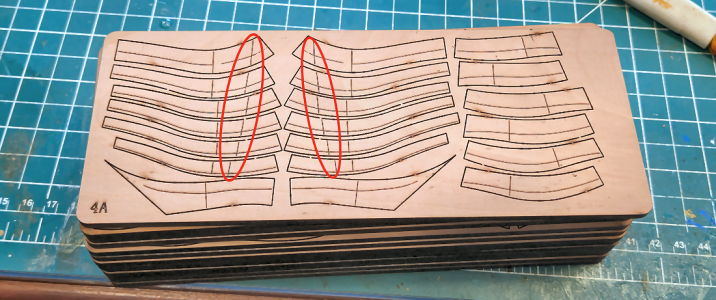
1792437160977.png
It turns out that they shouldn't be there. According to Tom, they are a "legacy from a previous version". That's kind of unfortunate, if you want to see the sides of the frames in your build, so you may have some extra sanding to do.

So, next I take the pieces for my frames, and place them in the approximate location to confirm that's where they go. I broke my rule of doing one frame at a time here, as I felt I was safe with the completely different frames being worked on:
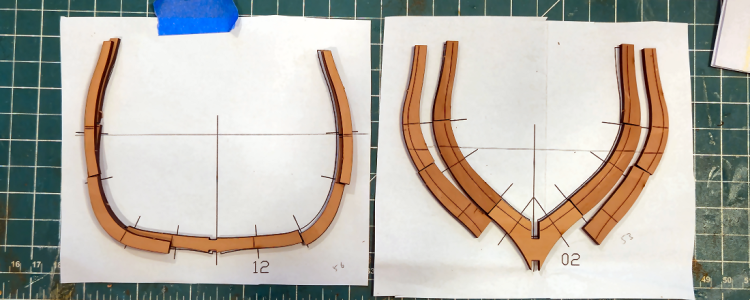
1792437413416.png
Most frame parts of laser-etched lines on one side, like the center portion below:
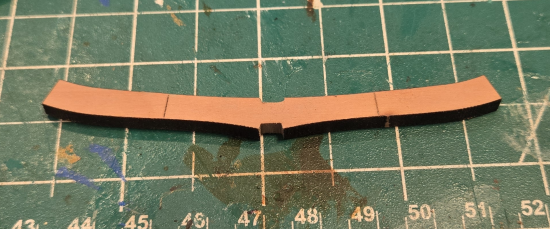
1792437610119.png1792437631185.png

The "cross lines" I'll call them show the location of parts of the second frame, which overlap each other for strength a bit like a row of bricks. It's hard to tell from the photos below, but the notches are a bit narrow for the 4mm keel:
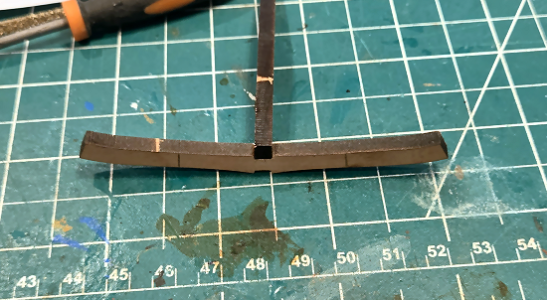
1792437917405.png1792437984882.png
The notches are smaller than 4mm by less than 1mm, probably closer to 0.5mm. That seems a tiny amount, and it is, but 1) It's a lot more than is required to remove the char (and it's debatable if when gluing notches and parts such as this that the char needs removed at all), and 2) That 0.5mm, or whatever, is much more of a pain to remove than it appears to be (and should be).

I guess I'm not as skilled as most, and maybe a bit more impatient, but I've used about a dozen files of various styles, grits and shapes to widen this slot, while 1) Keeping the slot from being too wide, 2) Keeping the slot centered, by not removing more material to one side than the other, 3) Trying to NOT deepen the slot by more than the char, and 4) keeping the bottom slot corners sharp so the 4mm pieces fit in as far as necessarly.
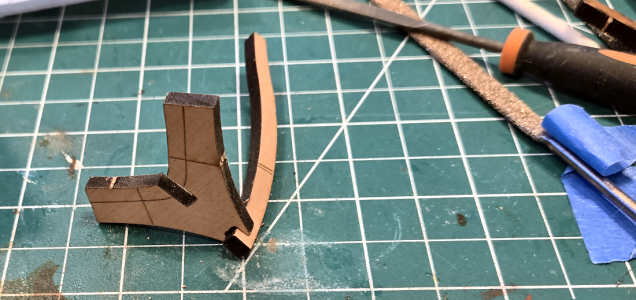
1792438389201.png
Sure, that's a common task for us model ship builders, and basically a simple one, but hard to get "just right". My first notch looks like this:
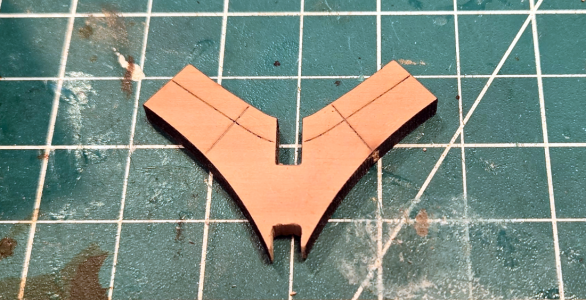
1792438558930.png
1792438687635.png
Yeah, it works, the part fits, and it will glue fine. But it's not neat. One side's a bit deep, and it's, well, ugly. Perhaps others have found ways of increasing the width of these slots, but I've not found a great one. This is the best way I've found to increase the width, without increasing the depth, which can more easily be done afterwards:
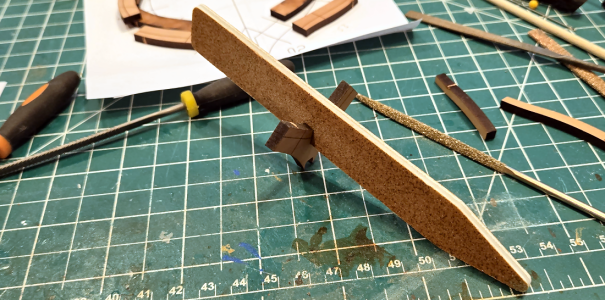
1792438799258.png
OF course, it depends on the state of the grit of each side being the same, but hopefully it is.

Again, why the big deal? Well, for just this frame Section 1 of La Belle, just counting notches involving the 29 frames, I need to make 116 notches, counting those in the keel and keelson. And, IMHO, there is no reason we should have to do this. Other notches, like those on the building frame, push together with little force and clearance without the touch of a file or sandpaper. The 0.5mm or whatever is allowed for this should not be there, for this location or any area where a known thickness piece (like 4mm for the frames) is inserted. The 4mm pieces are accurate within less than 0.1mm, most much less. The "normal" 0.5mm allowance for pieces like the frame outlines themselves should /not/ be necessary on the notches.

Tom - I know you're following - please consider allowing far less, maybe close to zero, clearance in laser cut notches when known thickness boards are inserted into them. Sure, the outline of parts needs the allowance, but not the notches.

Anyhow, after filing, sanding or whatever method (I considered buying a 4mm wide file, but couldn't find one, only a round one) the notch, the 4mm thick piece hopefully fits well and is of the correct depth:
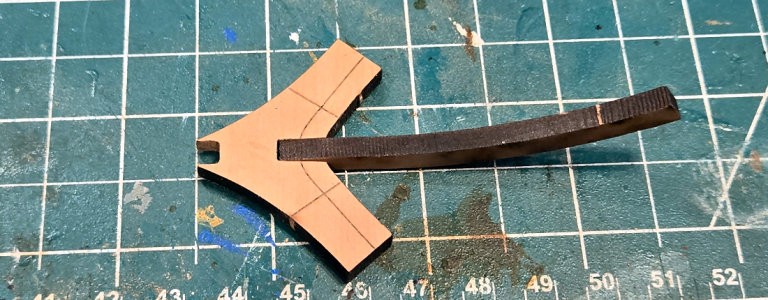
1792439449650.png

After the ends of each piece are lightly sanded, they are positioned on the paper template using Fixo-Gum rubber cement to cement the pieces to the paper, and white glue to glue them to each other. As this is a triple frame, I can place the center frame with the laser lines pointed up.
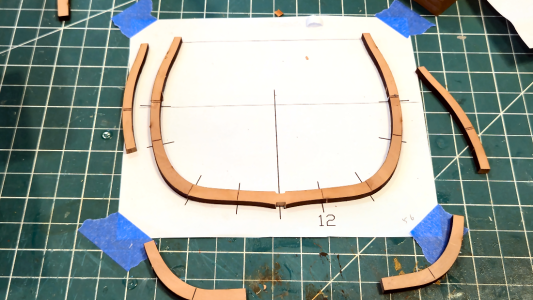
1792440499283.png

Weights hold the pieces straight while the glue dries. I've used a piece of glass to mount frame pieces on in the past, but think my work area is level enough for this purpose.
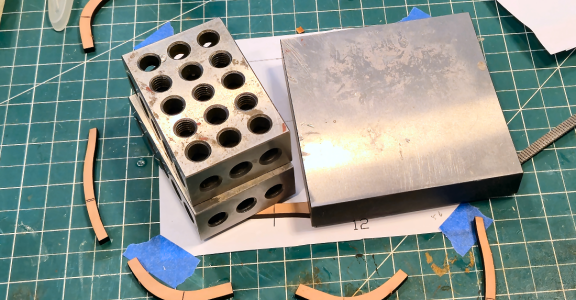
1792440713436.png
After the glue of the first layer dries, I can add the second layer. The laser lines on the center piece are somewhat useful here, but all I really need is where the pieces start. I've found that excessive sanding for end-mating parts isn't really necessary, and can sometimes result in a shorter frame than desired. I prefer all the frames as high as possible, so I can be sure of obtaining the correct height.
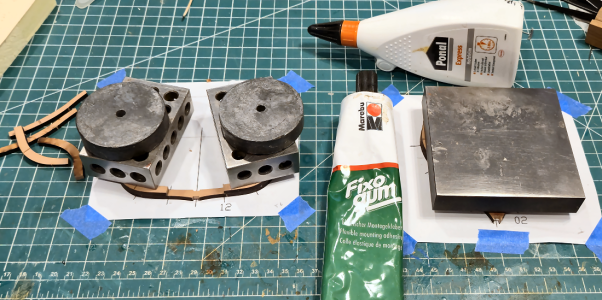
1792440970130.png

So now there are two layers with one to go:
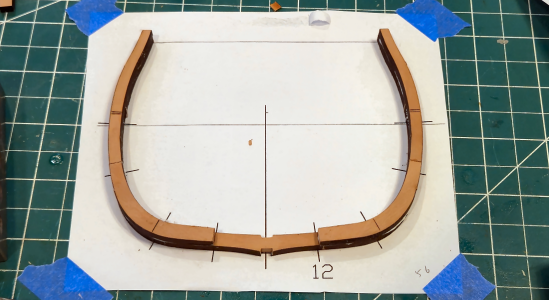
1792441117963.png

At this point, the center frame can be removed from the paper to add the 3rd layer:
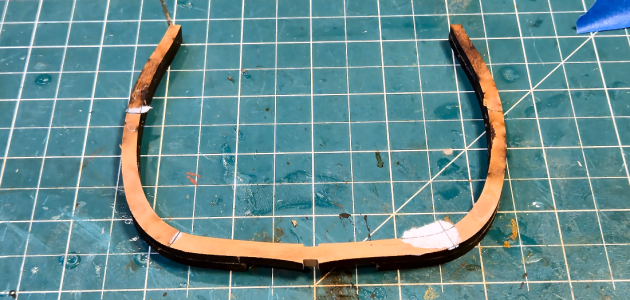
1792441208441.png
Any Fixo-Gum can easily be rubbed off, any paper sticking is caused by the white glue, so a light sanding eliminates those items and provides a level surface for gluing the next layer. The template can't really be used for that, but isn't necessary, as you're just matching the parts to the existing structure. I started at the top, actually.

Frame #32, and all the frames /except/ number 12, the triple frame, are double frames so the initial procedure is a bit different. Most frames, in addition to the (unnecessary) cross lines, have lines that show where bevels are to be cut/sanded. TO be sure they will be visible when the frame is done, the frame pieces have to be placed on the paper with the laser-cut side down.
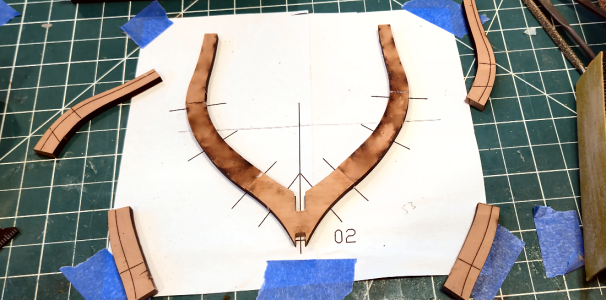
1792441551330.png

My single plate weight works well here for this smaller frame:
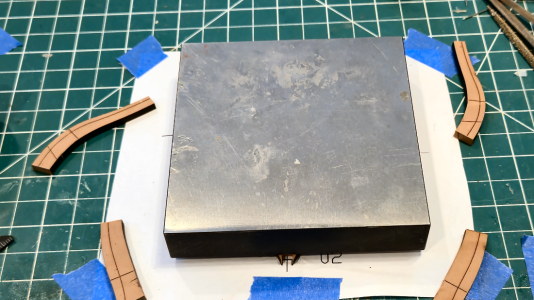
1792441588838.png

After the glue is dry, the second layer can be glued to the first:
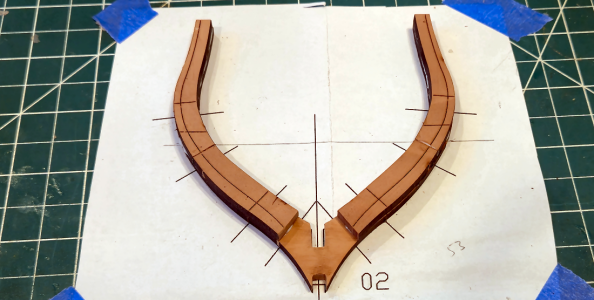
1792441690839.png
Above is a good photo that shows the cross lines on the pieces. I don't feel they're required because the lines on the paper show exactly where things go. IMHO those are NOT necessary, and are just something that should be removed if visible on the finished model. Of course, the contour lines have to be included, because they indicate bevel locations.
Tom - Please consider eliminating the cross lines, as the aren't really required when using the paper templates.

After the glue is dry, the frame is removed from the paper:
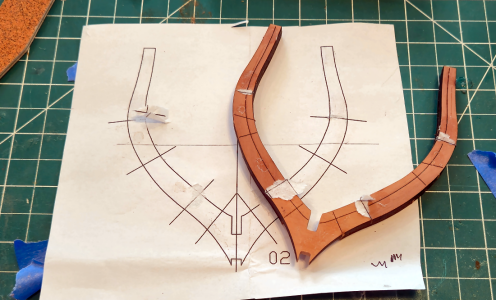
1792441953861.png

Next I sanded the contours in frame #2 above. (The triple frame above has no lines or contour, so that's not required there)
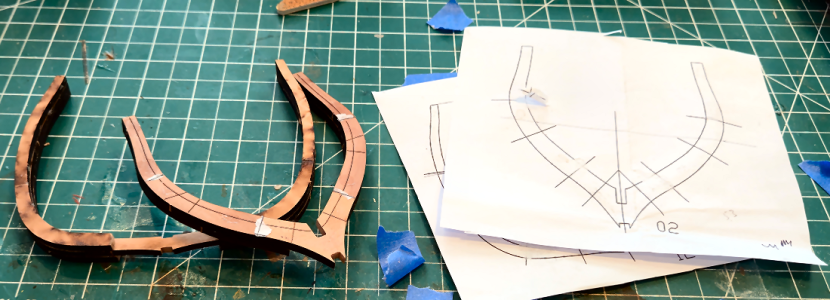
1792442073768.png

I also removed the char and sanded the inner and outer surfaces of the two frames. I feel the inner contour will be close enough visually and construction-wise and this will eliminate inner sanding in place, which is difficult. I've also sanded the outside of the frames. After assembly, they can be recontoured, if necessary, but if that isn't required, they'll have been sanded with the grain, and have an initial finish coat.
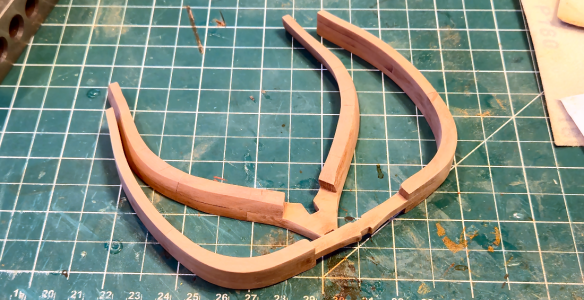
1792442347927.png
And after a coat of finish: - Whoops, it seems there's a limit of 25 pics, so I'll finish this post and put it in another one.

 
And here's the finished 2 frames with one coat of finish:
1792442450621.png
I've removed most of the extra lines (false seams, not the real ones), except for the fore/top of frame #3, because I know it won't be visible.

That's it for today. I'm studying which frames I feel confident to go ahead with (I intend to make some changes like the gun port locations), and will be holding off on the keel for now.

A quick note about the frame construction on this model. I've been surprised that the double frames did not have both halves go all the way to the keel, like in the Granado that I built. It seems to me that the area near the keel needs to be the strongest (which is why most frames taper in both width and thickness as the go from keel to rail), but that's not the way this ship was built. It seems that the La Belle was one of the first proven examples of double frame construction; the French shipbuilders simply added additional frame 2nd and 3rd futtocks to the existing single U-frame, without adding the second 1st futtock that would form a normal double frame. BY itself, this would add little to the strength of a frame, but added to the entire hull structure, it would add strength and help prevent penetration by cannon shot or accidents.
 
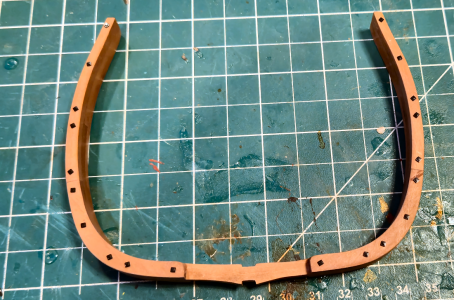
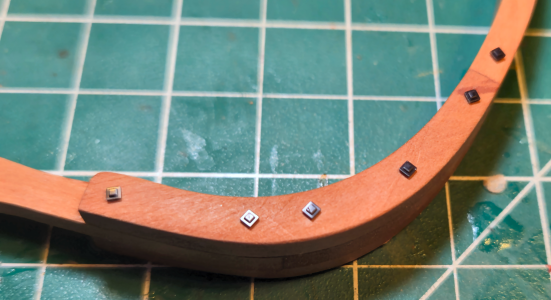
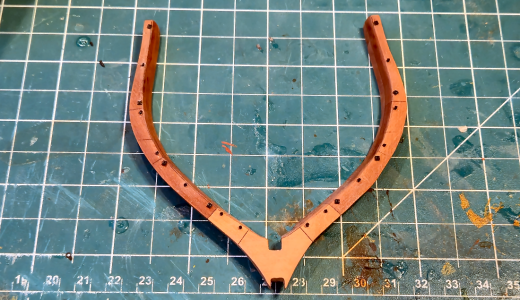
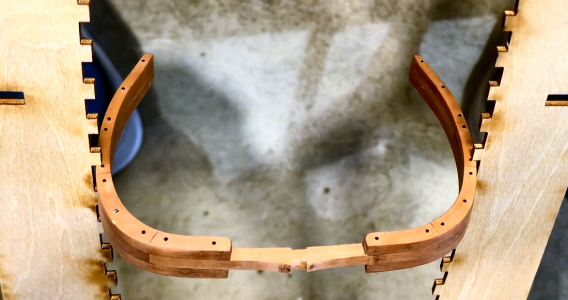
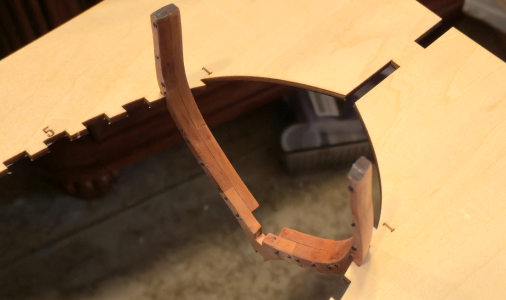
My intent is to include the appropriate bolts in the frame, and maybe treenails and such as well, so today was my first try at it. While most bolts on the La Belle were round, the bolts holding the futtocks of one layer of frame to the other were 1" square bolts with square heads, with roves (washers) at the other end, bolts peened over. I have seen square roves in use, so assumed those would be square as well. First, I drilled holes in the M (triple) frame in the required locations:
1792462545217.png
I drilled the holes from each side separately. In theory, I should have been able to drill straight through all three 4mm pieces, but I really wanted to be sure the holes were centered, so drilled from each side. Maybe I'll drill straight through the double frames.

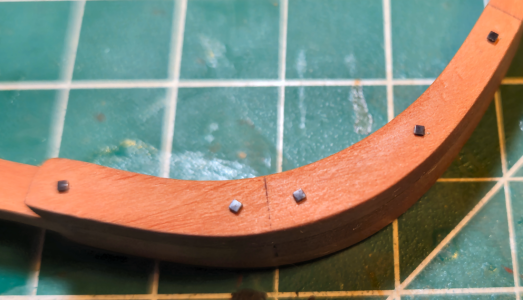
I pressed the square head bolts in place on one side. I wanted to avoid glue, as I was afraid it would make mess around the hole,
1792462772816.png
I tried prying the bolts out with my fingernail, and "pounding" the frame on my workspace, and didn't lose any, so hopefully they'll stay. Later coats of finish should help keep them in place as well.

The other side of the frame has the bolts with roves (I assumed builders would install them all from one side. That may be a bad assumption, but I went with it.
1792462914938.png
With the naked eye, the bolts with roves just look like big bolts, a bit oversize, but that's how it should look.

Here's a close-up of the side with the square bolts:
1792463008119.png
And here's one of the side with the roves:
1792463031595.png

I'm not too sure what to do for bolts that are required to be at an angle due to frame chamfering. Technically, the bolt heads should be at an angle, but I don't think that's a possibility for me. Neither would recessing the bolt head. I'll have to figure that out.

This should slow my frame work down some!
 
While I don't think the bolts on frame #2 will be visible, I went ahead and added them to the aft side:
1792465743294.png
The fore side butts up against the semi-solid piece at the bow, so bolts I think would interfere with proper placement. For this frame, I experimented with having both bolts and bolts with roves on the one side. I tried to place them in a logical manner, as if it made a difference in how they could be placed. I also placed them as close to the inside as possible, to minimize the angle that the bolts would have to be at on the full size boat.

While doing this, I realized that some of these bolts may well interfere with the notches in the top of the building frame. I'm not going to build either it, or the keel assembly, at this time, but perhaps I can mock up something to see if the bolts will interfere with anything.

What do you think about all bolts on one side, bolts and roves on the other vs alternating them in some way?? ThumbsupThumbsdown ?
 
Did the square bolts come with the kit ?
No, I designed them in Fusion 360 and my son made them them in resin.
It’s a great effect, and that pear wood looks awesome.
Thanks, an yes, the pear wood looks great. There is some variation in color, but less noticeable in real life than in the photos (isn't everything?), and really just emphasized the fact that it is made in multiple pieces. I'm really pleased Tom decided to make this kit available in pear wood (despite the price).
 
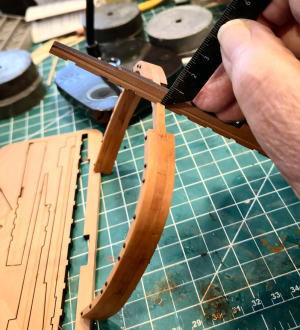
Continuing on with my concern that the added bolts may interfere with the positioning jig, I first measured the location of the frame to the keel (not yet assembled):
1792517547464.png
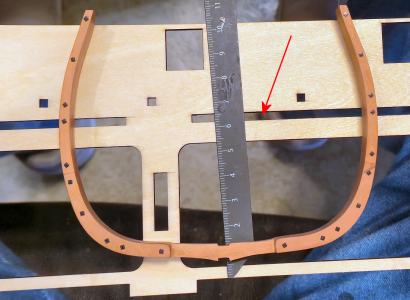
I then overlayed the frame on the side of the jig, to see where the jig with slots for the frames is located (arrow in red):
1792517679881.png
So, at least the lower of the pair of bolts at that location interferes, as shown below with the frame in the correct locaton:
1792517790919.png
With this interference, I won't be able to put bolts in at that location, or just below it, to be able to get the frames in position, or more importantly, get the completed frame out of the jig.

Let's check frame #2 to see if it has a problem:
1792517908274.png
No problem with this particular frame, since the bolts are placed as far as practical inboard, but if there had been bolts on the fore side, they would have been placed outboard, and would definitely be a problem.

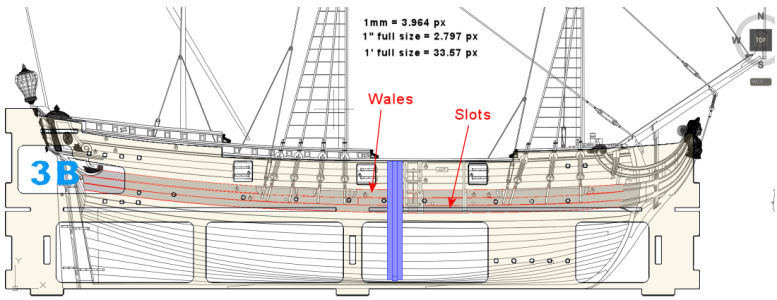
So many of this level of bolts will interfere, and can't be positioned there. The question then is to see if this matters; that is, would those bolts be visible after construction. While I placed all the bolts on frame 12, it was kind of a test. In actuality, I think it's silly to place them where I know they won't be visible (i.e. I'm not Uwek, after all). I scaled up the drawing of the side of the jig, comparing it with actual measurements, and used some advance drawings sent to me by Tom, to get this:
1792518548650.png
The jig side is shown over an outline of the La Belle, frame 12 is shaded in blue. The slots identified above is where the horizontal frame piece that locates each frame is located. Comparing the photos posted above, the bolts in question occur right at the slot level, which in this case is behind the lower wale. I will definitely be adding the wales to both sides, so anything behind them won't be visible. I'll have to see if I want to leave any strakes off above the wales, which would determine if I place bolts in this area.

The bolts just below the wales would probably be visible, if there are openings at that point, yet they can't be there because of interference. The answer, for me I think, is to add at least one strake below the lower wales, which would cover any bolt there (or supposed to be there). As long as any openings in the hull (leaving strakes and/or sections of frames off for visibility of inner structure and elements) are below that strake, I should be good. Of course, I'll have to check that as I go along, as joints and bolt locations change for each frame.

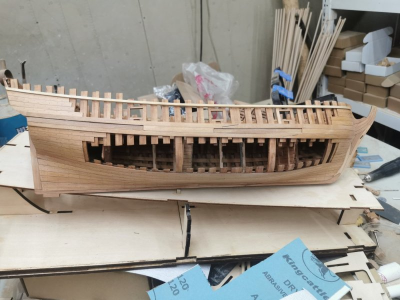
Basically, I'm trying to do something similar to what Tom did on his prototype, with the openings:
1792519123462.png
His structure visibility starts immediately below the lower wales, but per above, I'll have to add at least one more strake below that to cover the area where the bolt should be, but isn't. I may include the hole for the bolts anyhow, in case it's visible, saying that the ship is under construction (and I have information confirming that most of the holes and bolts were added after the frames were assembled in place on the keel, so that is historically correct. ;-).

Okay, I'm good to go, as long as I keep this information in mind as far as the bolts are concerned.
 
Continuing on with two more frames (I won't be doing this for all - just trying to show my procedure and logic), I decided to proceed with frames 10 and 11, already having done 12. These are central to the hull, straight, and easy to do. And these are all double frames, as opposed to the one triple frame #12.

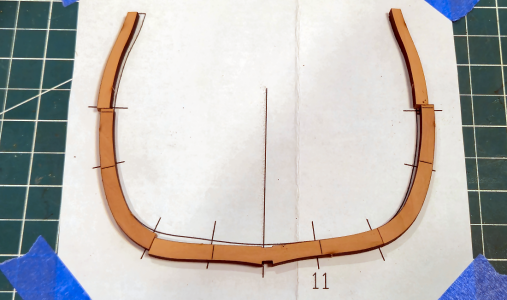
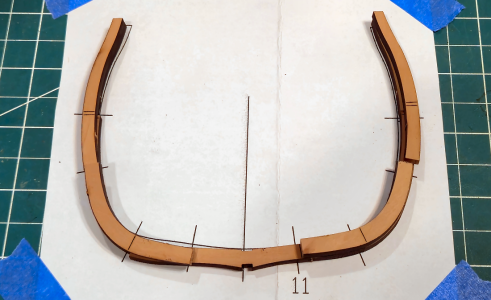
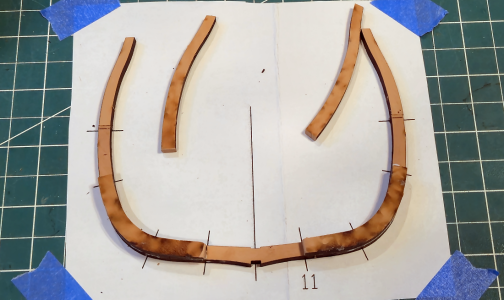
Using frame 11 as an example, I've laid the aftmost frame of the double frame in place, confirming the location and shape of each piece, which should be carefully done to all frames. Since the aftmost (in the forward portion of the ship - it will be aftmost in the aft portion of the ship, with frame @12 being the divider) is the "complete" part, that is it comprises an entire frame while the second portion adds on to it, it's best to start with it first.
1792635791765.png
Yes, I laid them out more carefully to determine location and that the pieces are correct. Notice the lines on the print basically match those on the futtocks, with lines laser-engraved on each futtock where it "matches" a joint on the other frame, and of course lines at the end of each frame on the paper. I have shown the futtocks with the laser lines upward, although the intent of the manufacturer is that they face downward. More on that later.

This is how the second layer futtocks fit atop the first layer:
1792635931353.png
Many of you will be surprised, as I was, that the second layer did not proceed across the entire first layer, but rather left the center section open. The La Belle was one of the first French ships to use double frames, and this is the method they came up with initially. I would have thought the extra strength would be necessary at the keel connection, but I'm not a 17th century ship builder.

This is the way the futtocks are intended to be placed for the first layer: Laser-engraved side downward, which will be to the outside, and laser-burnt side to the inside, which will be covered between the two frames.
1792636196603.png
The above view would normally be after these pieces are glued together, meaning they precisely positioned, lining up with both the drawing and each other. I have not shown this, however. Notice that the laser-engraved lines on this piece are of no use - you can't see them. You can, however, align the pieces with the lines on the drawing, so that's fine.
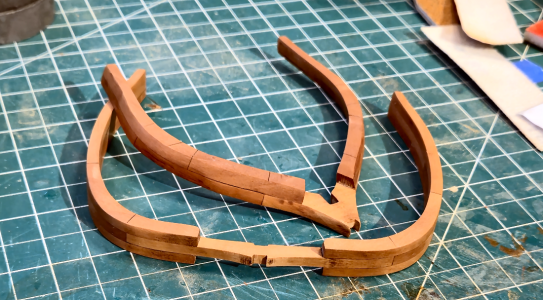
Now the second layer is attached, in the intended manner, again with the laser-engraved lines also to the outside, or up in this case:
1792636487061.png
The ends of each piece can be aligned to the lines on the paper, but of course not to the lines on the first layer, as they are on the bottom side. And while you can check the in-between laser lines with the paper lines, that's really not necessary, as the ends determine the location. So, when doing things the "right" or intended way, these laser lines are of no help. They just need to be sanded away later, as they shouldn't be there.
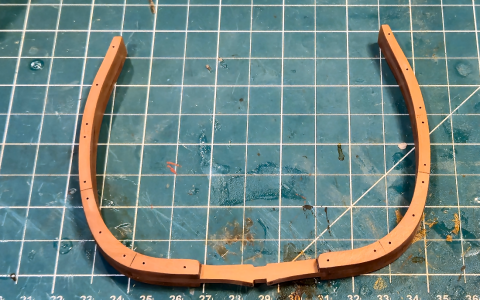
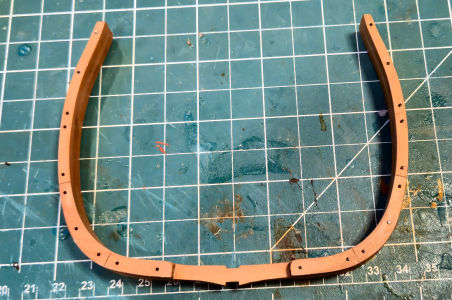
All that said, I made my frames in reverse, so that the laser lines are to the inside. It's much easier to sand out the laser burn than it is the unnecessary laser lines, which are much deeper. So I started with the first layer oriented with the laser-lines side up, then added the second layer laser-lines-down, just the opposite of the intended procedure:
1792636757482.png
Doing it my way, upside down, the laser lines on the first layer can actually be used, in addition to the lines on paper.

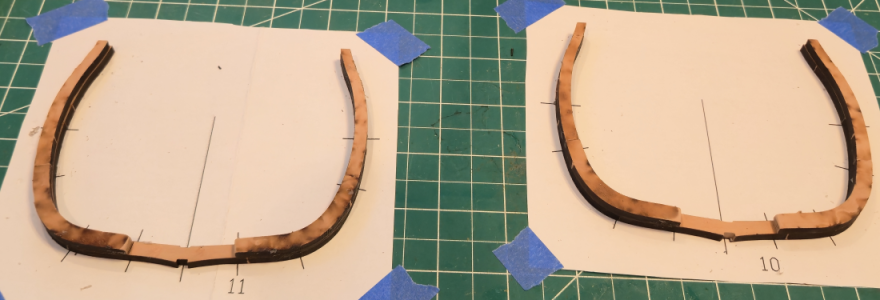
Here are frames 10 and 11 completely assembled, but unsanded, using the above method:
1792636890696.png
So, am I going to make all the frames "reversed" like this, avoiding the laser lines? I'd like to, but I can't. About half to 2/3 of the frames are in areas of the hull that require beveling, usually both sides, due to the curves encountered. CAF has rightly shown laser lines to indicate where to sand those bevels, where is really great if not completely necessary. Those lines MUST be on the outer sides of the frames (or you couldn't see them, of course). Unfortunately, the locating laser lines, which I've shown above are not only unnecessary but cannot even be used, are on that same side with the bevel lines. In addition, there are added "legacy" lines that shouldn't be there. So on those frames, I'll have to assemble in the intended way, laser-burned sides to the inside, and either sand out the lines or leave them in. Tom - again, I believe all but the tapering lines should be eliminated.

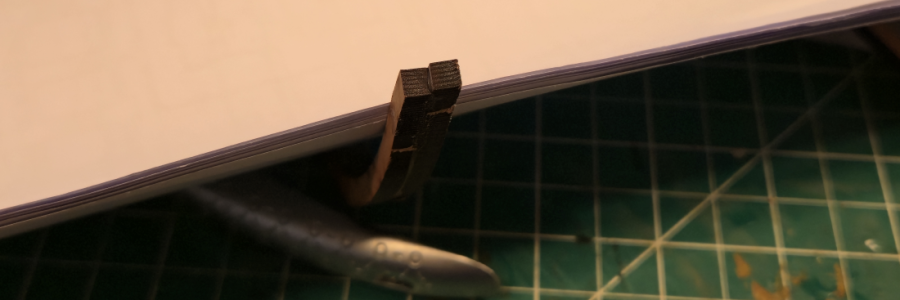
By the way, while I always try to be careful when aligning the two layers, I didn't do well on one side of frame 11:
1792636975226.png
Obviously, this has to be additionally sanded to remove the offset, making both sides parallel. Luckily, the lower side was correct, while the upper overhung it, so when sanding the outer contour was unchanged, while the thickness was reduced about a half a millimeter. I felt I could get away with this, and didn't want to rip the frame apart, so left it this way. But I vow to do better in the future, and in fact searched for and found a tool that will help me.

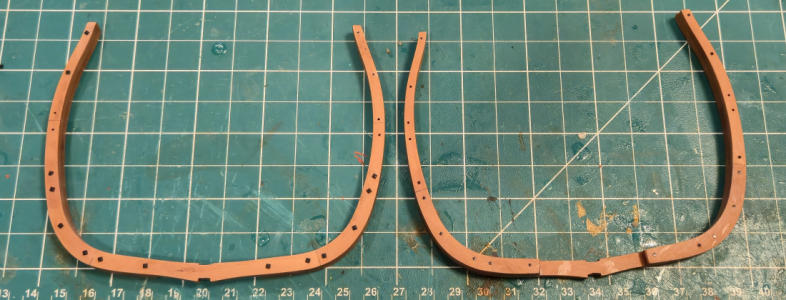
As before, I placed square bolts and one side, and the larger square bolts with square roves on the other. I decided to drill the holes for them in all locations, and for these non-tapered frames, was able to drill a single hole straight through, rather than drilling from each side like I did with the triple frame 12.
1792637304333.png
Above Left is the forward side of Frame 10 and above Right is the aft side of Frame 11.

I have decided that my LaBelle will be completely planked and finished on the Port side, and the Starboard side will have open areas showing more of the structure and innards of the ship. This determines where I need, and don't need, the square bolts. On the Starboard side, I've included them everywhere except at the center where the jig frame locator plate is, while on the Starboard side I only include those below the locator place - on the off chance that they will be seen from inside, although most will probably be covered by the ceiling (floor - hate that term), structure and added strakes. Also, note that the square head bolts are now more-or-less recessed. I didn't think it realistic they would sit on the very surface, so recessed them with the tool below. Some went in more than others, which I suspect happened on the real ship too. I think it looks better in person than in the photo above, so I think it's fine.

I mentioned a tool to help me align frame pieces better. The problem is we're placing one part over another, and it's supposed to match all around. I've tried using a square, which was clumsy, a block of wood against the side, and in the end my "sensitive" fingers and so-so eyes. I thought I'd done well, but the photo above shows that isn't always the case, and I want to do better. So I bought these half-round/flat parallel jaw pliers. I hope to use them to move the upper futtock to be in line with the lower by pinching from above, with the half-round side to the inside of the curve, to prevent marks. I think it should work well. In the meantime, I'm using the pliers to seat and recess the bolts, for which it has worked pretty well (except I can't see what I'm recessing, so it varies a bit, like real life I hope).

That's it for now. I'll occasionally show progress photos as my bevy of frames multiplies in number. I probably won't add much detail until something changes in the frames (it will) or I work on something else worth posting.
 
Back
Top