Seen them mentioned lately, and have questions
What software are they using to get drawings inputted into them for cutting? I have a few ideas of models for the future, of actual ships from an actual company that makes full size cad files for cnc cutter machines to make the hull components for plywood sheet based day sailers..
Laser cutting tools use a variety of software to input drawings for cutting. This software generally falls into two categories:
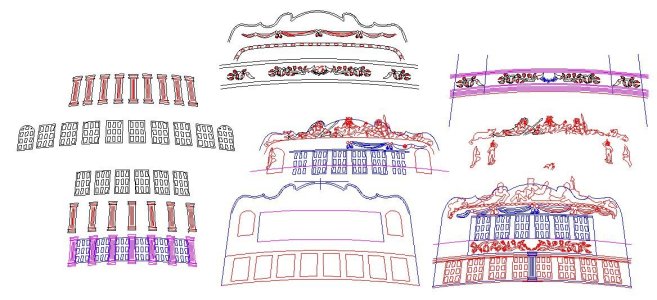
1. CAD (Computer-Aided Design) Software: This software is used to create the initial designs and drawings. It allows for precise geometric creation and manipulation. Common CAD software used for laser cutting includes:
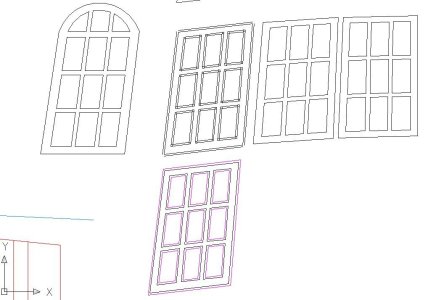
- AutoCAD: A widely used professional CAD software known for its precision and extensive features. It can export files in DXF format, a common standard for laser cutting.
- SolidWorks: Popular in engineering, it offers robust 2D and 3D design capabilities and can export DXF files. It also has integrated CAM features.
- Fusion 360: A cloud-based CAD/CAM software that is becoming increasingly popular due to its capabilities and more accessible pricing. It can also export DXF files and manage toolpaths.
- DraftSight: A free or low-cost 2D CAD software that serves as a good alternative to AutoCAD for creating and editing DXF files.
- Inkscape: A free and open-source vector graphics editor. While primarily a graphics tool, it can create and export designs in SVG format, which is compatible with many laser cutters.
- Adobe Illustrator: A professional vector graphics software widely used for creating intricate designs and artwork. It can export in AI and SVG formats, both suitable for laser cutting.
- CorelDRAW: Another professional vector graphics software that can be used to create designs for laser cutting and supports formats like CDR, AI, DXF, and SVG.
2. Laser Control Software: This software takes the designs created in CAD software and prepares them for the laser cutter. It controls the laser's parameters, such as power, speed, and cutting order. Some common laser control software includes:
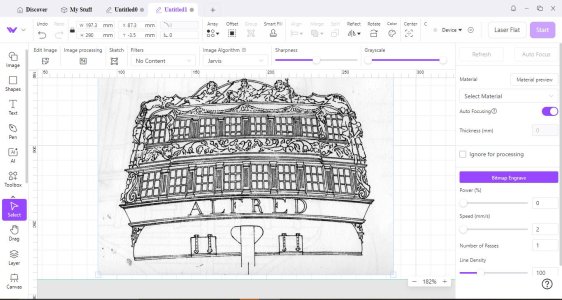
- LightBurn: A popular, user-friendly software compatible with a wide range of laser controllers (Ruida, Trocen, TopWisdom, and GCode-based). It allows for importing various vector and raster formats (AI, SVG, DXF, PDF, as well as image formats like PNG and JPG), editing designs, setting cutting parameters, and directly controlling the laser.
- RDWorks:Software commonly bundled with Chinese laser cutters that use Ruida controllers. It provides tools for design, setting parameters, and controlling the laser. It primarily works with its own RLD format but also imports DXF, AI, and PLT vector formats, as well as raster formats.
- LaserGRBL: A free and open-source software specifically designed for GRBL-based laser engravers and cutters. It focuses on image engraving and basic vector editing and accepts G-code.
- Trotec JobControl: Proprietary software for Trotec laser machines, offering a seamless workflow from design to cutting, with features like a PDF and DXF interface.
- Epilog Laser Dashboard: Proprietary software for Epilog laser systems, providing control over laser parameters and job management.
- Universal Laser Systems Control Center: Proprietary software for Universal Laser Systems machines, offering design import and laser control features.
File Formats:
The most common file formats used to transfer designs from CAD software to laser cutting software are vector-based formats, as they define shapes using mathematical equations, ensuring scalability without loss of quality. These include.
- DXF (Drawing Exchange Format): A widely supported format, especially in CAD and engineering applications.
- SVG (Scalable Vector Graphics): An XML-based vector format popular for web graphics and increasingly used in laser cutting.
- AI (Adobe Illustrator): The native vector format for Adobe Illustrator.
- CDR (CorelDRAW): The native vector format for CorelDRAW.
- EPS (Encapsulated PostScript): A versatile format that can contain both vector and raster elements.
- PDF (Portable Document Format): Can contain vector graphics and is widely used, though it's essential to ensure the PDF contains actual vector data for cutting.
Raster image formats like JPG, PNG, and GIF are typically used for laser engraving rather than cutting, as they are pixel-based and can lose quality when scaled. Laser control software often has tools to convert these images into a format suitable for engraving (e.g., halftoning or dithering). The specific software and file formats used will depend on the type of laser cutter, the controller it uses, and the designer's preference and workflow. Many laser control software packages offer basic design tools as well, allowing for simple shapes and text to be created directly within the software, eliminating the need for separate CAD software for some projects.
https://research.ppld.org/laser/DesignSoftware






 There is perhaps no better buy for ship modelers on the used stationary power tool market than a decent scroll saw. For a number of reasons, buying one is attractive to novices in a number of different hobbies who seem prone to losing interest after a relatively short while and thereafter post them at "give away" prices on internet neighborhood "for sale" sites and many models aren't particularly expensive even when bought brand new.


