• Win a Free Custom Engraved Brass Coin!!!
    As a way to introduce our brass coins to the community, we will raffle off a free coin during the month of August. Follow link ABOVE for instructions for entering.
  • PRE-ORDER SHIPS IN SCALE TODAY!

    The beloved Ships in Scale Magazine is back and charting a new course for 2026!
    Discover new skills, new techniques, and new inspirations in every issue.

    NOTE THAT OUR FIRST ISSUE WILL BE JAN/FEB 2026

Mini Hobby 80502 1/350 Scale USS Enterprise CVN-65 Early

Part 7 Deck Edge Aircraft Elevators

It has been some 42 days since my last post and I know that I didn’t work every day so say 38 days at around 3 hours per day would mean I spent around 114 hours making the 4 elevators. Because of the number of photos that I want to attach I may have to break this into 2 posts.

On the ship each elevator is approximately 4000 square feet. They are capable of lifting two aircraft weighing up to 100,000 pounds each. The elevators are vital to operations on any aircraft carrier. The Enterprise, Forrestal, Kitty Hawk and Nimitz Classes all have 4 elevators but the Gerald R Ford Class has only 3 so any one going out of operation would seriously hamper the ships ability to function. I saw Elevator 2 jam a couple of times during the 1978 deployment. They had to rock the controls from up to down repeatedly to un-stick it. This is one reason why it was partially plated over during the major refit that followed that deployment. The plating was to keep the giant platform from flexing and locking up in the guides. They plated over the drain holes under the deck by 2012 which is an indicator that the deck was solid by that time too. I am sure that all 4 elevators were completely plated over sometime during the final 12 years of service. I believe the Enterprise was unique in having grated elevators. I never served on another carrier with them nor heard of one. I imagine it was tried for its ability to shed water quickly, weight and/or cost reduction.
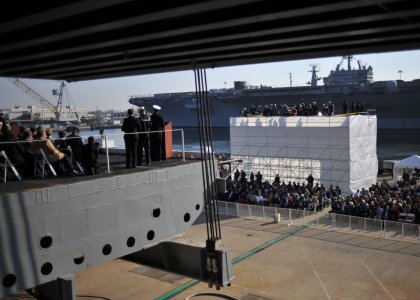
8236581828_4409449910_o.jpg

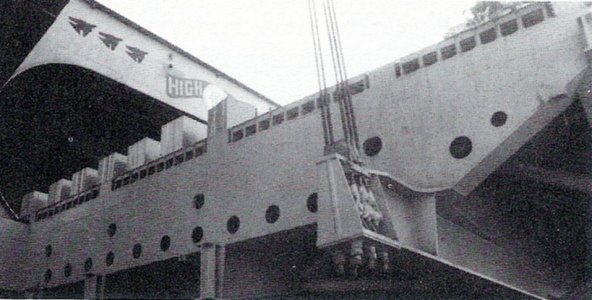
In this photo from the decommissioning in 2012 you can see that the drain holes are plated over. Compare that side view to the one below.
Elevator 06.jpg

The drain holes are open in this photo of Elevator 2 in the 80’s. Coupled with the grated deck the elevators could shed water quickly. Note the cable attachment points.

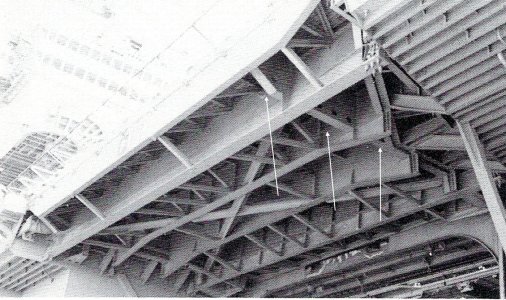
The actual elevators have a 5 sided exterior frame. It slopes up at the outboard edge and on the outboard plate. There are 4 inner transverse beams. Two of these have a support truss attached on the bottom while the two center beams have a curved cut out center section. I am not sure but I think the ends of these are part of the locking device. On the side of the elevator with the angled extension there is a frame that goes from that side straight forward to the outside wall bisecting the extension. There is a cross brace to strengthen the framework and a number of struts to brace everything else. There are drain holes just under the deck and lightening holes along each side. The sides on the inboard edge have a piston that rides in the elevator guide track.
Elevator 03.jpg

This photo of Elevator 1 from the same time as the one above shows the construction of the support system very well. The white arrows are pointing to the bisecting frame.

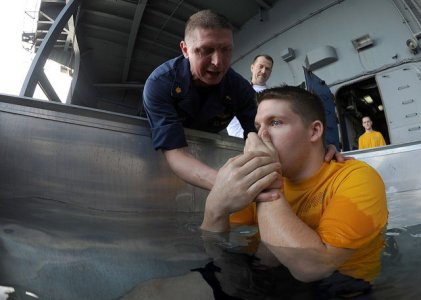
I have a couple of stories that involve the elevators. The first involves my wildest elevator ride. It was not unusual to ride an elevator up or down if you were moving heavy equipment and you were riding with it. If you were riding brakes in a plane going up or down you stayed in the cockpit while they ran the elevator. The ride I’m thinking about occurred on the morning of 2 October, 1976 at Latitude 000 degrees, 00 minutes and East Longitude 141 degrees 15 minutes. On this day I was inducted into the hallowed ranks of Trusty Shellbacks.

We rode up to the flight deck on Elevator 2 but in order to get there we had many hurdles to cross. We were rousted out in the dark. I worked nights so I was already up but it was dark when the festivities began. The Trusty Shellbacks who took us in charge saw to it that we were properly attired. Dungaree pants inside out and backwards. A ”T” shirt inside out and backwards with a 12 inch P stenciled on the front and back and a set of underwear also inside out and backwards, stenciled with a P, worn over the dungarees. To promote good order and discipline wherever we travelled we did so on our hands and knees probably so we could be swatted more easily with all those shillelaghs (worn out canvas fire hose jackets). We got to experience all the culinary delights of Pollywog Breakfast. After that we waited in the shop and had many fine adventures courtesy of the illustrious Shellbacks in our squadron. When our division was finally called away we crawled to the hanger and then to Elevator 2.

We were placed face down on the elevator. I have no idea how many of us but at least a couple hundred. The Shellbacks kept popping their shillelaghs but left us alone on the elevator (I wonder why). Whenever the elevators travel, they sound a klaxon horn (it makes that ah-ooga, ah-ooga sound) a warning to anybody nearby. Up we went only to be hit with several streams from salt water fire hoses as we rode up. I remember grabbing that grated deck and hanging on for dear life because it felt like I was going to be flushed overboard. There was a ring of Shellbacks screaming and waving shillelaghs at the top of the elevator opening. I actually felt a glimmer of fear.
Elevator (31a) Shellback Iniation.jpg

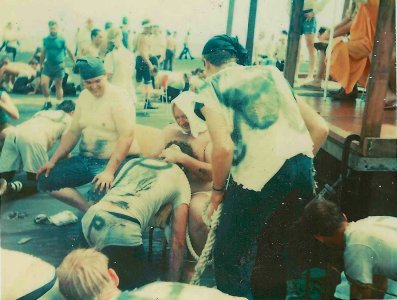
The moment I met the Royal Baby, there were so many Pollywogs we had 3 Royal Babies. I gave my camera to one of the Shellbacks and he caught this for me. In the background to the right is the Royal Court.

The rest of the morning was spent crawling around the flight deck making manners with Neptune’s Royal Court, the Royal Baby, the Royal Dentist, the Royal Barber and the Royal Devil. Then there were pleasant interludes in the chute, the stocks and finally the tank. I thought I would never be clean again. I am glad that I went through it though. It wasn’t mandatory just a bit of fun at the Pollywogs expense. They ran the elevator repeatedly to cycle all the Pollywogs through initiation. They went by division and there were 61 divisions if I counted right. I later heard that over 60% or around 3500 of the crew were Pollywogs.
Elevator (31) Shellback certificate.JPG

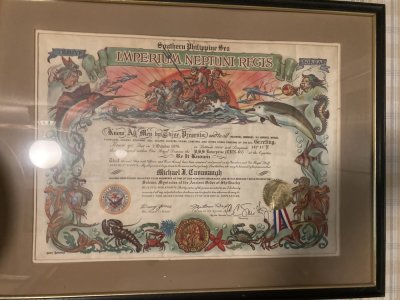
My Shellback Certificate from 1976.

We were in the infancy of the Naval Aviation Tool Control Program in 1976. Tool control is being able to account for your tools 100% of the time. It was a spin-off of the FOD ( Foreign Object Damage specifically damage to engines,)reduction program. It was drummed into us that a lost tool could potentially destroy an aircraft engine or become a missile when blown by aircraft exhausts. Heaven forbid you lose a tool in the cockpit. When I reported to the squadron in June of 1975 there really wasn’t much of a program compared to what it became later. It was just assumed that you would take care of your tools because you were told to. One of the first things that happened after checking in was to go to the tool room and get issued tools. The tool room was simply a room with a lot of tools in it. Nobody worked in the tool room that I knew of and anybody could go in and get anything they needed within limits. I’m sure someone was in charge but it wasn’t obvious. The only restriction was that you had to go to Maintenance Control and check out the key and they did not just hand it out. There had to be a valid reason. The checkout/in was logged but records of what you took were on you.

Three of us IWT technicians reported aboard at the same time and one of the Second Class Petty officers in the shop took us around the squadron. One stop was the tool storage room. We were directed to take one of the tool boxes, a box much like my father’s fishing tackle box. The lid opened in the center and as it opened 2 levels of trays opened with it. It was well used but sound. It was painted Royal Mace Green, the squadron color, and stenciled with yellow shop and squadron markings. Primary storage was a large space in the bottom of the box. The petty officer with us went through the bins and selected what tools we would need. But when we were done he entertained requests for other items like hacksaws and hand drills (the old fashioned hand cranked kind, In Naval slang a Hurdy Gurdy).

Back in the shop we used a paper form to record all of the tools in our new boxes. If you weren’t honest you could get away with some swag here. Nobody checked my inventory when I was done. This went in a document protector and was kept in the box. A copy went to the shop supervisor to be filed away. We were told to inventory the boxes contents once a quarter. We were also told that all of these tools were our responsibility and when we left the squadron they would all be inventoried and returned to the tool room. Any discrepancies would be deducted from our pay. I didn’t make much back then so the thought of losing any of my pay did not sit well with me. It made more sense to me to inventory my tools every day.

All of the tools were placed in the box as we liked but there was no organization other than the trays were convenient for small tools like pin extractors and socket wrenches everything else went in the bottom. I probably had 50 tools and consumables in my box. I also had a lock and key to keep it secure, a carpenter’s leather tool pouch with a web belt and nylon bag/cover to keep everything in the pouch, two kinds of safety wire, two kinds of electricians tape, a TL-29 Electricians knife with a belt pouch and a Navy flashlight also with a belt holder. That was in 1975. Despite the lack of organization I never lost a tool.

By 1976 things were changing. The shop received a wall tool box and 4 aluminum attaché cases. We also received layered foam sheets to organize the tools in the cases. Every shop in the squadron was doing this locally but it was a navy wide change. Each tool would have a cut out where only it could go. Ideally the cut out was colored to highlight a missing tool (shadowed). At a glance you could tell if everything was where it was supposed to be. The tools we had in the boxes were reduced to the minimum as determined by us. Any tools that didn’t make the cut for the attaché cases and couldn’t be stored in the wall box were turned in. I said goodbye to my green tackle box. These new boxes were inventoried at every shift change and after every job you went out on. Nobody had their own set of tools any more.

New tool pouches were designed by our supervisor. He did a pretty fair job with the pouches and we all collaborated on what was essential to put in them. He did the lay out and worked with the squadron PR (Parachute Rigger) who would sew the pouches up for us. Now every shop in the squadron was doing this too so the Rigger was pretty busy, he still had his regular work to keep up with too. The boss designed a pouch of heavy canvas, double stitched with nylon covered hems. It had 2 rows of slots separated by a central space and covered by a Velcro closed flap. There was a secure pocket to hold the speed wrench located on the outer panel and a built in flash light holder.

The central space could hold the inventory form and consumables for whatever job you were going out on. The inner side was conventional but (here’s that fatal but) the outer panel was held closed by more Velcro down the sides. He had it made this way so at the end of the job you could open the whole thing up and clean any bits of safety wire, hardware and other debris, leaving the pouch clean for the next job. But when opened, the outer row of tools was now pointing down if you were wearing it! This was okay in the shop but not so much if you were wearing the pouch on deck. When the pouches were new the tool slots were tight but they soon loosened up with use.

Velcro is pretty good stuff but after it is used extensively it gets weak and can disconnect pretty easily. We were quick to point out that while the ease which the pouch could be cleaned was nice, the fact that the thing could pop open on deck and drop tools everywhere might be asking for trouble. We wanted the pouch sides sewed up but the PR was buried in work and would not be able to do this job for a while. The boss did not believe it would ever pop open. We had to use those pouches for almost a month and don’t get me wrong they were miles better than the carpenter’s pouches. You could run down the flight deck and things stayed where they were supposed to. Unfortunately the flight deck is a very dirty place and constantly exposed to the weather so the pouches were soon dirty, oily and damp and this adversely affected the Velcro holding the outer panel closed. The closure for the cover flap held up pretty well but when you opened the flap the outer panel tended to drop open under the weight of the tools on it (remember that speed handle). You had to hold it closed until the flap was secured again.

One fine day I was sent up on deck to work on the RADAR on one of our planes. We were shorthanded and I had to work on the gripe by myself. I took a ladder, a pouch, my flight deck gear and headed up. I found the plane on elevator 1. Usually our aircraft were parked along the bow or in an area called the 6 pack but it was not unheard of to put one on an elevator. I got set up, carefully positioned the ladder, got the radome opened up, located a power cord and got the aircraft powered up with some help from our roving CDI (Collateral Duty Inspector, it takes two people minimum to apply 400hz aircraft power). It was fairly easy to verify the gripe and determine a faulty box and I climbed up on the ladder to remove the defective item. The thing about using a step ladder on the elevators was those grates were just the right size to swallow one of the legs. The legs had rubber blocks to keep them from moving around but shifting your weight could cause one to jerk and slip into a hole.
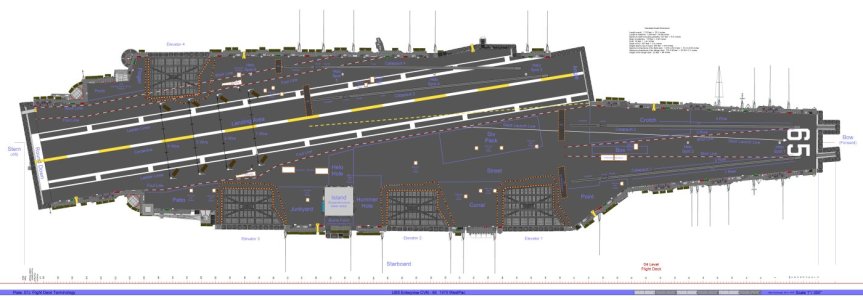
Plate 07J Flight Deck Terms.jpgPlate 07J Flight Deck Terms

I will probably refer to various parts on the flight deck from time to time so this should help. The Six Pack is just across from the angle forward of the island to the starboard of the foul line. It was called that since you could park six smaller aircraft there say A-4’s or in my case A-7E’s.


I was removing the power supply on the forward RADAR package which required swinging it out to starboard from the nose to access all the plugs and hardware. Disconnecting the cables went well but when I went to the pouch to get a ratchet and socket for the bolts I had one hand on the flap and one hand for the ladder. Out of hands, I was using my body to hold the RADAR package open. The weight shift caused the ladder to shift just as I pulled open the flap on the pouch and the outer panel promptly fell down. All the tools fell out of the slots except the speed wrench, (it was held in its pocket by more Velcro). Tools were hitting the ladder and then the deck with a nice ping pinging sound. Every tool on the outside panel fell through the grates and went to Davy Jones Locker. I sure hope none of the Royal Court got boinked on the head with a tool!

I cursed profoundly but it was done. Everything we complained about had come to pass with a vengeance. I now had to go below and report the loss of all those tools. It was not good. The red tape went on for what seemed like hours. I must have explained what happened 20 times. When it was all said and done new tools got ordered for the pouch and all the tool pouch inner and outer flaps were sewed together pretty quickly but my boss was not happy because I had made him look bad (a major faux pas, the Maintenance Chief did chew on him a bit). I did seem to get a lot of Shore Patrols and late watches in port after that.

The Navy continued to evolve its tool control program. It seemed like there was a change every few months. When I retired, I was in an F/A-18C squadron. The tool boxes and pouches were all specified for each shop. They were laid out identically throughout the Navy. You could go to any other F/A-18 squadron and easily inventory their tools because they were the same as yours. All the tools for all the different aircraft were managed the same way. You checked all tools out from a tool room where someone was in charge. Tools were used for one job then you returned them. The only exceptions were Plane Captains and Troubleshooters who checked out their pouches for the shift. Each tool was etched with the squadron and shop.

You inventoried the box or pouch at check out from the tool room, with your supervisor and a CDI before you went on the job, and reverse the process when you were done. If you should lose a tool on the ship the CAG Maintenance Chief, the squadron Maintenance Chief, your supervisor and Quality Assurance all had to be notified immediately. If the ship was flying, flight ops were suspended until the missing item was found. Ashore, thankfully only your squadron was involved. All hands would search and the person who lost the tool would face disciplinary action. I remember all hands staying late one night at the home station because of a missing tool which was found in a manual marking a page! Missing tools became very rare.

This escalation of rules and regulations was a direct result of the end of the Viet Nam War. During the war you worked hard and on liberty you played hard. Nobody was concerned with much but the mission. Admiral Zumwalt the CNO had relaxed rules regarding civilian clothes, haircut regulations and even beards were permitted. Things were pretty easy as long as you did your job. But the end of the war saw major budget cuts along with a reduction in force. There was more legislative oversight and the draft ended. It was only a matter of time till things tightened up across the board. We saw changes and new regulations frequently during that time period.
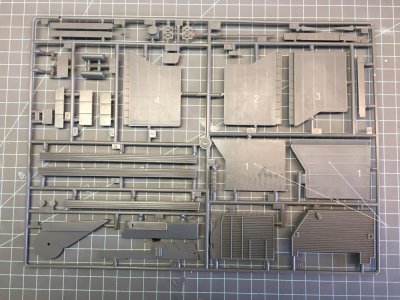
Sprue C (2).JPGSprue C

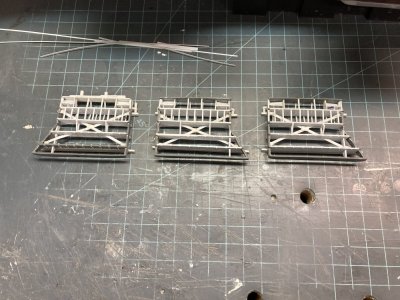
The upper side of the kit elevators, the arrows point to the 2 kit parts for Elevator 1. These are the parts you will work with.
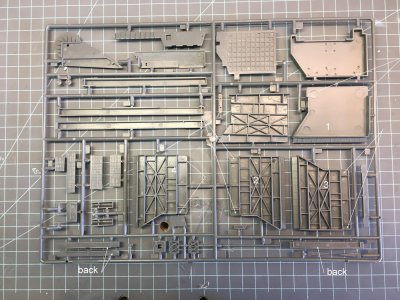

Sprue C(3) Reverse.JPG

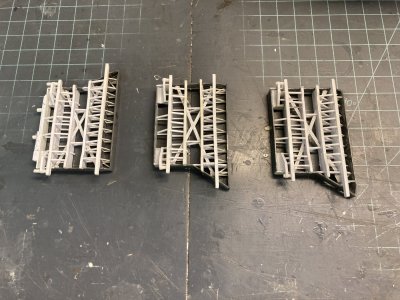
The underside of the 4 elevators. The arrows point to the 8 openings in the sides.

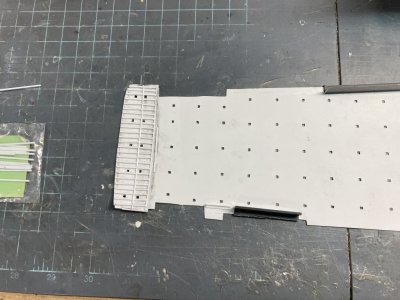
On the model I intend to have the starboard elevators all up and number 4 on the port side down. Each elevator will be as accurate as I can make it. The elevators in the kit have an approximation of the support structure but if you want to accurize them a good bit of work will be required. The grated deck plates that I purchased from Gold Medal Models are very nicely done. They fit very well. But all of the existing deck on the plastic parts must be removed to use them. The fore and aft beams in the under structure match up with the plating on the Photoetched deck and should be retained but they were on the thin side. The other braces were just not correct.

I determined that the best way to proceed was to use a razor saw, drill and burrs to remove the material and then sand or replace the beams. In the end I only retained one beam out of the 4 elevators. If you just try to thin the deck by sanding it, you will lose some of the vertical height of the elevator, (around .060”) and this will have to be replaced. I did have to sand the molded grating off the elevators. As a result they were not thick enough for the 2 support trusses to fit in the under deck area and I used a .040” X .040” strip between the elevator and the truss to get the spacing right.
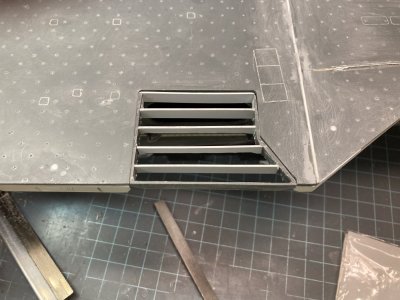
Elevator (9) Elevator 1 dry fit.JPG

This photo shows Elevator 1 opened up between all the beams and they all have been replaced along with the back wall. The side gaps are also filled. It is dry fitted to the opening. So far, so good.

The elevators all need to have the inside or rear wall added except Elevator 1. It is a separate “L” shaped part for 2 thru 4, but is part of the insert for Elevator 1. For the other 3 it adds more material just under the deck that must be removed. It is also too wide because of the kits mounting system. There is a portion of the outer fore and aft wall (side wall) that is cut away on both sides of each elevator between the rear wall and the last beam on the kit parts. I could not find any photographic evidence of this gap. My research shows this to be solid like the rest of the outer frame. I used scrap plastic to fill this on all the elevators. 8 patches total. On Elevator 1 the under structure is a separate part. I was going to glue this in place and then treat it like the other three elevators but the 4 beams don’t fit tightly. They didn’t touch the side walls. I ended up cutting the deck away and replacing all the beams. I used the photoetched deck to get them located right.
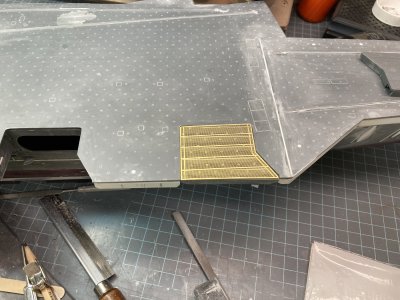
Elevator (10) Elevator 1 with photoetch deck dry fit.JPG

Here I have checked the fit of the deck plate to the opening.

The Tamiya kit has elevator 1 molded in place with the flight deck. In this case I was glad that I had the MHM kit vice the Tamiya. All of the Tamiya elevators have a separate structural part that is glued to the underside of each elevator. I just had to deal with it on Elevator 1. The separate structure is molded on a flat plate that would make twice the thickness of deck to remove. I read an article and saw some in progress photos where a modeler drilled out, filed and sanded to remove all the plate material just leaving the structural parts. It is a lot of additional work and most of the structure isn’t correct anyway. He also used the photo etched deck. He had to remove the entire deck surface of the elevator too. It would be difficult to use the photoetch grates on elevator 1 of the Tamiya kit without removing it from the flight deck. If you leave it in place you will have to remove material from the deck side to compensate for the thickness of the photoetch. It doesn’t make much sense for Tamiya to have just one elevator molded in place with the flight deck.

With Elevator 1’s deck removed and new transverse beams in place I checked the fit to the flight deck and the fit of the photoetched deck to the elevator which was pretty good. A small strip must be added to the angled section and another to the inside edge of the elevator opening for a perfect fit. I wanted to add the X shaped cross brace that I could see in photos and then the Eduard photoetch trusses. Two of the beams have trusses attached which extend past the edges of the elevator frame. These are the supports and connections for the Elevator cables. They are not provided in the kit but the Eduard Set Part 4 has them for all 4 elevators. The cross brace runs between the two beams with the trusses corner to corner. It is a T Beam structural part. It is welded at each corner and where it crosses the two center beams it appears to be cut and welded to each.
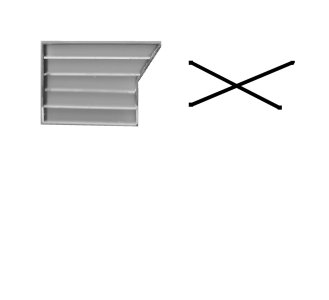
Elevator1.jpg

This is the scanned image of Elevator 1 and the drawing of the cross brace I made.

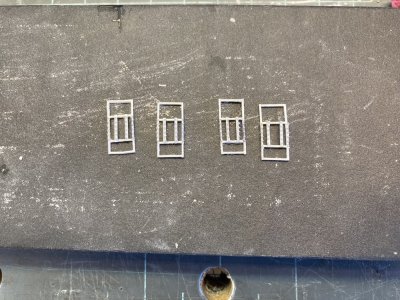
I scanned the underside of the 4 elevators and then drew the cross brace on the scan in Corel. I only kept the drawn part discarding the scan. I printed the drawing on card stock. The Elevators are almost the same except Elevator 4 which is a mirror image of the other 3. Elevator 2 and 3 are virtually identical on the model. In real life none of the elevators is the same, they are distinctly different. My drawing worked for all 4. I put wax paper over this and taped it down. I could lay the plastic strip on the wax paper, tape the pieces over the diagram and glue the individual parts together. On the longest section I used a full length of .015” plastic strip. The remaining legs were two separate pieces. On the upper side (the visible side is the lower or under side) I added a rectangular brace at the cross point. Then on the underside I glued a thin strip to the center of the pieces to represent the T Beam. This time I used a full length piece over the leg with multiple parts and short pieces for the other two. It gave the assembly some strength. I let them dry overnight and I lifted them from the wax paper as an assembly. I made each leg longer than needed to make sure I got a good fit. I even remembered to make the Elevator 4 brace as a mirror image of the other 3.
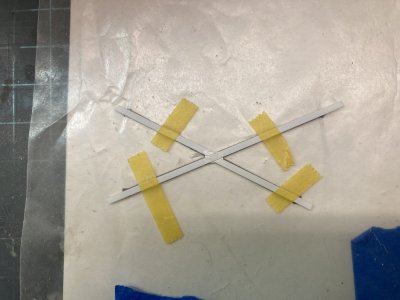
Elevator (27) Assembling the cross brace.JPG

This is the beginning of the assembly.
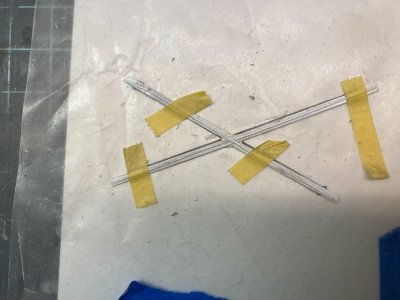
Elevator (27a) Assembling the cross brace.JPG

I have added the thinner strip and assembled one of the cross braces.

I removed the first 2 Eduard parts from the fret to make the outer truss on Elevator 1. This will be glued to the bottom of the elevator at the first transverse beam inboard of the outer plate. Assembly was extremely fiddly and using CA would get it together only to have it break at the slightest twinge. I decided to remove all the CA and solder it together. It took a very frustrating hour to do this. I would have gotten better with the soldering but when I put it in position on the elevator, it didn’t extend past the edges like it should! I rechecked that I used the right parts and followed the instructions correctly but Eduard made it wrong.
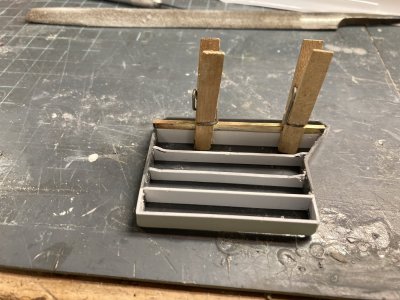
Elevator (17) Elevator 1 outboard truss is too short.JPG

The assembled truss isn’t wide enough.

Well that is to say they made it to fit on the Tamiya model with the sides of the under deck up against the elevator on a part molded with the flight deck. I had cut the under deck area back to be more accurate on my model and my elevator was already a separate part. I only wish I had known about the Eduard parts before I put the truss together. If they had made the parts true to real life they wouldn’t have fit on 1 without some serious modifications (which I had already made). They made a call to make the parts fit the model with no modifications. Yet on Elevator 4 Eduard has you cut back the under deck structure and the beams are the correct width. The remaining trusses are correct but I was a bit disgruntled over Elevator 1 and did not use the Eduard parts except as templates. If I had used the photoetch for the other elevators it would look too different from Elevator 1. The Eduard photoetch is designed to have elevators 2 and 3 down and 1 and 4 up. They provide side skirts with up locks for Elevator 2 and 3 but none for the others.

On Elevator 1 I made these trusses out of plastic strip. I fit the elevator to the flight deck attached to the hull to get the width right. Rather than mess with the photoetch for the two inner trusses, (which fit poorly anyways). The kit parts have a cut out on the underside which the Eduard parts are supposed to follow. I just went ahead and made these from plastic as well. This turned out to be a good decision since I had to modify both of these to fit over the cross brace. It was markedly easier to assemble too.
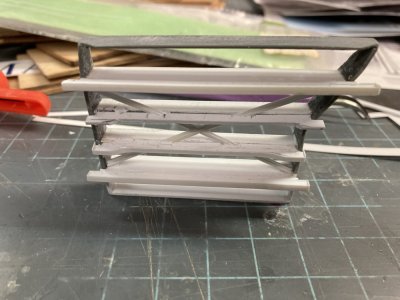
Elevator (18) Elevator 1 making trusses out of plastic.JPG

The trusses have been cut out and glued in place. Note the inner center truss has the .010” X .060” strip and the outer hasn’t been fitted yet.

You could buy a 3-D printed set to avoid all this. 3D Wild makes one for $75.00. They have separate sets for the Tamiya and MHM kits. Both include the elevators, accurate closed doors, elevator door wells, elevator guides and 2 sets of side skirts for lowered elevators. There is no deck plating so you would also need a set of the Gold Medal photoetch or make your own somehow. The parts are not 100% accurate as far as the bracing goes and Elevator 1 has the same problem with the two trusses not being wide enough as the Eduard photoetch set. I did not find another supplier. Below is a link to the page if you would like to see it.


I made the trusses for the two support beams just like the Eduard parts using them as templates to get the sizes right. A .040”X.080” beam was wrapped with .010” X .060” strip on the bottom, ends and then HO Scale 1X6 strip on top. This is heavier than the Eduard parts but it matches the elevator beams I made. These were glued to the bottom of the elevator with the smaller strip up. Various sized strip was used to detail the parts. The two inner beams were done in a similar way using the Eduard parts with the curved outer edge for a template. These only received the .010” X .060” strip on the bottom. They were glued to the center beams. When I added center beams I made them straight across, when I added the curved portions it was easier to mate them up. The 2 center beams are a solid part on the real elevators. Notches were cut for the cross brace and then the 2 parts were glued together. Some filling and sanding was required on the beam faces around the cross brace.

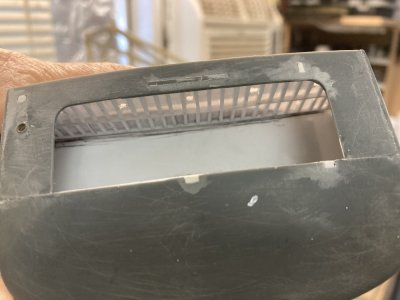
I used the Eduard parts meant to detail Elevator 2’s forward and aft frames as a drilling template for the lightening holes on the sides of all the elevators. This worked well but you need to make sure you drill inboard and outboard of the beams. Don’t just place the template and start drilling. There is also a row of openings just under the top edge of the deck. They are represented on the Eduard piece but aren’t open. I cut down the plastic between the transverse beams on the side walls. I used some vertical ladder material from Tom’s Modelworks to frame the openings. Then I added a piece of strip to reinforce the photoetch at the top. You can see these drains looking up at the model with the elevator raised.
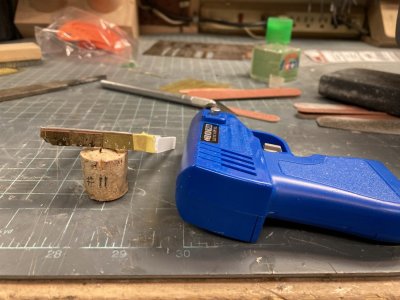
Elevator (8)Elevator 1 using photoetch as a drilling guide.JPG

I am ready to drill out the first set of lightening holes using my makeshift guide.
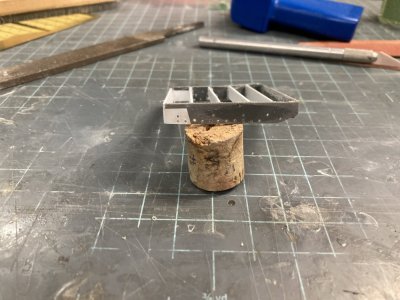
Elevator (11) Elevator drilled aft.JPG

This is the result.

Elevator (29) all upper drains in place.JPG

Here all the drain openings are framed with the photoetched ladder material.
Elevator (111a) Elevator 4 progress.JPG

Now I have capped the openings with strip to give the ladder more support.

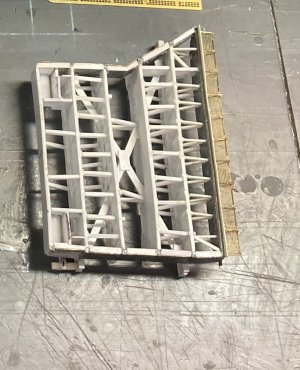
The bisecting frame I made in 3 parts rather than trying to notch the beam that was already in position. This angles up like the sides and has the lightening holes also. I made it only as high as the upper “window” drain holes. Then I made all the bracing between the beams. This is very time consuming because in just the first space there are 46 pieces making up the frames and only 9 are longer than a ¼ inch. The first beam on elevator 1 forms a trapezoid with the front plate so each frame part is a different size. The end result looks good though. I moved on to the next row verifying with reference photos before I made a part. The second row is slightly complicated by the x brace. The third row has only two braces and the fourth is a repeat of the second minus 2 struts. As you add all these struts the elevator frame becomes a nice firm piece.
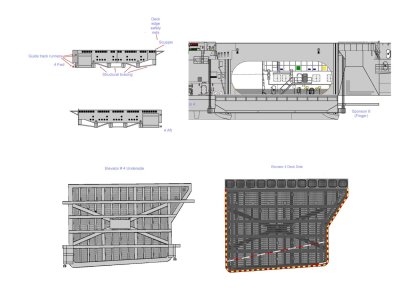
Elevator 4 Drawing.jpg

This is what I originally drew for elevator 4. Looking at the framework you will find several things where I diverged from this drawing especially in the guide rollers.

The final space is completely different to account for the part that slides in the guide rails. There is a relatively involved structure to duplicate. I have a few photos of the real elevators but only one which shows this area. The photo turned out to be from the Nimitz or at least a Nimitz class ship. Many of the details are different from Enterprise. The support trusses are a giveaway because they have the cut out like the two inner trusses on the Enterprise elevators. So in this area I used calibrated eyeballs, imagination and guess work. The version in my drawings is close but I drew them with 2 guide rollers on each side which is wrong there should only be the lower one. I didn’t have any interior bracing like on the Nimitz. So I co-opted details from the photo. There is an angled plate that is about ¼ of the width of the beam. It starts below the height of the elevator frame and matches up to the rear truss which supports the guide rollers. This is held off of the truss beam by a vertical metal plate and a strut. On the inner side there is a curved fillet plate that fairs the assembly to the back wall. There are 4 additional struts to support the inside wall.
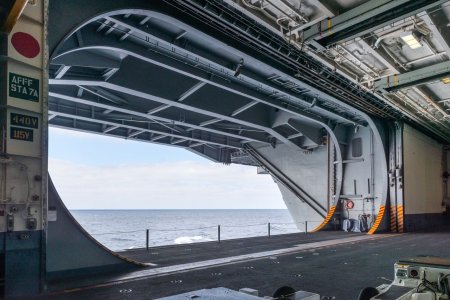
Elevator 2 door well looking aft.jpg

This shows the inboard edge of an elevator showing the supports for the roller guides. It is actually a Nimitz class ship but it gives you an idea of the structure.
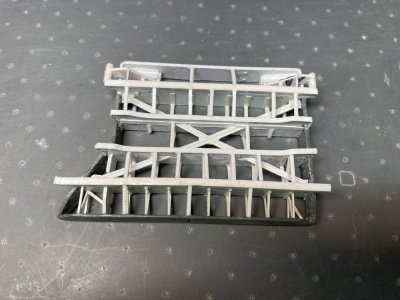
Elevator (52) Elevator 1  frame finished.JPG

This is Elevator 1 with all frames finished.

The kit elevator guides are incorrect because the slot the elevator slides in is on the side of the guides instead of the outboard face. Some carriers do have a side slot but not Enterprise. This is primarily for an operating feature on the model that lets you position the elevators as you wish. There is a tab that sticks out of the back wall on each side. Once the kit guides are in place on the model and before the flight deck is glued on you slide the tabs for elevators 1 thru 4 (2 thru 4 on the Tamiya kit) into the guides, and cement the flight deck in place trapping them in the guides. I replaced the guides with an aftermarket set and removed the tabs on the back plates of each elevator. Both kits have this feature.
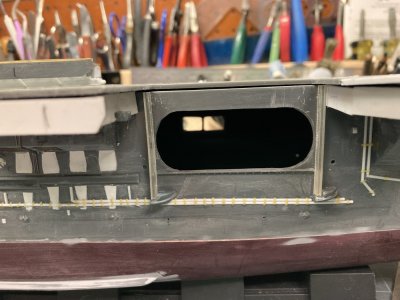
Elevator (60) Elevator 1 guides..JPG

These are the guides for Elevator 1.

Years ago when I was shopping for detail parts I found a Shapeways product that replaced the kit elevator guides. They were made of a hard clear resin like the mooring bits. The nice thing about this resin is it reacts to Micro Weld brand glue so you don’t need CA. I do not remember which seller made these but they don’t seem to be available anymore. You can buy the 3D Wild set of Elevator guides separately for $15.00. Those sets are different for the Tamiya or the MHM kits because the mounting pins are not the same. Make sure you buy the right one if you get these. Since my resin set was for the Tamiya kit the mounting posts wouldn’t work except on the part for elevator 4. I removed all the pins on the starboard guides and filled all the mounting holes on the hull. Then the guides were glued in position on all four elevators. I needed these located to make sure that the guides lined up with the guide rollers on the elevators.
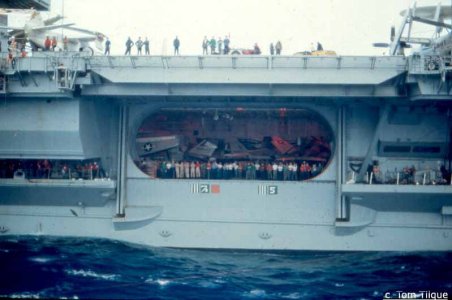
Hull 044.jpgHull 044.jpg

View of Elevator 2 in 1978.
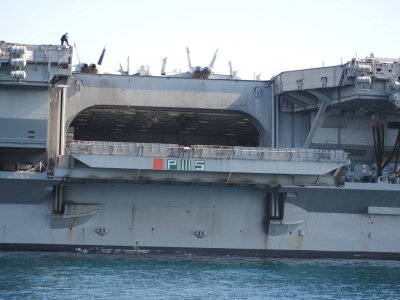
cvn-65-uss-enterprise-048.jpg

View of Elevator 2 in 2012. This is the version represented by Eduard. But it isn’t correct for the 1980’s or prior.

Sorry I ran out of space for photos so I will continue this in a second post.

 
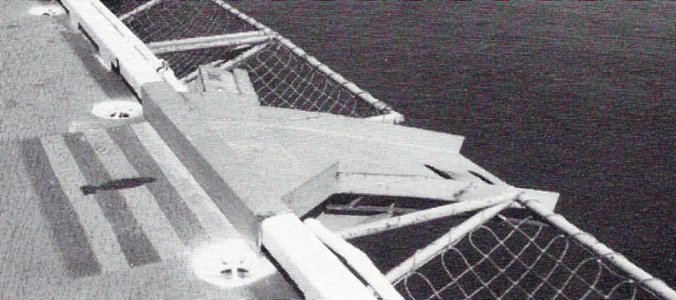
Continued from previous post. I wanted to use the Eduard photoetch for the outside face. They have some nice parts for this area. There is a coaming at the deck edge which has a lot of nice vertical detail. Unfortunately this detail wasn’t there in my time frame in fact it wasn’t there till the 2000’s. So that part wasn’t used. I made coamings out of plastic strip and detailed it with bits of .010” x .020” strip. Their safety nets are pretty nice but they split them to install bomb disposal ramps. In 1978 there were 5 bomb ramps located at various points over the catwalks. They were only rigged if we were actually carrying ordnance because you had to stoop down and duck under them. When they weren’t deployed they were stored in the catwalks. I first built up Elevator 1 using Eduard’s photoetch but it didn’t look right. More research revealed that it wasn’t right for 1978.

Elevator (86) Elevator 1 using supports salvaged from the Eduard set.JPG

This is my take on the safety nets and coaming on Elevator 1.

Elevator (143) Elevator 4 making the coaming.JPG

This coaming is assembled and ready to install.

That is probably why they were moved to the elevators at some point. There were two others, one located over the safety nets on the port side round down and another over the nets on the port side angle but none on the elevators. If you were to use the Eduard nets for the elevators there will be a gap in the middle. I had two other sets of photoetch and since the White Ensign nets were closer to the width of the elevators I used theirs. I did mount it like the Eduard nets at an angle and then add braces from the Eduard set. The actual elevator nets were individual nets in series and Eduard is correct in in having pairs of braces together. Since the coaming in 1978 was smooth I made my own using more strip. I had a heck of a time mounting the nets and getting them relatively straight. I tried several ways and I settled on gluing a strip just below where the net will go and using that to locate it. The Eduard set also has 2 small rectangular pieces that are mounted below the nets, but above the angled face and extend past the elevator edges which I did use. I don’t know what these did or what they were called but they were there in the 70’s.

Flight Deck 22.jpgFlight

This photo from the 80’s shows the ordnance disposal ramp on the angle. Notice how the nets are rigged.

The nets on the elevators were individual assemblies because sometimes conveyors or brows were rigged to the elevators in port. The nets would interfere with this. You could pull the pins securing the braces and let select nets hang down so they wouldn’t be in the way. The usual manner of mounting the nets horizontally doesn’t look quite right to me. The nets were really steel cable woven into a net and secured at the intersections with swedges, they were laced to the frames with more cable. They sagged in the frames they were not tight. Assembling something to replicate that would be fiddley squared plus.

Elevator (146) Elevator 4 progress.JPG

Here is the strip under the net once it is painted it won’t be that visible.

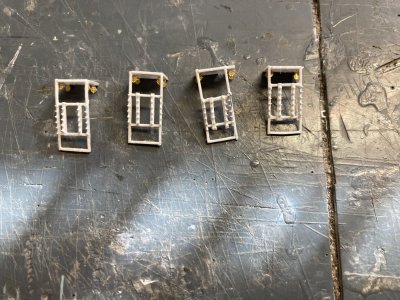
On the trusses for the elevator cables there appear to be 5 cables which are routed through a block of some sort and then are secured to the truss with nuts and washers. I had thought this originally was some kind of multiple pulley block and tackle arrangement but that would mean that each set of elevator cables would have been just one wire. There are 3 cables attached to each outboard edge and 2 inboard. I used a piece of .040” X .060” strip to represent the block. Bits of lead wire are for the 3 cables on the outboard face. I didn’t do the inboard because on the elevators that are up you won’t be able to see them. Then I used punched discs to represent the nuts and washers.

This completed Elevator 1 except for the deck but I did not want to glue it in place till the elevators are painted. Because of all the structural elements it will be easier to paint the elevator from the top and bottom. I’ll paint the underside of the deck with the hull color, allow that to dry and flip it over and paint the deck colors. At this point I am not sure if I will paint the red and yellow warning stripes or use the decals. But doing either will be simplified by keeping the parts separate. Now I just have to repeat this 3 more times.

Elevator (81) Elevator 1 this captures the look of the real one.JPG

I think this captures the look of the real one.

Elevator 01.jpgElevator 01.jpg
The real one in the 80’s.

From Elevator 1 I moved on to 4. It is best to work on one space between frames at a time rather than drilling the entire deck area. This gives the part a bit more rigidity as you begin the filing and sanding process. As I opened up more deck I used wood shims to help support the elevator frame. I used a razor saw to cut through the deck between each beam. Then I drilled the holes at each end joining up the cuts. I used a cutting plier to cut the braces in each section. I could break the piece free opening up the space. I used a drum burr to remove most of the remaining plastic. I looked over the beam and if I damaged it or it appeared too thin I cut it away and glued a .040” strip of the correct height in its place. As I said I only kept one of the original beams.

Elevator (32) How to sand the ribs.JPG

When I was still trying to save the transverse beams this is how I supported them.

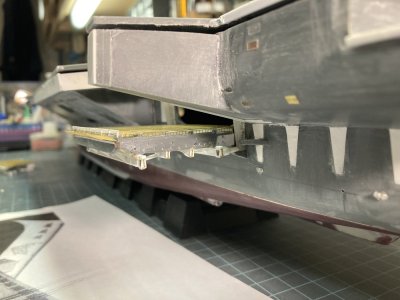
Since Elevator 4 will be in the lowered position I wanted to come up with a positive locating feature before I went too far in the construction. I placed it in position and realized that the lip at the hanger deck opening would require some spacers to hold the elevator at the right distance. The Elevator 4 door well has the widest lip of all the elevators. I added blocks of plastic scrap on the backside of the inner wall of the elevator until it was positioned in the right spot. I drilled two .10” holes below the lip through the hull spaced about ¾“ apart. I taped the deck plate in place and then taped the elevator in the down position making sure that the deck was lined up and level with the lip. I used the .10” drill bit to just make an impression of the correct location on the rear wall by twirling it by hand through one of the holes. I removed the elevator and drilled the hole. I then fit a .10” rod onto the elevator. This was glued from the inside. The elevator was placed back on the hull now using the single rod to position it. I taped it again to hold it there and marked the second hole. This was drilled and pinned in the same way. I can place Elevator 4 in position and it matches up perfectly every time.

Elevator (103) Elevator 4 holes under the lip Elevator 2,3 and 4 progress.JPG

Here I have drilled the mounting holes under the lip.

Elevator (102) Elevator 4 spacer blocks and pins Elevator 2,3 and 4 progress.JPG

This shows the spacers and pins on the back wall of Elevator 4.

Elevator (101) Elevator 4 pinned in position Elevator 2,3 and 4 progress.JPG

This is Elevator 4 with the deck taped in place and mounted in the lowered position.

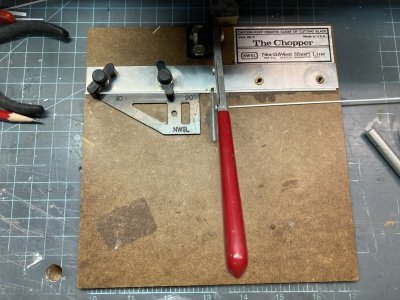
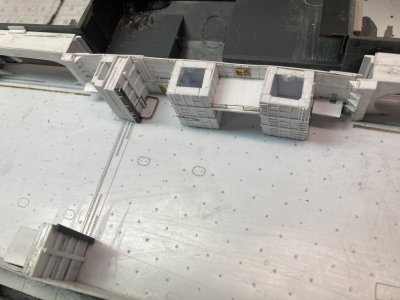
Detailing the remaining three elevators was an assembly line process from then on. When I got to a point where one elevator needed glue to set up I simply moved on to the next and brought it up to my latest stopping point. I was able to use a Chopper cutting tool to make several pieces of the same size. It sped things up considerably. I could use the prototype Elevator 1 whenever I had a question about materials or construction. On Elevator 4 when I made up the trusses I had to detail the inner sides since you can see them from above on the starboard side. I also drilled out the cable blocks to accept five wires. On Elevator 2’s deck I decided to use my second set of plates to come up with a fully plated piece for it. Elevator 3 comes closest and it matches up to the padeyes on the flight deck. It took several weeks to put the finishing touches to all the elevators. The results are pretty good in my opinion and it felt like a major item was completed. In order to complete the various sponsons I will need the elevators to determine the location for the slot that the inner truss passes through. When I construct items in the under deck area the elevators will help locate things like the cable reels.

Elevator (117) Elevator 2,3 and 4 progress upper.JPG

The progress on elevators 2 thru 4.

Elevator (122) Elevator 2,3 and 4 progress.JPG

All the framework and bracing is completed on Elevators 2 thru 4.

Elevator (116) The Chopper.JPG

When you have to duplicate several hundred parts this tool is invaluable.

Elevator 4 needed one last detail. If you look at the 80’s side view phot o there is some detail on the ends of the beams that I just didn’t know how to replicate. Nothing I could think of would be fine enough to make raised detail on the ends. I was looking for something else and sumbled on the solution. I found some 1/400 scale railing in my stash. I could cut it up at the posts and…

Elevator (147) Elevator 4 progress.JPG

Looking at the ends of the beams on Elevator 4 you can see the result of trimming railing and gluing it on the end plate.

Elevator (150) Elevator 4 progress.JPG

The other side.

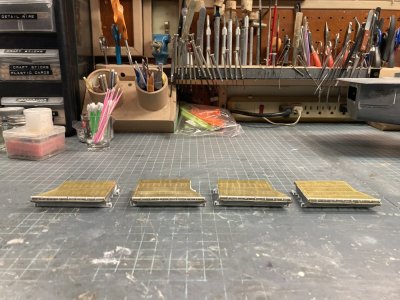
Elevator (144) Elevator 1 thru 4 finished.JPG

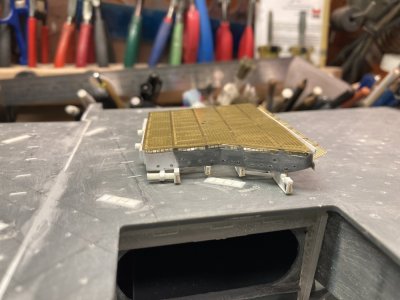
The 4 elevators finished.

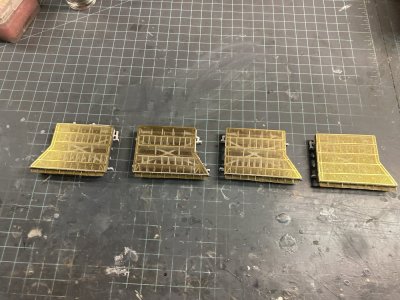
Elevator (145) Elevator 1 thru 4 finished.JPG

The 4 elevators from above I like the see through effect.

Well that is all for this post I I hope it will be useful for some of you. In the next part I want to work on the hanger deck. I want to get the supports for the hanger in place and then cut out and fit the hanger deck. Until the next time enjoy your modeling.
 
Part 8 The Hanger Deck

In this part I document my build-up of the hanger deck. I had to make 4 separate posts to accommodate all the photos and additional information.

Hanger 044.jpg

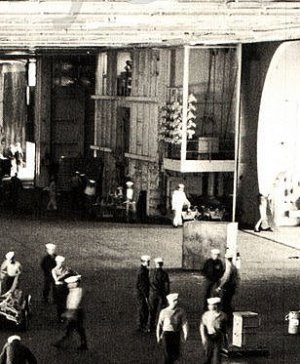
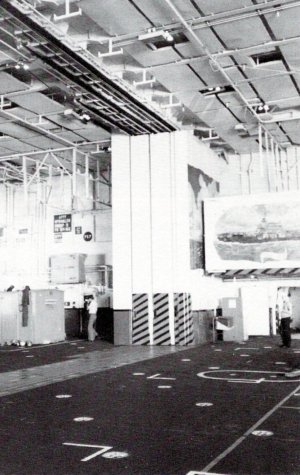
This appears to be some sort of time lapse of the hanger note the group of people to the right which are faded out. It was taken in front of the Power Plants shop facing forward. All the elevator doors are closed. The forward end is in its original configuration before the addition of the overhanging shops. All the way forward the roll-up doors to the left are the GSE shops. Just off the centerline is the entrance to the tunnel and the forward weapons elevator trunk is to the right. You are looking through the divisional doors at the backside of the bulkheads that cover them. The aft weapons elevators are to the right just forward of elevator door # 3 on the right. Elevator door # 4 is on the left.

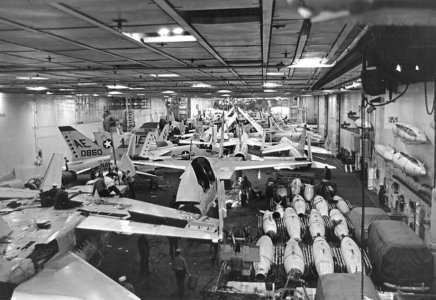
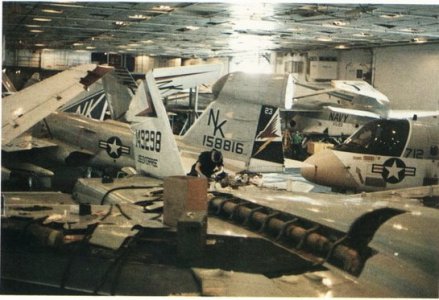
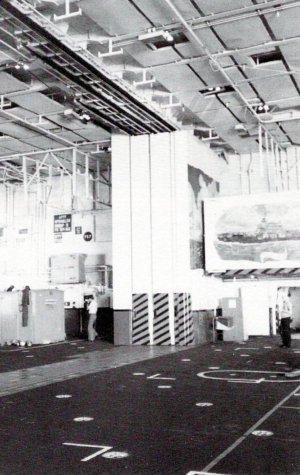
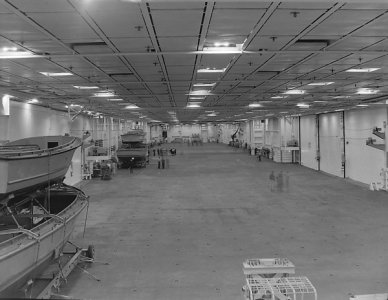
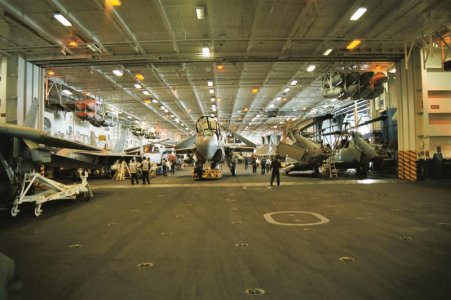
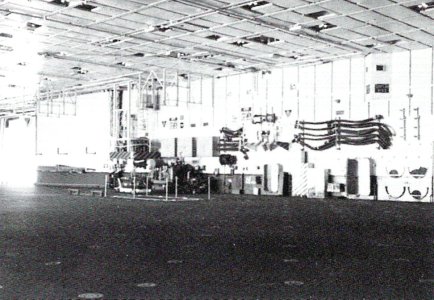
The hanger bay of the Enterprise was a cavernous area divided into two sections. It was 25’ high X 96’ wide (at the widest point) X 732’ long (.85” X 3.3” X 25.1” in 1/350 Scale). It began at frame 62, the divisional doors were at frame 153 and it ended at frame 242. It could house at least 1/3rd of the air wing or about 32 aircraft for CVW-14. At sea, deployed it was a noisy, chaotic scene of maintenance activity 24/7 for the entire deployment unless we were in a liberty port. Then a handful of aircraft were cleaned up and placed in the hanger as a display and all the others were crammed onto the flight deck. They did this in ports where visitors were permitted aboard to allow foot traffic with minimum peril from tie down chains and sharp surfaces. Usually they all went to the bow and guests were discouraged from walking around them.

Hanger 035.jpg

View of the hanger in the late 60’s or early 70’s. Note how the aircraft are stacked in here and there is very little space remaining.

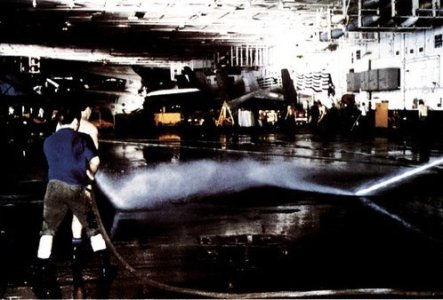
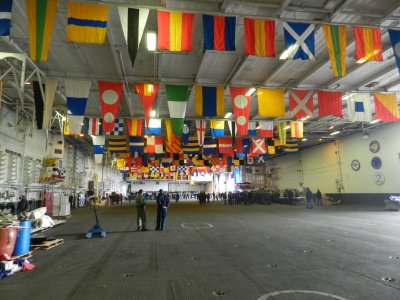
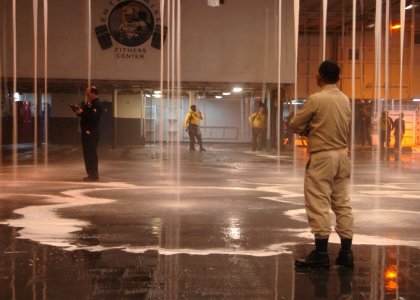
This movement was usually preceded by a flight deck and hanger deck scrub down of epic proportions. Zamboni scrubbers were not in use at the time so it was all done by massive working parties. Each division provided bodies. We manned salt water fire hoses and stiff bristled brooms. First we cleaned the stern then all the aircraft would be moved aft and we scrubbed the forward flight deck. At the same time the hanger would be undergoing the same treatment. If the port was important signal flags would be hung from the overhead.

Hanger 071.jpg

Hanger deck Scrubbex in progress. This is from the 80’s but apparently they didn’t have a Zamboni yet.

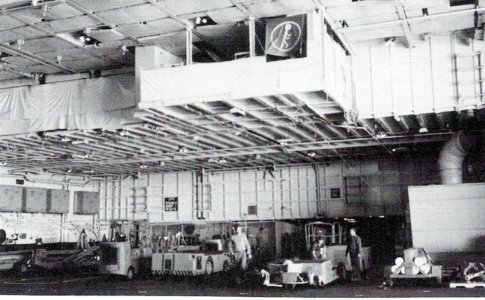
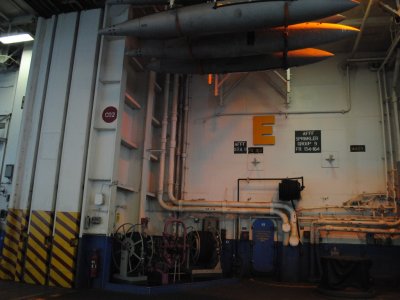
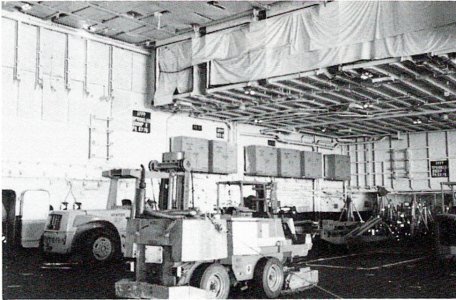
The hanger housed a large inventory of GSE (Ground Support Equipment), numerous spare engines in cans, large parts for the catapults and arresting gear, any other material that couldn’t be stored somewhere else and the ships liberty boats Including the Captain’s Gig and the Admiral’s Barge. Even the overhead was used for storage with aircraft drop tanks located in racks. After the rework following this deployment racks were added for arresting gear cables in crates in the door well openings. During my time they were hung on the bulkheads wrapped in plastic. In a holdover from the Vietnam War the bulkheads were festooned with hooks which could take MER/TER bomb racks and launchers that the squadrons or weapons couldn’t store. These were now turned over to Weapons Department at the beginning of a deployment and kept in their spaces and the hooks were used for other things.

Hanger 005.jpg

This is the GSE area in the early 80’s after the rework that changed the island. On the overhang at the 02 level the vans are not installed. The openings are the forward entrance to the vans.

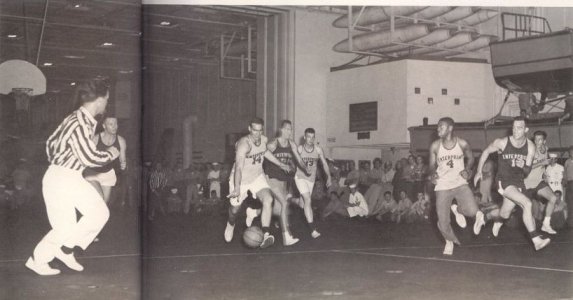
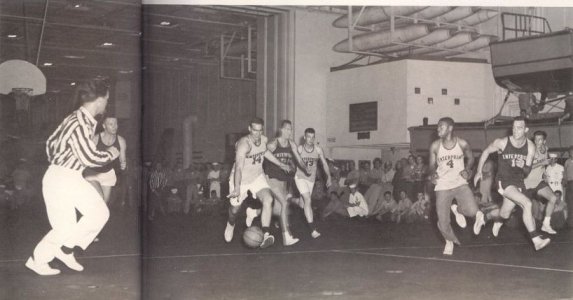
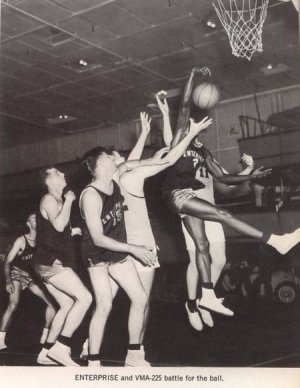
Although I never saw a movie on the hanger deck of the Enterprise there was a projection booth on the port side of the hanger. KENT TV the Enterprise’s CC station played several movies each day and they could be viewed on any television connected to the system. Basketball hoops could be swung down for sporting events. They had a boxing ring that could be set up for smokers. There was a stage that could be set up for USO shows which usually occurred at least once during a deployment. Any free space was used by joggers, guys jumping rope, martial arts and there was even a group of cyclists who would set up their bicycles on stands and ride in place. The hanger was used for formations for various divisional/departmental quarters, award ceremonies or inspections. The MARDET (Marine Detachment) used the hanger for PT, close order drill and weapons inspection.

Hanger 056.jpg

In this photo from one of the cruisebooks a basketball game is underway and to the right is the projection booth. This prior to the painting of the hanger deck murals.


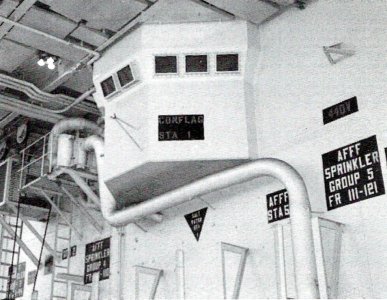
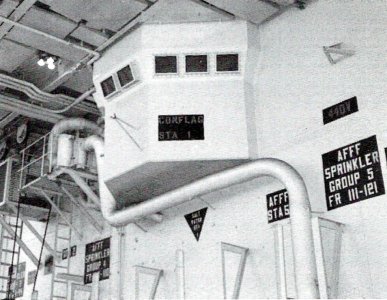
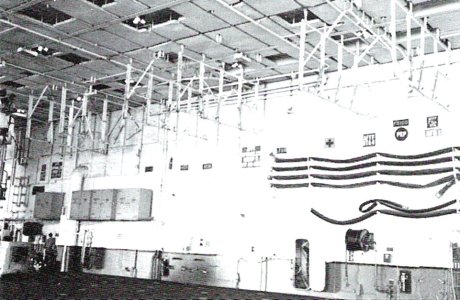
The hanger had a great deal of installed firefighting equipment, salt water fire hose stations, AFFF hoses (Aqueous Film Forming Foam,) these were the older flaked hoses not the reels which would be installed after the 1978 deployment, spare hoses, hose extension wands, battle lanterns, sprinkler control groups, CO2 and PKP fire extinguishers, litters and first aid boxes. Looking over it all were the 4 Conflagration Stations high up on the bulkheads 2 per Hanger Bay. There were several lockers for damage control teams, life jacket lockers in case of abandon ship and a lot of large shoring timbers were stored on the bulkhead.

Hanger 010.jpg

Conflagration Station # 1 was the master control station Conflag #2-4 were smaller. The bulkhead markings show the locations of equipment. There is an AFFF sprinkler group control as well as a AFFF and salt water fire hoses. The 440V sign indicates an aircraft power station. Note the incandescent lighting.

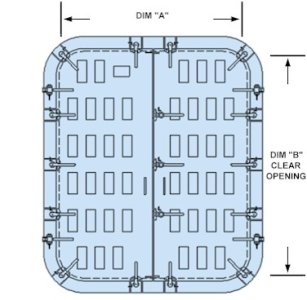
There were 3 fuel and defuel stations around the hanger. There were two sliding padeyes for use during UNREPs and fuel transfer hoses were hung on the bulkheads as well. There were a number of overhead cranes, two for AIMD Power Plants (one inside and one outside), one for the Mezzanine, one for the Calibration Lab and one for the ECM Vans. There were 4 large rectangular hatches in the hanger deck the most forward was a weapons elevator the other in the forward hanger was a shaft for stowing stores I believe. These two both were hinged on the long edge. In the aft hanger there were two more which lifted out on tracks exposing vertical shafts for stores. There were a number of oval hatches which I never learned the purpose of.

cvn-65-uss-enterprise-246.jpg

Good shot of the midships fuel station from the last deployment 2012. This is pretty much the same layout for this area in 1978 the color scheme is different but most things are in the same places.

We spent a good deal of our maintenance time on aircraft struck below. Any downing gripe that couldn’t be worked off easily usually went to the hanger. All the big aircraft inspections were performed there. Aircraft that needed to be jacked up for inspections or landing gear issues would be given space on the centerline. Engine changes, weapons station changes and M61A1 gun changes were done below. A huge amount of labor was devoted to corrosion control. We still painted entire aircraft at that time but this could not be done on the ship. The fumes were too dangerous in such confined quarters. Aboard we were limited to touch up only to cover bare metal but aircraft could be left ashore for painting at NAS Cubi Point, RP which had a dedicated corrosion control hanger.

While we worked up it was common to have white lights in the hanger but we also practiced for Darken Ship. On the Enterprise during this time frame they used incandescent flood lights. After we deployed outside of U.S. waters the ship would set Darken Ship nightly and only red lights were used in the hanger at night. On the flight deck all the lights were off. I particularly hated trying to do corrosion control under red lighting. Most of the work had to be done at night under red lights and the quality assurance inspections would be done in the daytime. They always found something we missed and that would get you in hot water with the Shop Supervisor and/or the Maintenance Chief, “Why can’t you **%#! guys get it right the first time?” During the daylight hours it was all about the flight schedule.

Hanger 118.jpg

This is the hanger during my 1976 deployment.

147639114.cJMABWHx.jpg


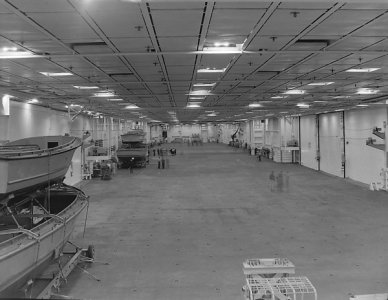
This is the hanger probably in the ships home port sometime in the 2000's. No aircraft are present and it appears that they are prepping for some ceremony or event. In the bow they have expanded the overhang some more to add a fitness center which helps date the photo.

In the Navy, or any branch of the military, a good portion of your time requires standing in line. You will stand in line to see a doctor, go to the dentist, get a haircut, shop in the ship’s store, get your paycheck, cash your paycheck, get vaccinated, sometimes even to use a toilet or take a shower, go to personnel or disbursing ( The pay guys), buy stamps or other post office stuff, go on liberty and eat. There are probably other things you had to stand in line for but those are the primary reasons. After a tour of duty you could say to a new guy I have more time standing in line than you have in the Navy and be quite accurate

The last two reasons for being in a line often required starting far from your goal and formed up or ended in the hanger deck. On the Enterprise there were two galleys with two lines for each on the 2nd deck. There was some overlap but they weren’t necessarily all open at the same time. The forward galley was the Navy version of fast food. It served soups, salads, sandwiches and for breakfast, scrambled eggs bacon, sausage, toast and cereal. Generally you could co to the forward galley and get in, eat and be out in 30 minutes or so. Only rarely did the line have to go up to the hanger bay. If you wanted a full on sit down meal then you needed to go to the aft galley. Unfortunately 3 thousand other people usually had the same idea at the same time as you.

The line started just aft of each serving line and before it wandered into the first berthing compartment aft it went up a ladder and into the hanger. If the galley was serving something popular it might stretch from that ladder to the divisional doors. Waiting in line 30 minutes to an hour was entirely possible. If you were on shift more often than not you’d just eat in the forward galley so you could get back to the shop so someone else could go to chow. I would eat in the aft galley before or after my shift for breakfast because the lines were down by then and they cooked omelets and eggs to order (breakfast for supper). If they were serving something particularly good I’d get up a little early and have supper (for breakfast).

Now the other reason to be standing in a line in the hanger was for liberty, beautiful liberty in exotic foreign ports. It was a chance to get out in the world and off the ship. When we anchored in the harbor for Hobart Tasmania in 1976 or Perth Australia in 1978 the liberty line went by paygrade and went on forever. They would call away rank by rank and then you could go get in line. It would stretch through the entire hanger. For a port like Karachi Pakistan where we were told not to eat or drink anything in town then the line wasn’t so long. The ship had to set up a barbecue and drink station on the landing in Karachi. The aft accommodation ladder on the fantail via AIMD Power Plants shop was the only way off the ship in most ports and you had to wait for ferries or liberty boats to arrive and start loading. In Hobart we stood in line for nearly 2 hours to go ashore on the first day and we waited for the lines to go down. After the first days liberty party had gone ashore the lines were only about an hour.

USS Enterprise (CVN 65) anchored off Fremantle, Western Australia in Aug. 1978 4.jpg

USS Enterprise (CVN 65) anchored off Fremantle, Western Australia in August 1978. The round opening on the hull over the aft sponson is the jet engine test cell.

I have participated in multiple working parties in the hanger including the Scrubbex mentioned previously. During UNREP/VERTREP all those stores coming aboard needed to be stowed away fast and the air wing troops were only good for one thing and that was to act as strong backs moving stuff below. I have worked far below stowing food into the freezers and store rooms, up on the Mezzanine pushing barrels onto pallets and down in the hanger moving boxes along on those conveyers with the rollers. When ammo came aboard that was mainly the Weapons Departments bailiwick.

If you were lollygagging about (goofing off) or working on an aircraft when a FOD walk down was called away then you were automatically part of that, same thing on the flight deck for that matter. Any GQ evolutions would catch you up in the drill if you were in the hanger when it was called away. Being up in the shop was no guarantee of staying out of any of those evolutions because the shop supervisor could order you into it or the Maintenance Chief could call the shop seeking more “volunteers.”

Now on to building a hanger deck in miniature; I have spent more time thinking, researching, planning and drawing this part of the build than it actually took me to construct it. Years ago when I was building the hanger for the 1/400 scale Enterprise, I made the basic parts quite easily but I found that the details were making me go around in circles. I would make the parts for say the shops in the aft end of the hanger and go through 2 or 3 iterations of that set and then maddeningly find some new photograph that had me doing it over again. Tired of reworking the thing over and over, I decided to first collect as many photographs as I could find and then draw a set of plans to lock down what I would build.

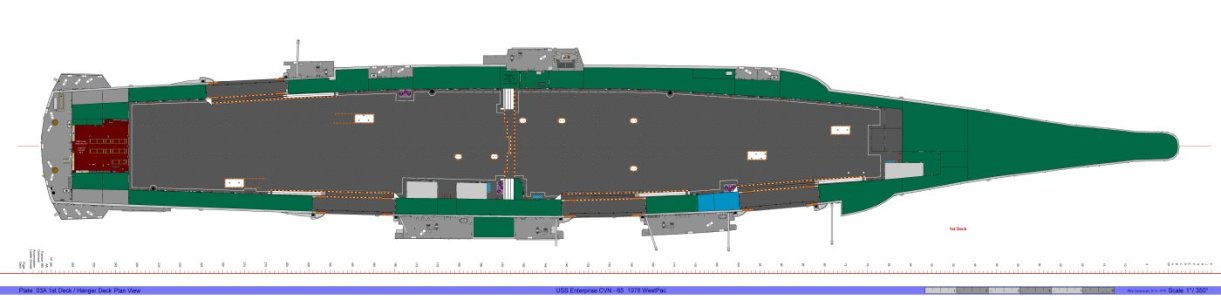
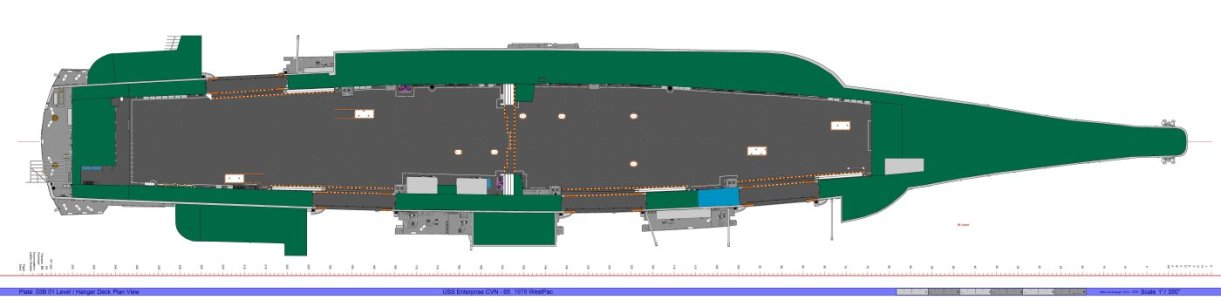
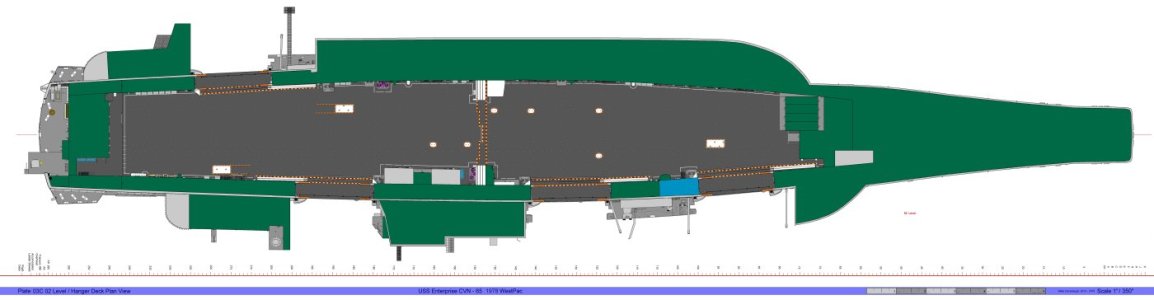
First I drew the elevations or the bulkheads for the starboard side, port side, forward, aft and divisional doors. I poured over the photos and painstakingly compiled a picture of the final product. This steamrolled however because after I completed the bulkheads I decided I needed a plan view which became plan views of the 1st deck, 01 level, 02 level and even some of the 03 level. Of course I should include the sponsons and…. then it became a never ending monster. I spent something on the order of 4 years making drawings from 2012 to 2016. I did these drawings in a bitmap raster program called Photo Impact which is similar to Adobe Photoshop or Corel Photo Paint. These drawings were originally made for the AMR 1/400 scale Enterprise but are up-scaled to 1/350. There is a 6 inch ruler on each drawing to help you get the size right.

I tried downloading some of the drawings below myself to make sure it worked and it appears it does not. If you want to get decent files go to the end of the fourth part of this post and there is a link to some better quality files.

Plate 02A Starboard Hanger Bay Elevations.jpg

Plate 02A Starboard Hanger Bay Elevations

Plate 02B Port Hanger Bay Elevations.jpg

Plate 02B Port Hanger Bay Elevations

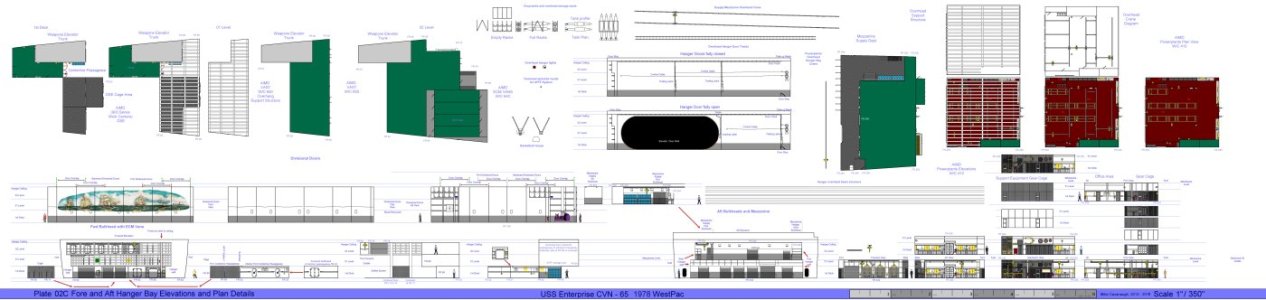
Plate 02C Fore and Aft Elevations.and Plan Details.jpg

Plate 02C Fore and Aft Elevations and Plan Details


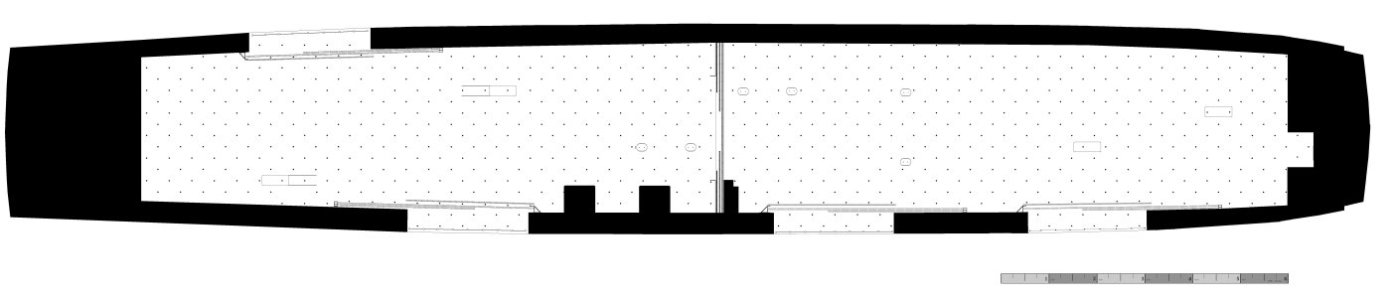
Plate 03A Hanger Deck 1st Deck.jpg

Plate 03A Hanger Deck 1st Deck

Plate 03B Hanger Deck 01 Level.jpg


Plate 03B Hanger Deck 01 Level

Plate 03C Hanger Deck 02 Level.jpg

Plate 03C Hanger Deck 02 Level

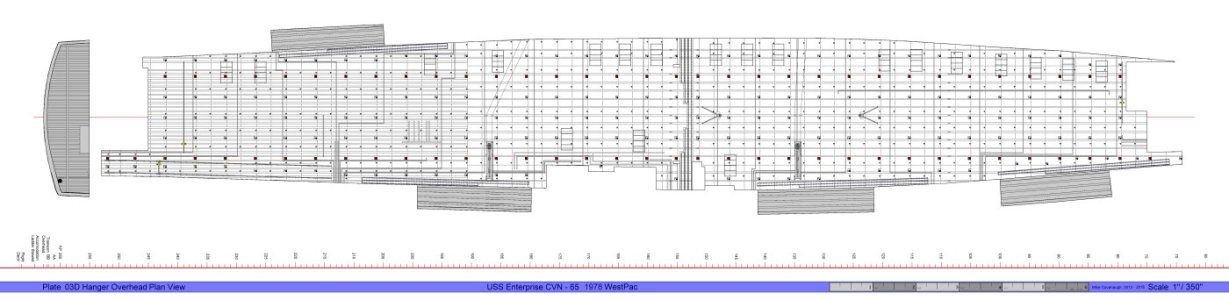
Plate 03D Hanger Overhead.jpg

Plate 03D Hanger Overhead


You may use these drawings for your own models, but keep in mind that unless you are building the A/M/R version they will only be useful as a reference.

When I went to the MHM 1/350 scale kit I thought I would just up-scale the drawings. Unfortunately the two models are not simply a different scale kit of the same thing. The locations of the various items are not the same. I needed a drawing of the hanger deck for this kit. I really did not want to start from scratch. On an IPMS website I found a review of a set of drawings for the Tamiya kit. The drawings were by a fellow modeler named Tom Pope. I put the link below again. His drawing will allow you to cut out most of the deck and drop it into place. He has copyrighted his drawing and there is a small charge for it.

https://reviews.ipmsusa.org/review/cvn-65-uss-enterprise-hangar-deck-scale-drawings

I took Tom’s drawings and added some details from my research. I made them the full length of the aft hull from the where the bow is glued on to the fantail. I marked out the locations of the bulkheads. I added the deck hatches and door tracks for the divisional doors and the hanger doors. I got ahold of Tom and obtained his permission to post those drawings for these parts in this post and you may use them for your models.

Hanger Template Shortened.jpg

Hanger Template

Hanger Overhead LightTemplate.jpg

Hanger Overhead Light Template. The lights here were moved around to better fit my model so you may find that you will need to adjustments.


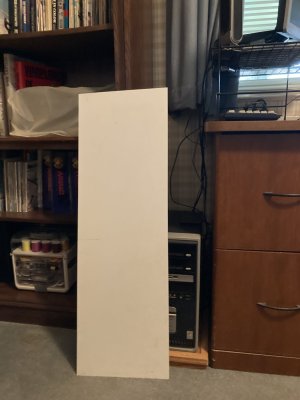
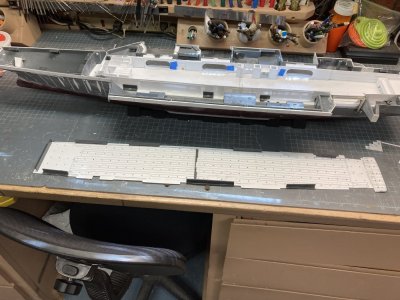
I wanted to make the hanger deck from a single sheet of plastic. I started looking for a large sheet of .040” or better yet .060” sheet. I did not find anything in the hobby shops in my area at the time. They couldn’t or wouldn’t even special order it in that size. I went to the internet. I checked the sites for Evergreen and Plastruct plastics. Low and behold I was able to obtain from Plastruct 36” x 12” X .060” and .040”sheets. To be safe I got 2 of each of them. I stored these flat on a shelf in my garage for several years until I was ready to cut plastic. They are still available in their catalog. Simply go to Plastruct.com open the catalog and find what you need. There is a page for plain white styrene sheet in various sizes. They sell a mountain of architectural parts as well as strip and sheet. They do have a minimum order of $20.00 U.S. before they will ship it to you.

Hanger Deck (4).JPG

The full sheet from Plastruct.


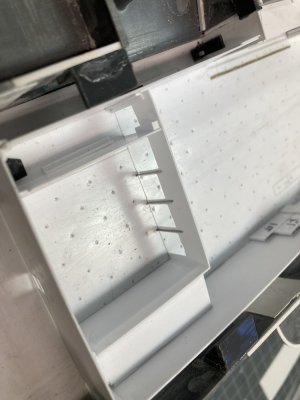
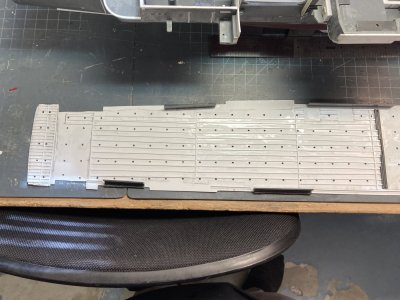
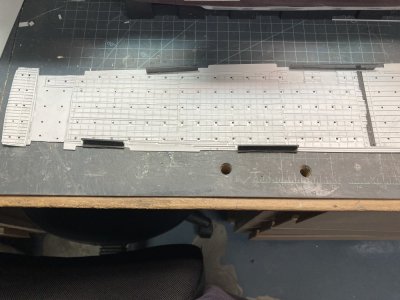
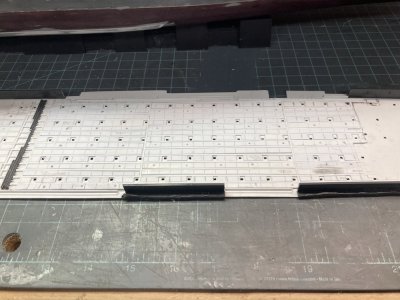
To add the hanger deck you first have to make some way to support it. I took some fairly heavy Evergreen strip, .060” X .250” and began gluing it to the inside hull below the starboard hanger doors. To make sure that it was the right height I took a small piece of .060” X .060” strip and laid it on top adjusting the height until the small strip was just flush with the door opening. While the first section was drying I measured from the heavy strip to the hull bottom at the doors. I used this measurement to adjust the strips where there wasn’t any visual reference. This is made easy in the MHM kit as the upper hull is cut off at the waterline which gives it a constant depth.

Hanger Deck (9).JPG

Here I have started the framework for the hanger deck.

To make cross beams I measured with a pair of dividers and glued sections of the heavy strip under the longitudinal stringer on the hull. Then I glued another piece vertically on top of the horizontal beam. This formed a T beam and proved to be very strong. You want to be accurate as possible here because if the beam is too wide you will distort the hull. Wherever possible I added a vertical support under the beam in the center of the hull. There is one where the motor and transmission will be installed that does not have a vertical strut but this doesn’t seem to be a problem. I used solvent glues on this part of the job because I wanted the parts to be welded together. Later when I had to make the hanger deck from .040” sheet instead of the .060” I added a cap of .020” X .060” strip to the top of the entire framework structure.

Hanger Deck (13).JPG

The bow.

Hanger Deck (14).JPG

Midships.

Hanger Deck (15).JPG

The stern. I have laid the kit fantail in place to see if the frame will work with my deck.

The Silhouette machine was made for scrap bookers and other home crafters and was designed to cut paper, cardboard, vinyl and things like that. I saw a video review of the thing on a modeling website cutting plastic sheet. I was hooked. I asked for it for Christmas that year. It is very handy and I confess that I use it a lot. It simply cuts straighter and more accurately than I ever could. But like all technology there is a learning curve. I made a new drawing based on Tom’s hanger and printed it out as a banner before I made the plastic version. I cut the diagram out and set it onto my hanger support structure. It dropped right into position. But the drawing indicated where some corrections were needed and these were made, printed and confirmed. This base drawing was used to build up the program for cutting and engraving the hanger deck in the Silhouette Design Studio proprietary software. When I did the hanger for the AMR Enterprise it was several days of cut, sand and try it then repeat trial and error.

Hanger Deck (16).JPG

Here I have printed, cut out and laid my drawing on the frame to see how it will fit.

The material you want to cut is placed on a self-adhesive cutting mat. You then load the material and the mat into the machine and adjust the cutting settings and off it goes. The mats are designed to track through the machine with great accuracy. I did find that it was better to use slower speeds, smaller cutting depths, which were increased gradually for deep cuts, cutting complex drawings in several smaller jobs and making multiple passes. Now for this to work you don’t want the material to move on the mat. Even with a new mat the plastic sheet tended to move on the mat in tiny increments. This would ruin a cut project immediately since the mat is the reference point. My solution was to tape the work down on the mat. Do not rely on just the adhesive on the mat. But do not place tape where the machines primary rollers will go directly over it. I found that this would cause the knife to lock up. The silhouette mats are very sticky and might have worked but I found less expensive mats on Amazon so…

The literature I received said you could load larger projects directly into the machine with no mat. It might be okay to do this with paper or card stock but it did not work with the large plastic sheets. They slipped easily. The Silhouette folks make a 12” X 12” and a 12” X 24” mat but nothing longer. I took a 12” and a 24“ mat put them end to end and taped them together then placed my plastic sheet on it, taped everything down and still had problems until I cut a .040” sheet in half lengthwise. I just about had the .060” sheet working but ran out of unmarked blanks. When I ran the .040” material into the machine it finally worked beyond all my expectations. It took about 4 hours cutting slowly and multiple times. It did not shift on the mat nor did my homemade 36 inch mat shift in the machine. Full plastic sheets were just too heavy. There isn’t a setting for a 36” mat so you have to use the no mat settings.

I will have to end this post and continue in a second.
 
Last edited:
This is the second post of my Enterprise Hanger construction.


Hanger Deck (20).JPG

This how I arranged the machine during the engraving and cutting of the hanger deck.


I tried to draw several versions of padeyes for the machine to engrave but none of them worked well so I settled for a small index mark at each padeye location. I used the same tool that I made for the flight deck to represent padeyes in the hanger. I used the same spacing for the padeyes as on the flight deck.

Hanger Deck (26).JPG

The newly cut hanger deck sitting beside the model.

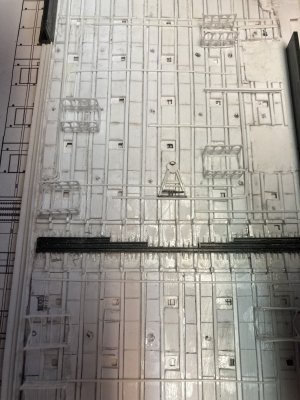
In each elevator well there is a railing that raises and lowers depending on the position of the elevator. When the elevator is up at the flight deck the safety rails are raised in the hanger. Or if the elevator is down then the barrier is up on the flight deck. I set up an engraving for this too because the real thing is recessed in the deck. I will need to manually scribe them on the flight deck as well. The door tracks have a series of rectangular metal plates that move with the doors as they travel. They cover the actual track to keep out debris. Finally inboard of the hanger door tracks is a grate over a scupper or drain for sea water. I probably could have gotten the machine to engrave something for this but I just represented it with a thin rectangle. I had the machine cut these nearly all the way through. Later I punched them out and glued a .030” X .040” strip in the slot partially filling it. I cut some photoetched grating material and glued it in the remaining .010” space.

Hanger Deck (27).JPG

This is the aft section of the hanger I have wiped the surface with black water color to bring out the engravings.

Hanger Deck (28).JPGHanger Deck (28)

The forward section it was too big to photograph up close in one shot.


Hanger Deck (41).JPG

The scupper is punched out.

Hanger Deck (42).JPGHanger Deck (42)

The photoetched grate is installed to represent the scupper.


When I placed the plastic deck onto the supports it fit very well. I had to sand the bow and stern area edges at an angle to match the shape of the hull. There were some places with gaps but most of those would be hidden. Around Elevator 2 I added some strip to the edge to fill a gap. I also added some to the fantail and bow to get a tight fit. That was my fault for sanding a bit too enthusiastically. I was very pleased to get this all to work so well.

Hanger Deck (30).JPG

It fits!

The plastic of the models hull is very thick, .060” or more in places. The hanger door openings, the fantail opening and the various doors needed to be thinned down for a more scale appearance. I laid the hanger deck in place the glued sandpaper to thin wood shim stock. This can be held against the hull and you can sand the hull without marring the deck. I thinned the hull to approximately .040”. This step had to be complete before I started building up the bulkheads.

Hanger Deck (52).JPG

Sanding down the elevator door area.

I next set up a new cut job for the hanger bulkheads. The hanger door openings in particular are difficult to get consistent. I did not make every piece but made several lengths of the hangers overall height. I also wanted the double watertight doors at the stern, bow, Sponsons 1, 4 and 5 open. So they were also programmed into the cut job. The garage door openings at the bow and stern were also cut out. I used 2 .020” X 6“ X 12“ Evergreen plastic sheets to make it all. When I had all these parts ready I began assembling the bulkheads.

Hanger Deck (47).JPGHanger Deck (47)

The parts for the bulkheads.


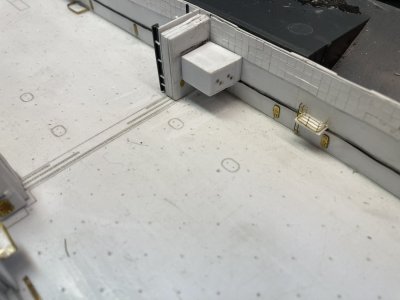
I used the elevator door wells as my starting point. I glued the fore and aft bulkheads to the inner door well opening and used a square to keep them plum and true while the glue set. I then added a piece for the overhead. To help fix these into position dry I added a piece of 5/16” angle to the fore and aft ends. The door wells were taped in place and I drilled holes to receive 1/16” rod in the angle and through the deck. Short sections of rod were secured with tube glue fixing them to the angle only. After this had dried I removed the tape and glued a small piece of angle to the hull above the door opening. This holds the door well in position relatively securely.

Hanger Deck (53).JPG

Building a Door well.

The very forward and aft bulkheads were next to position. I had engraved lines on the hanger deck to show me where to place all the bulkheads so the positioning was fairly easy. I used more of the large angle with pins to anchor them in place and used small angle to help hold them in place vertically. On the starboard side the bulkheads are typically smaller sections between the aft end and from door well to door well. I used the same techniques to hold them in position but also glued a piece of overlapping strip at each junction on the back of one of the bulkhead parts. This provides support for the sections of bulkhead and eventually a gluing surface. All of the parts were left unglued to the hanger deck in order to remove each part for detailing and painting.

Hanger Deck (51).JPG

The tape up of the first hanger parts.

On the port side I tried to make a single piece from the Elevator 4 door well to the bow. I did get it all pinned down but the long piece kept bowing and lifting in the middle. I had some extra holes for pins by the time I was done and I had to fill these in with more rod which was cut flush when dry. To fix the bowing problem I cut a section out of the middle of the length and got it to set down properly. Then I made a section to fill the gap and glued the 3 pieces together. At the bow where they will be hidden I put opposing pieces of large angle to hold the port and starboard bulkheads vertically. With the four walls standing up and connected I moved on to making the divisional doors and then the ordnance elevator shafts on the starboard side.

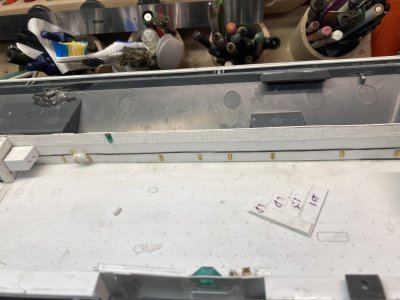
Hanger Deck (57).JPG

I have added the overhead and angle to position each door.


Hanger Deck (58).JPG

This how I will locate the parts each time.

Hanger Deck (63).JPG

The port bulkhead you can see the joint at the forward bulkhead. The port side is sitting down fine now but when I drilled the angles through the deck I moved things just enough to cause problems.

Hanger Deck (68).JPG

You can see how the elevator doors help with the joins in the bulkheads. In other place I have a short piece glued to one side to hold two sections together.

Hanger Deck (71).JPG

Most of the port and starboard bulkheads are now located with pins, above the door wells a small piece of angle holds them down better and I have cut and rejoined the port bulkhead.

For the divisional doors I used 3 sections of .060” sheet cut to the proper size from my plans, separated by .010” strip layered to give the doors the correct thickness to match the engraved tracks. I made a set for each side and allowed the glue to dry overnight. These are cut slightly shorter than the hanger doors to account for the overhead tracks. The next day I drilled each set of doors vertically at the middle door. When both sets were done I positioned them in the hanger and drilled through the deck. This allowed me to pin each set of doors in place. On the starboard side there is a structure on the forward end, on the aft a bulkhead with a flange on the inside edge.

Hanger Deck (78).JPG

I am building up the divisional doors. The starboard side structure is in place but not the aft bulkheads.


Hanger Deck (96).JPG

Here is the completed unit with the door tracks in place. Off to the right the basic weapons elevator shafts are glued to the bulkhead.

The Port side only has the aft bulkhead mirroring the port. I used .020” sheet to make these and separated them from the doors with .010” strip. The center set of doors has a keyed edge to fit snugly together when closed. I used .010“ X .020” strip on the edge of the doors to simulate this. On The port side a single strip centered vertically and on the starboard side 2 strips with a corresponding gap in the center. I used some very fine pieces of strip to fashion the upper door tracks. This was some finicky stuff but I finally got all the parts in place and aligned. The 4 sets of hanger doors were made the same way but they are the full height of the hanger. They were spaced with the .010” strip from the bulkhead. These were glued to the hanger bulkheads in the open positions. The upper tracks will be done later.

The two ordnance elevator shafts were made from .020” sheet backed up by thick strip. I first tried to pin these to the deck but went with gluing them to the bulkhead instead. Up until the yard period after the 1978 deployment there was a deck at the 02 level spanning them. There was a hoist that allowed large items to be brought up to the Calibration Lab as an option to the platform at Elevator 3. This was walled off sometime after that deployment but I am not sure when. Originally I thought these shafts had been rounded off on the vertical edges but a couple of good shots of the area finally came my way and dispelled that notion. The exteriors will require detailing with strip but during this initial part of the build will be just the basic construction. The doors to Sponson 7 lead to the After Brow or the enlisted access to the ship which was used in port tied to a pier.

When Enterprise was launched the forward bulkhead was a doorway to the tunnel area of avionics shops and supply work centers. The bulkhead at frame 62 is the doorway. There is an overhang over the door and a protrusion of the forward weapons elevator trunk on the starboard side of the entry way and GSE Shops on the port side. They extend out from frame 62 to frame 66. These features form the bulkhead of the forward hanger bay.

Hanger Deck (90).JPG

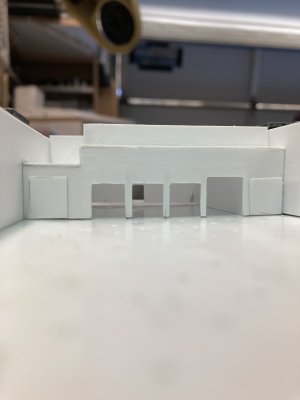
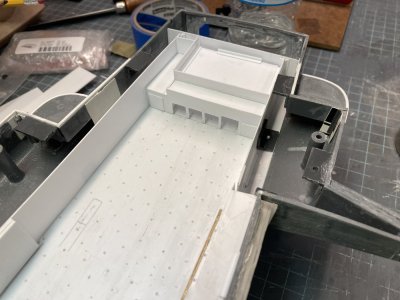
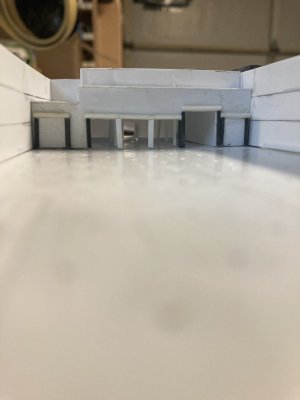
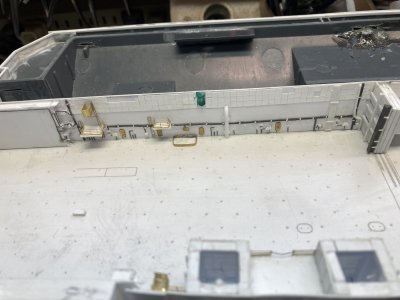
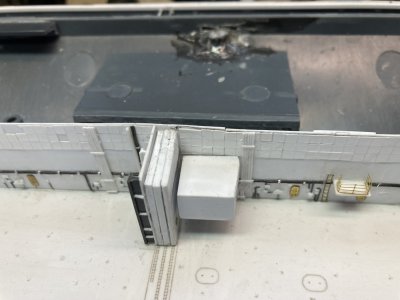
The completed basic forward bulkhead.

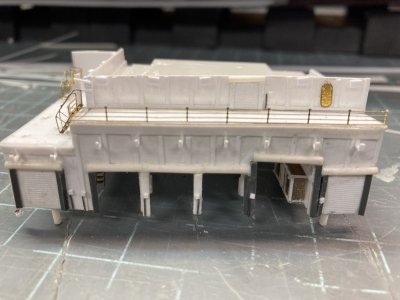
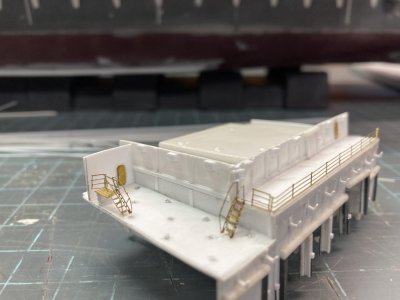
The forward overhangs were added because newer aircraft like the F-14A, A-7E, A6E, EA-6B and the E-2B had more complicated avionics which required additional shop space to repair it. The solution was the construction of the overhangs. I am not sure what was done but it occurred sometime between the after the 1969 cruise and before the 1974 deployment. On the starboard side the overhang could not connect up to the bulkhead because the open hanger doors were in the way. So the starboard side was supported by two pillars just inboard of the hanger doors. When I built my first version of the forward bulkhead it ended well forward of the open hanger doors which made the need for the pillars seem odd. You can’t see this area after everything is closed up but it really bugged me because I knew how it really looked.

Hanger Deck (88).JPG

This the final position of the forward bulkhead adjusted to the kits door positions. Note how the structure is built around the elevator 1 doors.

The problem was the MHM and Tamiya kits elevator locations being off all along the starboard side. The forward elevator opening in the kit is at frame 89 but it should be at frame 82 by the Book of General Plans drawings. As a consequence when you build up the forward end of the hanger with its overhang it doesn’t end in the right place in relation to the open hanger doors. My engraved forward bulkhead line is right on frame 62. I needed to move the whole thing aft by 7 frames or about .5”. But if I moved it the front bulkhead wouldn’t be at frame 62 plus I would be losing some hanger space. I could have extended the overhang until it ended in the right spot but it would have looked too long that way. When I moved the entire assembly aft it looked more correct so that is what I went with positioning it at the engraved line for the GSE Shops vice the forward bulkhead.. The only way to really fix it would be to cut away the doors and move them. Then you would have to do the same thing with the elevator openings on the flight deck. It would be a very involved correction.

This overhang area was a very complicated structure featuring an inverted stair step design at the 01 and 02 levels. The 01 level is cantilevered over the structure on the main deck and it goes straight across. The 02 level is primarily the ECM shop that supports the EA-6B aircraft. It provides a location to connect the Vans. The 02 level is cantilevered over the 01 but it is not a straight line across. On the starboard side it is built around the open hanger doors. It juts out further than the port and there is an open platform on the starboard side which provides electrical and A/C connections to the vans. When the ship isn’t deployed and the vans have been removed the 02 level on the port side is a catwalk which would provide access to the forward end of the vans. AIMD (Aircraft Intermediate Maintenance Department) has hung various AIMD banners across this area.

This four 40’ ECM vans would be hung from the overhead prior to deployment. The trailers arrive like commercial shipping containers. The trailers are hoisted aboard and they are moved into position. The vans are raised up to the overhead and secured there and then the trailers are removed. On their aft end is another catwalk. These are part of each trailer. They form a feature of the forward hanger commonly called the balcony. There is a hoist operated from the catwalk to move equipment from the EA-6B ECM pods. The expense of equipping each carrier with these shops (WC 64C) full time was apparently just too much and the development of the vans was the solution. The vans are moved from ship to ship as they get close to movement overseas. When I was Ship’s company on the Kitty Hawk and Constellation the vans were not installed until the final work-up detachment before we deployed.

Hanger Deck (92).JPG

The ECM vans are the 4 boxes on the port side.

It is critical that you ensure your parts are squared up before gluing to ensure the overall look of the thing. I had purchased 1/350 scale 40’ trailers from Shapeways which turned out to be a little under scale. I had a full sheet of Evergreen .020” Railroad Car Siding which helped beef them out a bit. Most of the structure is .020” sheet backed up by square strip and angle. I worked on this subassembly for four 3 hour sessions before I finally got it to where it looks right. I had originally intended to have some of the roll up doors leading to the GSE shops open but because of the interior supports I shelved this idea for closed doors. My drawings helped me with the general shapes but couldn’t be used as plan drawings because of the differences in the models shapes.

I moved on to the shop area at the aft end of the hanger. The center section is AIMD Powerplants which has a large watertight double door out to the fantail which I have opened. This door is taller than standard doors to accommodate engines on trailers going out to the test cell. There are 4 roll up doors for Powerplants which will be open. To the port I believe was the Tire Shop and on the starboard side was Airframes. I am unsure of what was above the Powerplants Shop. Each of these has 1 Roll up door which will be closed. These shops were unique in that they were 1 ½ decks tall to starboard and 2 decks tall for the center and port. This was to accommodate the overhead crane system inside the Powerplants shop. Above Airframes was the Mezzanine which belonged to the supply department. To access it you had to go to the 02 level on the starboard side, through a door and down a short ladder. I got assigned to this area during a working party along with a friend who knew the way up to it or I would never have found it.

Hanger Deck (86).JPGHanger Deck (86)

The aft structure pinned in place.


The build-up of this area is much more straight forward than the bow construction. I already had the forward and aft bulkheads. I made 2 Side bulkheads both the height of the Powerplants Shop. I glued these to the forward bulkhead and reinforced the joints with strip and angle. I was a bit worried by the flimsiness of the area around the roll up doors though. I glued the door material on each of the outside shops to represent closed doors. I decided to pin each of the center 3 frame posts to the deck. I marked the locations from the front part. I used some stiff stainless safety wire to make pins which I superglued on the backside of the three center door frames. I marked their locations on the inside deck. I drilled each hole just inside the engraved line on the deck. This locates the shop parts solidly.

Hanger Deck (91).JPG

Looking through the completed basic aft structure to the fantail

I next fitted the deck for the Mezzanine and then the deck over Powerplants. With these glued in place and reinforced the aft shop area is pretty solid even if the aft bulkhead is not glued in place. I had to extend the port bulkhead at the Mezzanine up to the level of the aft bulkhead. Then I made a forward bulkhead for the top structure and reinforced them. With all of these parts constructed but not detailed the basic hanger bay is complete with the exception of the overhead.

Hanger Deck (93).JPG

The aft structure. The Mezzanine is to the starboard side.


My hanger deck template provided the basic general shape for this part. I placed the printed hanger deck that I used to test the fit of the plastic hanger deck on top of the hanger structures. I made some penciled lines where the drawing will be changed for the overhead. I took this to my computer and made a new drawing for the overhead. I squared off the bow and extended the stern to fit correctly for the fantail overhead. I cut back both sides but left some material to overhang the bulkheads. On my model there are some plastic angle supports for the flight deck around the hull and I added cut outs to fit around them. This was printed and inserted over the hanger again. I found a few points that I wanted to adjust and took those corrections back to the computer.

Hanger Deck (104).JPG

The various parts of the hanger laid out minus the overhead.


Well I have run out of picture room again so I will add a third post.
 
This is the third post for the hanger deck.

Hanger Deck (107).JPG

The overhead light drawing is laid on top of the hanger bulkheads to test for fit.


I had two thoughts about how the LED light strips would be used. In the ideal world both the red and white diode strips would be equal in spacing from diode to diode and I would cut the holes in the overhead based on the spacing. I would lay the strips on the overhead with the diodes lining up with the holes. I had purchased the rolls at separate times and they were not the same spacing. My second Idea was to adhere the strips to the underside of the flight deck and let the light come out through equally spaced holes. This is what I went with. I printed out the new ceiling drawing with the light locations and check for conflicts with the interior structures. I moved lights around accordingly on the computer and printed the drawing again. After verifying the final locations I converted the drawing to a cut program in the Silhouette software.

I used all the lessons that I learned making the hanger deck and cut the overhead from a .020” X 6” X 12” sheet. I t went like clockwork and after about 3 hours I had the new overhead. I went out to the model and it went into place with a couple minor modifications. To secure the position I put several pieces of angle around the lip up against the bulkheads. I then removed the hanger and assembled it out of the model. I used tape to hold things together and then added more angle pieces to gaps around the bulkhead to deck joins and then around the bulkhead to overhead joins. I only wish that I could take this whole assembly and drop it in place but unfortunately that isn’t possible. I blame the quasi- engineer who designed and built the thing.

Hanger Deck (109).JPG

The cut out plastic overhead part. Getting the plastic to poke out of the light holes was a little tedious. If you allow the machine to cut all the way through to the mat these little parts can float around and cause a jam.

Hanger Deck (112).JPG

The overhead is laid in place.

Hanger Deck (113).JPG

Clamping the angle locators in place for glueing.

Hanger Deck (118).JPG

The hanger taped up outside the ship. The overhead has the angle attached to locate it when installed. I have just finished adding sections of smaller angle to finish the locators.

Hanger Deck (119).JPG

The aft end of the overhead.

Hanger Deck (120).JPG

Amidships.

Hanger Deck (121).JPG

The forward end

Hanger Deck (122).JPG

The bow.


That brings this part of the build to a finish. See you in the next post and happy modeling. I tried to download one of the drawings and it seems that when it is compressed in the website it is not very usable. I don't know if this can be fixed but I will make an online file to all my drawings and post a link later.
 
Last edited:
Excellent work, the attention to detail is truly phenomenal, congratulations!
 
Part 9 Hanger Deck Details Part 1

I last posted back in October of last year. A lot of time has gone by and I have been busy I hope you like what I have been up to.

Hanger Details (5).JPG

In this photo you can see the lines drawn for the 1st deck, 01 and 02 levels on the hanger bulkheads.


In this part I begin adding details to the hanger parts with the goal of having all possible items in place before painting. Detail which will be added to bulkheads and overheads includes wiring, panels, pipes, soundproofing, doors, framework, tracks and overhead crane guides. Items that would be more difficult to mask over or paint in situ such as lockers, fire hoses and other fire-fighting equipment will not be added until after the basic colors have been painted on the bulkheads and overhead. These items will be painted off the model and installed later. At least that’s the plan.

I first went around all the major parts that I had previously made for the hanger and worked on getting each one to fit more precisely. I added more angle and strip to lock down the position of each part. I added 2 pins to the forward bulkhead of the Powerplants assembly (the one all the way aft) and drilled corresponding holes on the inside deck. This keeps it in the correct position and supports the fantail bulkhead. It also helps lining up the metal pins on the door posts. At the bow I added some angle to make channels to hold the forward bulkhead in place. After all the hanger parts were taped up and securely in position I used my deck height gage to mark the location of each deck on the hanger bulkheads. This will help consistently locate detail vertically. Then I put the overhead in place and checked for locations that needed some angle to hold it more securely.

Hanger Details (35).JPG

This photo shows the additional pins on the Power Plants shop. Note that I have also added 6 support columns and additional detail for the roll up doors. The columns were necessary because of the multiple engine hoists in the overhead which required additional support on. The girders spanned a wide space in real life and the engines were very heavy.


I decided to begin with the overhead detail first. I had to replace the upper tracks for the divisional doors because these broke several times. I was trying to keep the doors as a separate assembly but decided to add them to the bulkheads and make new tracks. I removed the tracks from the doors and glued each block of doors to the appropriate bulkhead. This had the added benefit of positioning the bulkheads at the midpoints of the hanger since the doors already had their own locater pins. I made a new set of tracks with some 1/16” ABS Plastruct Channel.

I should have used this material in the first place because it was stronger and more rigid than the set I made which was very fragile and kept coming apart. The 5 pieces of channel were first glued together on a sheet of wax paper and when they had dried I set them on top of the divisional doors and held them in place with Blue Tack. I set the overhead in place and used a long brush through the hanger doors to cement them to the overhead. This correctly located the tracks on the ceiling. If I had built the door tracks this way in the first place I probably could have kept the assembly as a separate part.

Hanger Details (20).JPG

Here the hanger is upside down with all the parts now taped to the overhead. I am in the process of marking the overhead for the vertical part locations.


To start detailing the overhead I had to determine where the bulkheads would be located in relation to it. I removed the hanger from the ship and taped all the parts to the deck again. I placed the overhead in position and taped it in place also. I flipped it over so the assembly was resting on the overhead. I removed all the tape holding the deck in position and removed the deck. This allowed me to run a pencil all around the inside, marking the locations of all the bulkheads on the overhead. I reassembled the hanger in the hull of the model and as well a possible marked the overhead for the fantail. You have to do this through the fantail opening so it is difficult to mark it accurately but this is important for detailing the overhead and keeping fit issues to a minimum.

Hanger Details (19).JPG

The fantail overhead has been laid out and glued in place

Hanger Details (18).JPG

Test fitting the overhead with the fantail overhead detail in place.

Fantail 001.jpg
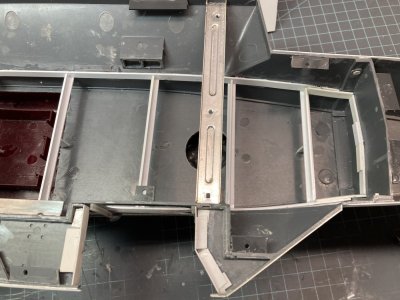
This photo of a baptism ceremony on the fantail shows the overhead and the doors to Powerplants.


I used .040” x .040” strip to lay out the girders of the overhead around the light openings. These were actually H beams and those are available in plastic but I already had the square stock. Also the smallest H beam that I found is 1/16” which is thicker than the .040.” This probably would have looked out of scale and would have overall lowered the ceiling. You won’t be able to tell it isn’t H beam when you look through the hanger doors. I made up the fantail overhead and moved from there forward to the divisional doors and finally to the bow. There are some thwartship beams which divide the ceiling into sections. I put those cross beams first then I added the fore and aft girders between them. I checked the fit of the overhead repeatedly to ensure that nothing I had added would interfere with the ceiling dropping in place. Thankfully the hanger has the beams spaced further apart than the fantail but I still used 4 packages of the strip and needed more to do the entire overhead assembly and all the smaller pieces.

In the 60’s to the 80’s there were soundproofing or insulation panels between the beams throughout the overhead. These were removed sometime in the mid to late 80’s. They do not appear to have filled the space between the girders but were suspended to same level as the bottom of the H beam. I used various strip and .040” sheet to make these panels and then began placing them one by one in the strips with light openings. In the other strips I made a single piece for each section and then used a razor saw to scribe cross cuts marking out each panel. I did not try to model suspended panels. As a bonus once all this strip is in place the overhead is stiffened up considerably. After these panels were removed from the real ship it looks like the overhead was coated with some sort of textured paint to insulate the 03 level.

Hanger 008.jpg

This photo of the divisional doors from the 1980’s shows the nature of the suspended panels. Note the T shaped hangers which were used to route casualty power cables across the hanger.

Hanger Details (23).JPG

The aft section with the girder layout complete.

Hanger Details (50).JPG

The aft section of the hanger overhead has had all the panels installed.

Hanger Details (68).JPG

The forward section with sprinkler heads installed.


Once all the panels were located the next item was the sprinkler heads for the AFFF sprinkler system. I marked a location for each head and then used a punch to make a starter hole. The smallest diameter rod that I have is Evergreen .020”. I found a suitable drill bit and drilled a hole at each location vertically through the overhead. I cut a short section of rod and inserted it in the hole. I cut the rod with flush cut nippers to a likely height. I used this piece to set up the chopper tool and then cut multiple duplicates. When I had a good pile I placed each one and put a drop of Tamiya Extra Thin on each. Section by section I went across the overhead until I had covered the whole thing.

A good deal of the piping connecting the sprinklers is covered by the suspended panels. There is some that is visible but I will finish all the pipes on the bulkheads so I can lay them out on the overhead to match where they connected if that was the case. Where the pipes pass through the overhead they were simply cut off flush. Looking at photos you can see that my detail was more of an approximation of what was actually there. The overhead lighting, framework and sprinklers aren’t quite as regular as I made them. The general effect seems pretty good when you look through the hanger doors though.

Hanger 044.jpg

In this photo from the 60’s you can see the spacing of the girders supporting the overhead/03 level, soundproofing panels and the sprinkler heads. (I used this photo in part 8 but it really shows the overhead layout nicely so I repeated it here).

Hanger Details (24).JPG

The overhead frames completed but I’m still in process of doing the insulation panels.


After I completed the framework on the overhead I went ahead and did the framework for the platform between the weapons elevators, the forward overhang structure, the interior of the Powerplants shop and the overhead of each elevator well. The ceiling in power plants is supported by 6 columns. I layered some thick plastic from my scrap box on top of the area and drilled holes for the columns through the laminated blocks and then the ceiling. The thick plastic provides the support for the columns. I used some 3/64” rod for the columns.

To ensure that each post will sit on the deck I cut short sections of tube and slid them onto the posts. I installed the aft assembly and held it in position. I removed the fantail bulkhead and using tweezers slid each section of tube down to the deck. I used a brush to place drops of Tamiya extra thin on the post securing the tube in position, I had to use just a minute amount of glue or I would have prematurely glued the posts to the deck. One of the tubes slid up on me so I had to remove that entire column and re-do it. This isn’t accurate either but it looks okay for what is visible and it solves any problems of columns floating above the deck.

Hanger Details (34).JPG

Powerplants in position


After I had finished with the overhead framework and soundproofing I used the same method to make the upper tracks for each elevator door that I had used for the Divisional Doors. I did have to trim a corresponding amount from the elevator doors to make space for the channel. I mistakenly thought that the elevator doors were the full height of the hanger. This is incorrect they actually come to the bottom of the overhead girders. The soundproofing is close to each door and makes it appear that each set of doors is the full height. Cutting the doors would have been much easier if I had got this right to begin with. I took great care to mark and saw off the .040” from the stacked doors and prevent damage to the bulkheads.

I had used up all my supply of ABS type channel but I was able to obtain some white styrene Plastruct Channel which was actually easier to use. The ABS needs Microweld 3 or 4 (or a similar hot adhesive) to glue it up and the styrene comes in deep and standard channels. With the styrene Plastruct I put a thin bead of Testor’s Liquid Cement (the black squeeze bottle with the needle applicator like Revell Contacta) on the upper surface of the channel. I dropped the overhead in position and made sure it was touching the channel. When I removed the overhead the track was tacked in place. I reinforced the join with some Tamiya Extra Thin after removing the overhead assembly from the hanger.

Hanger 042.jpg

This is a good view of the divisional door tracks after the soundproofing panels were removed. Note the gussets on each section of the track. You can also see the exposed plumbing.


Each upper door track is heavily gusseted to keep it from flexing and about 150 triangular gussets more or less were cut from .010” X .040” strip. These were all made and then glued in place one by one. I did all the gussets at the divisional doors and then the elevator doors. On the elevator door tracks where the gussets would have been hidden by soundproofing I just ignored them. This is primarily on the inboard sides of the tracks. This cut the amount of gussets by more than half. It also cut the amount of work without detracting from the appearance. Finding a viable shortcut is always a good thing especially when you have to do so many repetitive pieces. I worked in smaller segments for shorter periods to get through it.

doubledoordfp2.jpg

This is a Double WTD drawing that I found on the internet.


One of the things I needed to solve was modeling the Double Watertight Doors that opened to the Hanger Deck, some sponsons, the fantail, The 02 level between the weapons elevators, the 01 level leading to the Hanger Deck Yellow Shirt Locker and the exterior platform above elevator 3. With one exception In all the sets of photoetch and 3D print that I have or had researched representing US Navy doors there are no double water tight doors.

The exception is Eduard Set Part 4 which has a set of doors for the platform over Elevator 3. 2 part number 12’s from this sheet represent these doors but they are just flat panels with no relief detail. The dogs, hinges and handles should be seen even in this scale especially on the exterior. Every other set ignored all of the other doors on the exterior of the ship. That was surprising since Eduard had noticed the one set of doors but did not have any of the others. Enterprise had a least 11 that potentially could be visible from the sponsons or the hanger deck. All of the carriers that I served on had them. If you can’t buy any then you either scratch build some or just ignore them and use standard doors (“That will never happen,” I said). I used the Silhouette to make up several plastic blanks of the standard height and the taller doors of the Jet Shop.

Hanger Details (6).JPG

Double Watertight Door blank. This is actually 4 parts which can be used to represent open or closed doors.


I had originally wanted to open several of these double doors to get some alternate views into the hanger but after looking through the openings that I had made I decided not to continue. You just can’t see very much through them and there is a compartment spanning the space between the outside and inside doors in the case of the sponsons. I incorrectly cut the opening for the port side going to the Boat House aft of the Divisional Doors instead of forward and had to fill and blend the hole, duh. That opening was roughly ¼” square and even without the boathouse bulkhead in place not much of the hanger could be seen. All the other openings were filled and smoothed over. Only the Powerplants doors will offer any slight view of the hanger.

The blanks were installed on the appropriate sponsons, the platform over Elevator 3 and the interior bulkheads. I embellished these with some cut down photoetched square doors to add some dog and hinge detail. This was by far easier than scratch building all of the dogs and hinges on each door. It took two square doors to make each double door. Cutting them in half wouldn’t have been wide enough. I needed about ¾ of each door to use and the remainder went in my scrap box. I went ahead with opening the doors to AIMD Powerplants on the fantail which are taller, The Yellow Shirt Locker and the Tunnel Entrance primarily because these doors were frequently left open. You can see these three doors through the elevator openings. All the others will be modeled closed

Hanger 014.jpg

This ladder leads up to the Yellow Shirt Locker. Note the open Double Water Tight Door with what appears to be a normal 2 panel door behind it. It was made of metal not wood. These panel doors were common throughout the ship where a compartment did not need to be water or air tight. You can’t find these doors in any set either (perhaps in a dedicated set for a cruise ship). I only need a few of these so I made them.

7879693294_b610c05612_o.jpg

This photo shows sponson 7. Just behind the sailor with the 50 caliber machine gun is the Double WTD standing open. There is a ladder well/ passageway between this set of doors and the doors between the weapons elevators in the hanger.


This is the end of Part 9 Hanger Deck Details Part 1
 
Last edited:
Part 9 Hanger Deck Details Part 2


10500_485144051505677_2004195586_n.jpg

This is the Double WTD leading to Sponson 1

Hanger 081.jpg
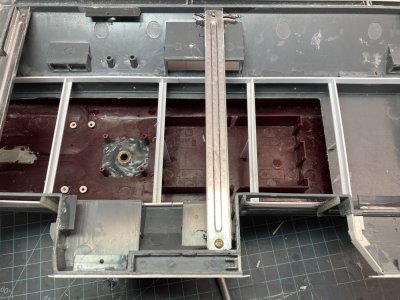
This shows the double WTD to Sponson 1 from the hanger as an Admiral is piped aboard. You can clearly see out to the sponson through the ladder well. When you size this down to 1/350 scale you can’t see much.


The double doors are all about .015” thick made up of 3 layers of .005” plastic. The Power Plants doors to the fantail are much taller to accommodate engines on trailers going to and from the test cell. This type of door is not what was commonly called a knee knocker. They were used to move large items about the ship. The lower sill is only a couple of inches high. This would still present problems moving an engine by manpower only. All the ships I was on used 1/2” L profile metal plates which were set on the sill interlocking with alternate panels. They formed a ramp and allowed heavy cargo to be moved through the doors relatively easily. They were designed so that a pallet jack could roll across them without hanging up. I made the doors for the Jet Shop with this feature. I went so far as to test the opening with a 3-D printed engine on a stand. These plates were used on any double door where cargo had to be moved through them. When the doors were closed the plates were generally stowed in racks welded to the bulkheads off the hanger bay.

Hanger Details (2).JPG

This is the exterior face of my fantail bulkhead with the entrance to Powerplants open.


On the Fantail doors leading to the Jet Shop I had to scratch build the dog and hinge detail. I added stretched sprue dogs and hinges. Using metal doors to make this detail this would have taken 4 door segments whereas a normal height double door only used two. They would not look right trying to fit the 4 sections together. Because the real doors were so tall the only way to set the dogs across the top was by a ladder. Both doors had rungs welded on the inside and outside to facilitate quickly opening or closing them. I used a 5 Star caged ladder photoetch sheet making use of the type where you fold the ladder rails perpendicular to the rungs. This causes the rungs to protrude a bit. These were glued to the doors and the doors were glued in the open position. They look fairly close. The ramps are strips cut from .005” sheet.

cvn-65-uss-enterprise-070b.jpg
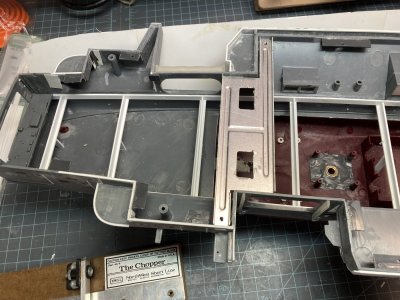

This photo from 2012 shows the weapons elevator trunks in the aft hanger bay. Note the red arrows pointing to the forward elevator door and the pulley arrangement.

Hanger 013a.jpg
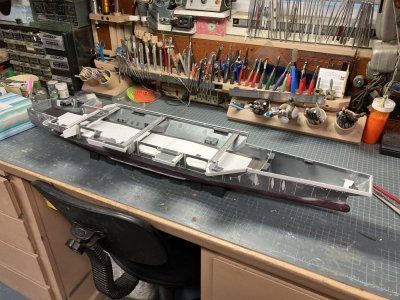
6 This is the aft trunk and the red arrow points to the door.


There are 2 Weapons Elevator trunks in the aft hanger and one in the forward hanger. Each of these had a vertical door on the 1st Deck (Hanger Deck) to access them. I found a couple of photos from another ship showing them closed in the magazine. So I based mine on that photo. I did not have a good clear close up photos of these doors in the hanger but the pictures I do have show reinforcing bars horizontally across the door so I added them to my drawing. I used that to make a cut diagram for the Silhouette. I only needed 3 but I made 6 to have spares. I had the machine cut 3 parts for each door from .005” sheet and layered them together. It worked quite well but I did need to have some of those spares in the end. I made some mistakes and had to correct them.

Hanger 089a.jpg
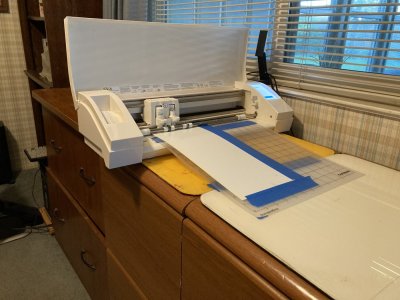
The weapons elevator door in a magazine.


I next detailed the elevator trunks with various dimensions of plastic strip, rod and lead wire to model the details on each. The doors for the trunks in Hanger Bay 2 are on the aft side of each trunk. I finally found photos of both trunks which bear this out (and validate my memory). These two openings had some sort of pulley system above them and this was made with some tiny bits of plastic strip, stretched sprue and punched discs.

I once was assigned to assist my squadron’s Ordnance Shop moving a Data Link Walleye II guided weapon and pod from the hanger to the flight deck. My shop was involved because we had to verify their operation. The Ordies had made arrangements with Weapons Department for an elevator run and we took the skids to the aft Weapons Elevator in Hanger 2. I don’t remember much more about the system than that. It was some 43 years ago after all. I was fascinated by the operation of the whole thing. We had to go topside to accept the skids after sending them up and I got to watch as the flight deck elevators opened for other weapons.
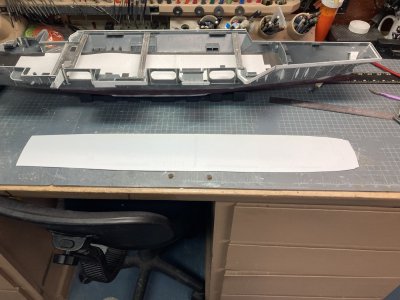
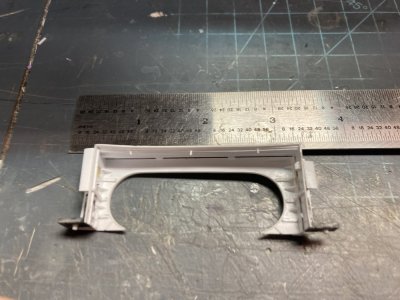
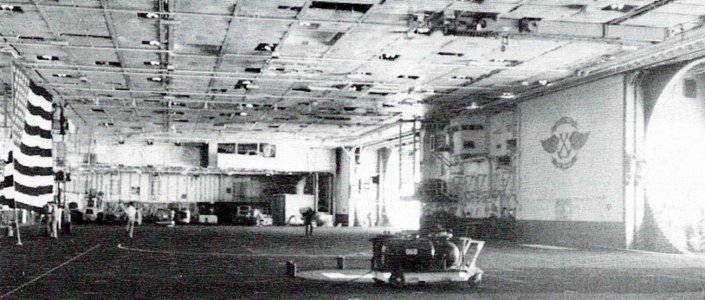
On the starboard side of the forward bulkhead of hanger bay 1 I placed the third door. You can just make out this door in photos. The overhang covers the pulley rig on this door or it is set up differently. There is an opening for the most forward elevator too but it is located in an alcove off the centerline tunnel not in the hanger.

Hanger 106.jpg

In this photo they are testing the AFFF sprinklers. Off to the far right you can see the forward weapons elevator door. The Tunnel entrance would be to the left of that.

Hanger 065a.jpg

In this view of the weapons elevator trunks from the late 60’s there are several details that are pertinent, The open platform in the middle at the 02 level, the power cord or fire hose on the face of the aft trunk and on the elevator door machinery platform with the storage for triple ejector racks(TER’s)


Since all the bulkhead components would have doors installed on them and because they helped locate other details I installed all the doors on each bulkhead at this time. The majority of the doors accessing the hanger were Quick Acting Water Tight Doors (QAWTD.) These doors all had a wheel with a single bar for leverage to open or close all the dogs at one time. As the wheel turned it would move cams which were connected to multiple dogs by a system of bars and levers. Tom’s Modelworks sheet of 1/350 USN doors comes with several types on each sheet. I used all the QAWTD on one sheet to model the Hanger Bay. They have details for both open and closed doors. I modeled one of these doors open in the aft hanger bay to have the chow line going through it. There were some standard WTD’s with individual dogs which were each thrown by hand. I used the individual dog type where I found photographic evidence of them.

Hanger Details (117).JPG

This is section of the port bulkhead with the doors attached. Note also the sound proof panels are in place.


Above the 02 level throughout the hanger bay there were sound proofing panels on the port and starboard bulkheads. I set up a cut job and made hundreds of these panels on the Silhouette machine. When I was removing them from the cutting mat I noticed that many sections stayed together. They were easily broken apart but having them together in strips was convenient in that the installation was greatly simplified. In the process of working on the detail of each of these bulkheads I have had some of these come off so it was good to have many spares. My friend Modelar on You Tube scribed the lines between these panels directly on the bulkhead

Hanger 041.jpg

The sound proof panels stand out nicely in this color photo.


After the doors and panels were done I worked on the area around the divisional doors. There were pretty good photos of this area forward and aft of the doors on both the port and starboard sides. I had spent a good deal of time collecting all of this documentation but now that I have started the work all those photos are invaluable. I made the structural elements of the door jams but I wasn’t happy with my first attempt and removed that and replaced it all. There would be a photo of my first effort in my last post. There is a structure on the forward side which fully covers the open doors on the starboard side (I initially made this too thick and had to thin it down).
cvn-65-uss-enterprise-258b.jpg


This photo from 2012 shows the area around the weapons elevators and also the aft side of the divisional doors.

The Divisional doors were open unless we were actually at General Quarters (Battle Stations), having a

fire drill, an actual fire (which would have sent the ship to General Quarters) or they were doing some maintenance that required them to be closed. I recall finding them closed for some maintenance issue once. There was a passageway outboard on each side which allowed you to take a detour around and get by the doors. When I first detailed this area I thought I should install all plumbing first but this turned out to be a mistake. It was better to run all the electrical wiring before adding plumbing. Which was my formula for all the remaining bulkheads.

cvn-65-uss-enterprise-246.jpg

This is an excellent shot of the fuel station and the area between the divisional doors and the forward elevator trunk.

544772_485142854839130_1184476693_n.jpg

This is a photo from 2012 also showing the area forward of the divisional doors to the Elevator 2 opening.


From the starboard divisional door area I moved to the forward end of the hanger. I completed all the detail work around the Forward Overhang structure. I used various sizes of strip to model the exterior framework. I added wiring and various panels on both the forward faces and the two bulkheads which form the area leading to the double WTD. I added plumbing, sprinklers and finally storage hooks on the 01 and 02 levels. There was a storage cage that extended out from the 2 inner doors to the edge of the 01 level over hang. I made this from photoetched deck grating framed by the smallest strip that I had. So I could do the basic painting this part was not permanently glued in place yet.

Hanger Details (136).JPG

In this photo of the forward structure the bulk of the detail work is done although I am still working at a solution for the storage hooks.

Hanger Details (174).JPG

This photo shows the cage storage area around the 2 inboard doors of the forward structure.


Wiring was made up of various sizes of lead wire (fly tying weight wire). The smallest diameter that I have is .007” which is pretty much dead on for this scale. The bulkheads of the hanger are liberally festooned with wire. If you could look into any of the spaces that border the hanger you would also see roughly 50 or more cables running through bar hangers in the overhead. According to Warship Profile 15, 625 miles of electrical cable were required to connect everything on the Enterprise. The state of California is roughly 770 miles from North to South so that gives you an idea of the scale. In the hanger most of the wiring extending forward and aft was hung above the height of the doors just below the 01 level. My drawing is representative of the real thing but it is by no means 100% accurate.

On the bottoms of the trailers framework was glued in place. I left some to extend past the end of each trailer. I added platforms to the ends of each trailer glued on top of the extensions. Each trailer is suspended with rods from the bottom to the ceiling. Only a couple of these would be visible and I glued my smallest rod where they would show. There is a platform in the middle of the assembly at the 02 level with a couple of power distribution panels. I added these and used some photoetch details from L’Arsenal and lead wire to detail them all of which is pure conjecture. The last items were the railings on all the platforms.

Hanger Details (110).JPG

This bulkhead forward of the Elevator 1 doors is a test case for detailing the other bulkheads any mistakes I made here will be virtually invisible once the hanger components even with the overhead removed.


While I worked on the forward structure I also detailed the starboard side bulkhead forward of elevator 1. This area can hardly be seen even with the overhead removed so it was ideal to practice on and if the results were a little less than perfect it wouldn’t matter. I did the soundproofing, wiring and panel detail and then any plumbing.

To install the wiring I used dividers to measure and cut a section. To get it straight I rolled it over my cutting mat with my fingers. The runs on the hanger bulkheads tended to go up and down around obstacles. But starting with a straight piece is better. I positioned it with tweezers and let some Tamiya Extra Thin tack it in place. When this dries I use thin CA to fasten it permanently. I punched discs and used tiny bits of strip to represent junction boxes and panels. Once these are positioned I ran leads from the main cable to the boxes or to the deck. To represent wiring hangers I use thin strips of aluminum duct tape pressed into position, trimmed and glued with thin CA. I worked on one area of the hanger bulkheads at a time until I have everything in place. Then I moved on to the next section.

Some of the common electrical installations are AFFF sprinkler control groups, sound powered phones, aircraft power and SINS (Ship’s Inertial Navigation System) Stations.* These various panels looked similar on the ship but could be laid out quite differently depending on what else was in that same location. For the purposes of the build I am making them pretty much alike. There is also backup emergency lighting (Battle Lanterns,) light switches, circuit breaker panels and junction boxes that have to be modeled. Each section of the hanger looks very busy after this stuff is installed which is what I am trying to achieve. All of the 3 phase 440 volt aircraft power stations were made less the actual cord since I wanted some plugged into aircraft in the hanger vice being coiled on the bulkhead racks.

Hanger 093.jpg

In this photo of a small section of bulkhead you get an idea of the plumbing and wiring installations behind the tractor. Pretty sure this shot was taken in 2005 – 2012 time frame. The tractor would be a nice addition for any of you master painters. I’m glad I won’t have to duplicate it in 1/350 scale.


*Before the Global Positioning Satellite (GPS) system was used by the military our navigation was conducted by inertial navigation. Aboard ship they still took regular periodic sextant sights too but the electronics became the primary navigation method. The electronics involved a gyroscopically stabilized platform which had 3 accelerometers recording all the changes in acceleration on the x, y and z axis. This information was provided to a computer which was given the starting position in latitude and longitude and then could calculate your current location within a few feet. Each aircraft had some type of this system installed. On land it was simple because the starting point remained constant. Aboard a ship at sea moving all the time the aircraft had to connect to SINS to get the current position. This was broadcast to the aircraft via datalink normally. The exception was during Emissions Control Conditions (EMCON). During the various EMCON conditions radio, radar and other electronic emissions were curtailed or eliminated to better hide the ship. The most stringent was EMCON Alpha which prohibited all emissions. We still had to launch planes so the aircraft was connected to a SINS station via a shielded cable to align the system before they launched.

This is the end of Part 9 Hanger Deck Details Part 2
 
Last edited:
Hanger Deck Details Part 3

There was a good amount of plumbing on the bulkheads and that was made up with various sizes of rod and strip for brackets. Most of this rod is so fine that I can make bends just by wrapping the rod around something round to get a suitable radius. Most of the piping that I observed was welded together unlike house hold plumbing which is made up of multiple threaded connections. There were some fittings that were threaded together usually where it would be necessary to replace items frequently. These would generally be at the terminations of a line. Warship Profile 15 says there were 230 miles of piping of various sizes from ½ inch to 2 feet. The piping running up to the overhead sometimes did not go through but made a bend and extended out onto the overhead itself. I installed the bulkhead piping but waited until that is all finished before I return to the overhead in order to match it up. The largest diameter pipe on the hanger bulkheads were three ventilation ducts which I used .080 rod to make.

Hanger Details (91).JPG

This photo shows the door trunk for elevator 4’s door well. The leading door will tuck inside this feature to seal off the door.


Before I moved to the other starboard bulkheads I wanted to do all the elevator doors and the elevator wells. There were a lot of small details around each set of elevator doors. There is an angled stop which limits the movement of the open doors attached to the deck. There is a trunk which extends to the height of the door and seals the fully closed leading door. It is shaped at the top to accommodate the latch mount at the top edge. Each door has solenoids and wiring which lock the door position on the forward and aft edges of the door. There is some actuating cable on the edges of the doors and you can see the connecting wiring on the inside face of each door. Luckily with both doors modeled fully open only the most inside door would have this visible. Each door has a flexible cable on a take up reel to electrically control the door solenoids. The reels are mounted on a gusseted plate on the bulkhead aft of the doors for elevator 2 and 3. They are forward of the doors for elevator 1 and 4.

Hanger Details (133).JPG

This photo shows the detailing on and around each set of doors. This is for elevator 4.


In each elevator well there is framework on the inner faces of each bulkhead. I used strip to add the girders and gussets. I added wiring, fixtures, plumbing and vent grills to detail each well. I ran a sprinkler pipe in the overhead of each well with sprinkler heads. Each well will later have fire extinguishers, life rings and elevator control podiums installed after basic painting is completed. In later photos there are some racks attached to the bulkhead with crates stowed on each. Those were not present when I was aboard. I think these might have been stowage for cross deck pendants for the flight deck But I don’t know for sure.

Hanger Details (104).JPG

This shows some of the detail completed in the Elevator Door well.


The bulkhead between Elevator 1 and 2 was the next to be detailed. I had a set of 4 Conflagration Stations from Shapeways modeled in clear acrylic. I cut a hole in the bulkhead where I would mount them. This will hopefully allow each station to eventually be backlit. Since they used ballistic glass I painted them with thinned down mixture of Tamiya clear green and blue. Before I lay down the basic colors on the bulkheads I will have to mask the windows in each one. One of the three satellite stations was either a short shot of broke because the top was missing and I had to make a new piece to cap it. These were from a designer called Baconfist Models which I believe is out of business now. I attempted to contact them on their Facebook Page with no results. A flashlight shined behind each one produces the desired effect but it remains to be seen if the LED lighting I will be using will work. 90% of the time I never saw any sign of lights inside of these stations so if the effect doesn’t work out it won’t matter. When they were lit (probably at change of watch), they windows showed that blue-green tint.

Hanger 004.jpg

In this photo from the 80’sThe overall area between Elevator 1 and 2 is shown. You can make out the plumbing going under the Conflag Station and then to the platform just forward of it.

Hanger 010.jpg5

This close up photo shows the plumbing and the three platforms. I’m not sure but I think this was some sort of filtration system.


Conflagration Station 1 was located in Hanger Bay 1 between Elevators 1 and 2. I had two photos, one that showed the area up close and another at more of a distance. In the close up shot you can see three platforms. The most forward was associated with the Elevator Doors. The middle was a work platform that seems to blend into the third which was the most aft. It held what looks like some sort of filter system. I did not remember this detail and so I believed it was something added during the big rework after 1978. Turns out my memory was not vindicated here as I found a photo of the hanger during the 1978 deployment which shows the area in the background and the filter is there.

Hanger 118a.jpg

The red arrows are L-R the Elevator Machinery platform, middle platform and the filter platform. The plumbing running around the Conflag Station is fairly clear.


I had already built this area up and had to go back and make a correction to add the extra platforms in after I found the photo above. Unfortunately there simply was not enough space to install the middle platform with what I had built up before. I made a partial correction but that wasn’t very good looking. I removed all the photoetched platforms and sanded everything smooth again. I rerouted one pipe, built up the 3 platforms from repurposed photoetch parts and detailed each one till I was happy with the final part.

Hanger Details (184).JPG

This is the final iteration of the area between elevator 1 and 2. The Photoetch was repurposed or from generic sets.


There were 4 Elevator Door machinery platforms, 3 starboard, 1 to port and two Sliding Padeye machinery platforms on the port side. In the area between Elevator 1 and 2 the platform is just aft of the Elevator Door assembly. Each machinery platform had a vertical ladder to access it. The platforms and ladders were installed in the desired locations. There were large electric winches to move the elevator doors and smaller ones for the sliding padeyes. Those winch detail parts won’t be added until after basic painting. The Silhouette machine cut out the platforms and the support structure underneath. The Sliding Padeyes platforms are smaller than the elevator machinery platforms. These were used to raise and lower the Sliding Padeyes which hung from the overhead. They were retracted unless we were having an UNREP or they were undergoing maintenance. A Sliding Padeye is a screw like mechanism in a rectangular frame which automatically corrects for the vertical movement of the ships during UNREP.

Hanger Details (128).JPG

This is the platform for the elevator 2 doors it is unique in it’s shape all the others were a simple rectangle. Only the basic platform, a storage box and the ladder have been added so far.

Hanger Details (139).JPG

In this view of the port bulkhead the basic elevator and sliding padeye machinery platforms have been added.

Hanger Details (154).JPG

This photo shows the struts after they were freed from the wax paper. The set with the black markings were to mark the set for the elevator 2 door platform which is narrower than the others.


Each elevator platform had a vertical support system which ran from the platform to the overhead. Each of these had hooks to store MERS, TERS and launchers. These were installed on the supports during the Viet Nam Era but they were no longer being used for this during my two deployments. I made these off the model on waxed paper again. These will not be installed until after the painting and 2nd round of detailing is complete. Above each elevator platform was a smaller work platform with access to service the pulleys and cables to connect to the doors. I made the small platforms from re-purposed photoetched floater net baskets and L’Arsenal structural parts. An additional vertical ladder runs to these small photoetch parts. I also added railing to each platform.

Hanger Details (166).JPG

The 4 elevator door machinery platform support struts are all made up.

Hanger Details (207).JPG

This photo shows the struts with the overhead and pulleys added.


The real pulleys were located in the overhead but if I attached them to the model’s ceiling It would be impossible to rig them at all. I attached a thin piece of strip at a 90 degree angle to the uprights of the support structure.. This would be the overhead above the platform. I used some tiny photoetch cable reels for the pulleys. I cut each reel in half while still on the fret. This gave me 2 pulleys and I needed a total of 16. I bent the reel base at 90 degrees and glued 4 pulleys to each overhead piece. I had to check the location of these parts to the platform to ensure that I hadn’t made any problems when it came time to glue the upright in place. I will make the winches as an assembly too but leave them off for now. When it is time to put all this all together the winch will be glued to the platform and then the support columns. I should then be able to rig them with EZ-Line or wire. That is my plan for now.

Hanger Details (125).JPG

This is the form I used to make the 3 hanger fuel station coamings. One of the completed coamings is beside it.

Hanger Details (126).JPG

This photo shows the structure between elevators 2 and 3. The fuel coaming is glued to the aft side of the divisional door bulkhead. I had to cut the coaming to fit it around the vertical I Beam.


There were 3 fuel /defuel stations in the hanger. One of these is under the Elevator Machinery platform for Elevator 1’s doors. To model these I built the 3 coamings around each station out of photoetch fret formed around a plastic piece cut out by the Silhouette. I soldered these together on the bulkhead edge. I glued these to the bulkhead where each would be located making sure the coaming sat flush on the deck. The coamings were there to contain a fuel spill and allow it to be drained away. Plumbing and hose reels will be added later in the second round of detailing. At each station I used some L’Arsenal photoetch as a control panel.

Hanger Details (219).JPG

This is the completed section between elevator 2 and 3. I have dry fitted the platform struts and the winches. The other 2 winches are sitting on the ruler.


I finished the starboard side with the section aft of elevator 3. The ladder and the deck leading up to the Yellow Shirt Locker was something that was added sometime in the late 60’s or early 70’s. I believe the door was always there but the space was possibly used by Supply Department before the ladder and platforms were installed. I remember standing in the line for the aft galley and watching the V-3 Division guys going in and out of this area. Hanger deck control was in the forward hanger bay around frame 120. Everybody called it the Yellow Shirt Locker but I believe it was officially called a Crew Rest Shelter like the one on the flight deck. I placed all the platforms and the vertical ladders but left the inclined ladder until after the basic painting is completed.

There is a large vent pipe on the aft end of this section of bulkhead and after all the wiring was in place I added the pipe. It goes up vertically then angles aft before going through the bulkhead. 4 pairs of struts were made and glued to the pipe. The bulkhead continues aft after the hanger and is then the outboard bulkhead for the Supply Mezzanine. There is a QAWTD on the 02 level back there which opens onto a platform and an inclined ladder to the Mezzanine. I made up the platform and ladder so they could be glued to the aft structure rather than the bulkhead. They were too susceptible to damage connected to the bulkhead itself. This way there is some hope for their survival till final assembly.

Storage space is always at a premium aboard ship. Nobody ever has enough space. Over time the aft end of this bulkhead developed into a storage area. There were cross deck pendants, catapult pistons and shoring stored on L shaped hooks welded to the bulkhead. I cut off thin slices of 3/32nd deep channel and glued them directly to the bulkhead in the area of the 02 level. I won’t place any of the items in the hooks till after the basic painting is finished.

Hanger Details (150).JPG

This photo shows the forward portion of the bulkhead aft of elevator 3.

Hanger Details (151).JPG

This photo shows the aft portion of the same bulkhead

Hanger Details (148).JPG

In this overall view you can also see the ladder from the 02 level onto the mezzanine.


This is the end of Part 9 Hanger Deck Details Part 3
 
Hanger Deck Details Part 4


Hanger Details (175).JPG

This my take on the aft bulkhead of the Powerplants shop. I based it mostly on the photo below.

7971501886_d6e42ef14a_o.jpg

You have to look past the engine in work but you can see the doors, wiring and vents.


I detailed the aft structure inside and outside. Inside there is framework on all 4 bulkheads of the Power Plants work center. I have some pretty good photos from various times of the inside. There were 2 panel doors leading to office space, a storage cage on both the port and starboard sides and the normal complement of wiring and plumbing. Several vent pipes were located on the walls and door struts. These blew cool air on the men at work on engines in the shop. The 2 aft most support columns had air lines attached to a take up reel for pneumatic tools.

Jet Shop 006.jpg

This photo shows the forward and starboard corners of the shop note that the cage is 2 floored with an inclined ladder.

Hanger Details (178).JPG

This shows the shop from the back looking forward I am about halfway with the detail at this point.

Hanger Details (171).JPG

This shows the cage for the starboard side which will not be glued into position until the basic painting is finished.

Jet Shop 007.jpg

This is the forward port corner of the shop.

Hanger Details (189).JPG

The extra detailing is completed at this time. There will be cabinets, workbenches and other items to be added after painting.


Outside of the Jet Shop was the most difficult part to model. I had only one grainy black and white photo of the whole structure. I had a CAD drawing and some photos of 3-D Wild printed parts for a reference. I don’t believe the CAD was all that correct. The 3-D parts do have two configurations for an early and late structure but they have just basic details. I have limited memories of being up on the Mezzanine which is where the ladders and the storage cage came from.

Hanger 012.jpg8

This is the one good photo of the exterior of the jet shop that I have it was taken around 1982.

Hanger Details (187).JPG

This is the view looking aft over my assembly.

Hanger Details (188).JPG

This photo shows a ¾ view from starboard.


The exterior had more frame work similar to the forward assembly. There was an additional roll up door on the shop space above power plants and a WTD on the port side (This is conjecture from my interpretation of the photo). There were several of what appears to be vents on the outside of this area. Some wiring and plumbing that can be seen in the photo were added. The lower level exterior face had multiple brackets which I remember. I do not believe these were used for storage. I never saw anything stored in them. I think they were for casualty power cables like the ones in the overhead at the divisional doors. I made these like I made the storage hooks on the aft starboard bulkhead.

Hanger Details (190).JPG

This is the aft assembly in position in the hanger.

Hanger Details (191).JPG

This is the same assembly looking from the port side note the cage.


The aft port bulkhead is another area that is seldom documented in photos. I believe that in the 80’s there was an incinerator blocking most views of it. While building up the bulkhead aft of Elevator 4 it occurred to me to open one QAWTD. When I start putting crew figures in the hanger I will show a chow line winding through the aircraft and going through this door. I used my Trimaster photoetch scribing template to select the correct size oval. I went over the area multiple times until the door opening popped out. I glued one of the Toms Modelworks QAWTD’s in the open position. One rule of thumb for shipboard doors is that they open forward unless documentation shows otherwise.

Hanger Details (132).JPG

This photo shows the early construction of the starboard bulkhead aft of Elevator 4.

Hanger Details (165).JPG

This is the final look of the same area. I have made the life jacket lockers but won’t install them at this time.


There was one other QAWTD further aft on the Hanger Deck and one other up on the 02 level. Wiring and plumbing were completed. The 01 level had about 7 Lifejacket lockers in a row which is one thing that set this section of the hanger apart from the others. There are only 4 on the entire starboard side. If we ever were required to abandon ship there were crew designated to go to these locations and open the lockers and hand out lifejackets.

I know that they were life jacket lockers as I do remember them doing PMS (Planned Maintenance System) on the Life Jackets. The lockers were designed to open at the bottom and the jackets fall to the deck after a lanyard was pulled releasing the latch. The vests were aired out and the lamps were checked for operation. The bottom was reset and the vests were installed via the doors on the front. Thankfully we never had to abandon ship but we had drills. As a member of the Airwing my abandon ship station was on the flight deck aft along with most of my squadron. I would not receive one of the life jackets in the hanger as I had a flight deck flotation vest issued to me. I remember having to demonstrate the proper posture for jumping off the flight deck during a graded drill.

Hanger Details (258).JPG

The life jacket Lockers under construction.


I made the lockers from the dimensions of the lockers in my drawing. I cut a 3/16” strip from a sheet of .060” sheet. I set up the Chopper and cut the strip into 3/16” pieces. The strip yielded 35 blocks and an off cut. I needed about 28 by the drawing but I made more in case. I used some .010” X .080” strip for the 2 doors on the face, cutting these with the chopper also. A pair of doors was glued to the face spacing them apart in the center with a scalpel blade. There is a strip at the bottom where the doors are cut off short to represent the drop bottom of the lockers. I used some .010” rod to make up handles for the doors and a piece of strip to make a hasp for each locker. I made them all at this time primarily because I wanted them all made the same. I did not intend to glue them in place at yet.

Hanger Details (192).JPG

The basic port bulkhead forward of Elevator 4 to the Divisional Doors.

Hanger Details (193).JPG

The basic port bulkhead forward of the Divisional Doors.


The long port bulkhead was the final section to be detailed. I had already installed the machinery platforms, ladders and various doors. I had to construct the projection booth which went just forward of the Divisional Doors. I do not know if this space was used for its intended purpose while the ship was in home port with no Airwing aboard. I never saw it used while I was aboard. In later photos after the refit it appears that this booth was used as a storage space. I never saw a movie on the hanger deck of the Enterprise. There would not have been room. The hanger was always packed with aircraft undergoing maintenance.

I did see a film in the hanger of the Coral Sea CV-43 when I was aboard her. We were having a stand down day at sea. They moved some of the aircraft out of the hanger and set up a viewing area with some chairs. That night they showed “Apocalypse Now” in the hanger. There was even popcorn. I never saw another movie in the hanger of any other ship.

We watched movies, sporting events and re-runs of TV shows on the closed circuit television system. AFRTS (Armed Forces Radio and Television System) was available if we were close enough to a broadcasting station. All of the taped shows came from them. One of the things we did after checking aboard was to go and check out a television set from the ship for our shop. During flight ops the TV was always tuned to the Flight Deck PLAT system. In port and after flight ops it was nice to have the TV available.

The deck, support structure and overhead of the booth were cut out with the Silhouette. The sides were thick pieces of strip. The only details to be added were frames for the 4 projection windows. I cut up some 1/700 scale photoetch ladder to make them. I think somebody gave me that sheet. Never throw anything away always put it in the scrap drawer.

Hanger Details (194).JPG

The projection booth note the ladder sections for the windows.


This is the end of Part 9 Hanger Deck Details Part 4
 
Hanger Deck Details Part 5

Hanger 009.jpg

This is the forward port bulkhead.

Hanger 011.jpg2

Here is the port bulkhead back to the Sliding Padeye Platform.

Hanger 008.jpg

I have used this photo elsewhere but the port bulkhead at the Divisional Doors.

Hanger 017.jpg4

Finally the port bulkhead to the Elevator 4 Doors.


I did all the wiring then various panels like I did on all the other sections finishing with the plumbing. Just forward and aft of the Divisional Doors were all the riser lines for the AFFF sprinklers. There were also a couple of fire mains and 2 large vent ducts on the port bulkhead. The port side has most of the Life jacket Lockers and multiple hooks to store sections of refueling hose. I now had the Life Jacket Lockers to help locate where the hooks would be positioned. During the deployment the refueling hoses were kept rigged at Sponsons 1 and 5. There were plenty of spare hoses stored on the bulkhead though.

Hanger Details (198).JPG

This is the progress on the port bulkhead from the elevator doors to the Divisional Door.

Hanger Details (199).JPG

This is from the same time frame around the divisional doors.

Hanger Details (200).JPG

Finally the progress to the forward end of the port bulkhead.


I tried several methods of making these hooks. I first tried cutting them with the Silhouette but they never quite turned out right. I did use these in other areas (The forward structure and the Elevator Machinery Supports). I tried cutting thin wafers of 1/16 channel but this was too labor intensive and they looked out of scale. In fact 4 different attempts were tried and discarded before I hit on this. I made the hooks from vertical ladders. I cut off 5 rung sections of ladder with a sharp # 11 blade. I removed parts of the stringer between the rungs on one side of the ladder leaving a stub of stringer on each hook. In order to get some consistency placing these hooks, I glued sections of strip at the location of each row. I glued the brass part temporarily next to each strip with Tamiya Extra Thin and then positioned a second piece of strip on the other side of the hooks to keep the hooks upright and in place. Later I went back and reinforced each one with thin CA. It took about 8 hours to do all the hooks on the port bulkhead.

Hanger Details (208).JPG

The hooks have been added to the aft end.

Hanger Details (210).JPG


This is the mid port bulkhead with the hooks.

Hanger Details (211).JPG

And the forward end.


To make up the winches for the 4 elevator machinery platforms I had to make a transmission, an electric motor and a control panel. I did not want to install these parts yet but like the Life Jacket Lockers I needed them to ensure that other parts would not be interfered with. When I used the Silhouette to try and make the hooks I also set it up to cut out transmission blanks. It worked for the transmissions and I would be able to use them not only for the machinery platforms but also for the deck winches on the sponsons. They were cut out of .010” sheet and 3 pieces were used to form 1 transmission.

Hanger Details (212).JPG

In this photo I have made a prototype elevator door winch and am working on the other three.

Hanger Details (214).JPG

This is the 4 completed winches.

Hanger Details (217).JPG

One winch and set of struts with pulleys at Elevator Door 2 Platform.


I used some punched discs and strip to detail the transmission. Next I used 1/16” rod and 1/16” deep channel to make the DC motor and stand. I glued a 2” long section of each together and cut small sections for each motor. I punched some discs to attach to each end of the motor. A small piece of strip was glued to the top center of each motor. A small square piece of strip was glued to the side of the transmission as the shaft guard for the motor. Then the motor was glued to that assembly at a right angle in the center of the guard. Finally 2 punched discs representing the output pulleys were glued to each side of the transmission. In all 16 separate parts were required to make up each winch. The control Panels are square pieces of strip with more rod and strip details. The winches for the Sliding Padeye Machinery platforms were also made up with tiny pieces of strip and rod. I had only a one bad picture of these from my era but some better ones from 2012. They are smaller than the deck winches and they actually mount to the bulkhead not the deck. I made the control panel for these as a part of the winch but here I added a photoetch panel to detail the controls since they will be visible.

Hanger Details (228).JPG

This photo shows the 4 sets of struts, the 4 sets of elevator door winches, 2 Sliding Padeye Winches and 4 Elevator Door Machinery control panels.


After making these small parts it was time to return to the overhead. I removed all the hanger components again and reassembled them on the bench. Once they were all taped together I taped the overhead on and flipped it again. I marked several locations to make things easier to place later. I removed the deck and then began laying out plumbing starting at the bow using .020” rod. I did this with the bulkheads in place to match up with the bulkhead plumbing. I simplified the layout in my drawing once again going for an overall impression rather than ultimate accuracy. When I had completed all the.020”rod I also did some in .025” and .030” rod. When the plumbing was completed I returned the Hanger Deck and bulkheads to the hull of the ship.

Hanger Details (225).JPG

This photo shows me working on the overhead getting ready to install plumbing overhead cranes and other details.


There were 4 overhead rail cranes in the hanger. I represented these with 1/16” Plastruct I Beam and in one case T Beam. The rails would all be painted white so It would be convenient to add them now. The Crane outside of Powerplants was suspended away from the ceiling. I cut wafer sized slices of I Beam, glued them vertically from the ceiling and then glued a section of I Beam on them. There were 2 short cranes one between the weapons elevators for the Calibration Lab and one over the end platforms on the Vans for the ECM shop. Supply had a 2 rail electric crane over the Mezzanine reaching out to the loading hatch on the deck on the starboard aft side. A trolley rode on each set of rails with a lateral beam between them. They were embedded in the insulation panels so I represented them with the T Beam. Inside Powerplants was an elaborate system of rails but they were painted yellow so I will add them later.

Hanger Details (227).JPG

I have begun adding plumbing to the aft hanger bay.

Hanger Details (230).JPG

This phot shows the crane tracks for the Supply Department and Powerplants exterior cranes.

Hanger Details (232).JPG

This is the divisional doors track with the T hangers added for casualty power.


This is the end of Part 9 Hanger Deck Details Part 5
 
Hanger Deck Details Part 6

Hanger 061.jpg

These are the drop tank racks as I remember them. Note that they have a solid bar across the bottom, later they discarded these and started using a strap. I believe this was because the F/A-18 drop tanks were bigger in diameter than the tanks pictured here.


One major detail of the hanger was the overhead racks to store aircraft drop tanks. I had purchased photoetch racks from Tom’s Modelworks. I assumed this detail was covered and did not really look at the parts very closely. I wanted to install the racks now as they would be painted white along with the overhead. When I folded one up I was concerned with how flimsy these were. But my biggest concern was that they did not look like the racks in my photos. I served on 5 carriers and they did not look like any of the ships I served on. I believed that I could make them work but one problem was kind of insurmountable.

Hanger Details (234).JPG

On the left is the one I made. On the right is one of the photoetch racks. You can see that I haven’t done a very good job folding this one up. I thought that the two angled points at each end would also fold up. They don’t but I felt that I could cut the frame and fold them. It would have been pointless though because….

Hanger Details (238).JPG

This photo shows the two types of drop tanks that I bought, F-14 conformal tanks and the standard 300 gallon tanks in use for most of the rest of the air wing. Neither of these will fit in the photoetched rack.


I had also purchased around a hundred 3-D printed drop tanks to place in the racks and on aircraft. I got a sample of the F-14 conformal tanks and one of the standard 300 gallon tanks used on the rest of the aircraft. They simply would not fit in the photoetch racks. I think they were going for racks used on most Nimitz class ships where the rack had a strap to sling the tank instead of metal bar. The trouble is they used metal that was just too thin and would make modifying them very difficult, they did not look right and being too small to hold scale tanks they were unusable. I needed to come up with a solution.

Hanger Details (233).JPG

This is the 5 parts for the racks that I made.

Hanger Details (236).JPG

Here is one assembled and both tanks will fit in the rack.


I made up a cut program for the Silhouette based on my scale drawings for the ship. The first time I tried to cut out a batch I made the frames too thin and they did not cut out properly. I beefed up the frames a bit and tried again. This time the results were pretty decent. Each rack is made up of 5 parts. The frame that attaches to the overhead isn’t quite accurate but it makes the entire assembly much stronger. I made a couple by just gluing the parts together testing their ability to hold the tanks. It occurred to me that if I glued the base frame to the overhead the rest of the assembly wouldn’t be quite so fiddley. I did this for all the remaining racks placing them by the drawing.

Hanger Details (241).JPG

Here are most of the racks in the aft hanger.

Hanger Details (242).JPG

And the forward hanger.


A check against the bulkheads revealed a couple of conflicts so these racks were removed and placed in better locations. It took about 8 hours to put all the racks in place. I also made an error installing the fore and aft frames upside down in a couple of instances which required some repair. I made 36 sets in all and I still have 3 or 4 sets left over even with the errors. The most tedious part of the process was popping out the little chads inside of each frame piece.

Hanger 056.jpg

In this photo you can see one end of the basketball court and a pretty good view of the projection booth.

Hanger 056a.jpg

Here is the other end of the court.


One thing that I wanted to address was the folding basketball backboards in the overhead. The entire time I was aboard I never saw them used but I do remember looking up and seeing them hanging up there. I don’t know if they were installed in the very beginning and I do know they did survive the refit after the 1978 deployment because a friend who was aboard then confirmed it. I have only 2 photos of a game held while the ship was deployed in 1965 that made the Cruisebook. When I did the cutting for the drop tank racks I added in some backboards. My overhead drawing is not correct for the locations as the most aft was actually on the aft side of the divisional doors not the forward. The forward hoop should then be moved aft by a corresponding amount. They should have also been folded up in the opposite direction of the way I drew them.

The backboards hung straight down to about 12 feet at the bottom edge or the height of the hoop. There was a second frame at an angle to the vertical frame. These were reinforced approximately midway by a cross piece. I took the backboards that I had cut out and used the finest strip that I had to make 4 frame pieces for each and glued them to the backboards one set inside the other. The vertical set was shorter than the angled brace. I made some cross pieces that spanned each set. Finally I added a strip of rod across each frame at the upper ends to represent the hinge points. This was all made in an assembly designed to lay flat on the overhead.

Hanger Details (247).JPG10 Hanger Details (247)

This is my representation of the aft backboard folded up to the ceiling.


The 2 backboards were glued about 3.25” apart (roughly 94 scale feet or the size of a NBA basketball court) on the centerline of the overhead. I drilled a hole with #79 micro drill bit through the bottom edge of the backboards. From my scrap box I found the remnants of photo etch sheet for the Infini mast set for a 1/350 scale Fletcher class destroyer. It had 2 DF loop rings that were perfect for the hoops. The pin for each was inserted in the hole I drilled and superglued in place. I haven’t tried any method of adding nets to the hoops yet. I thought of using the screen from a paint filter but it seems kind of fiddley.

sliding_padeye 04.jpg11

This is a sliding padeye in use on a carrier, probably a Nimitz class ship.

sliding_padeye 05.jpg12

A second view from the rear.

Elevator 2 door well looking aft.jpg

A view of an elevator door well showing two sliding padeyes retracted. I am not sure which ship this is possibly the Ford but it was not the Enterprise.


I next built the 2 Sliding Padeyes which will be retracted to the overhead at elevator doors 2 and 3. Knowing where they will be positioned will be necessary for locating pulleys for the cables in the overhead. I don’t know a lot about how these particular items operate but some things can be deduced just by looking them over. There are 2 uprights connected at the bottom and top. There is a cross brace just above the motor and another just below the top. The motor turns a screw shaft which raises and lowers a trolley where the tackle is attached. When the unit is in use there are pins which keep the base of the unit from shifting on each side. There must be a receptacle on the deck for the pins to slide into. To retract them into the stowed position a set of cables runs from either side through pulleys back to the winches on the port side of the hanger. The cables run through the overhead.

Hanger Details (249).JPG

Here I am assembling the two sliding padeyes.


I used my drawing to measure and cut 4 uprights and base pieces for 2 machines until I found out that the drawing wasn’t as tall as the model. I made the uprights slightly longer to be the same height as the bulkhead and the bases a bit wider to keep the symmetry. Each lower base was 3 parts, each upper was 2 and the uprights were 5 each. Smaller pieces made spacers to support matching parts. The inner face of the uprights had a recessed slide to keep the trolley from shifting. I used thin strip glued to the edges of each upright to make the slide. I placed and glued a base piece on the top and bottom of 2 of the uprights.

For the shaft I needed a fine stiff wire with an even finer wire wrapped around it to represent the threads. While searching for something to use I remembered some steel electric guitar strings that I had bought for another project. I had 3 sizes of strings and the smallest was pretty close to what I wanted. I drilled a # 64 hole centered in the each brace for the screw shaft. One brace is just above the motor the other is near the top for some sort of equipment shelf. I used a small square of plastic strip for the trolley it also had a hole drilled in it. I cut the shaft to the length between the two braces but did not have any protruding from the either. I made the electric motor from some 1/16” rod and some punched discs. This was glued between the lower brace and the bottom plate. Then the other upright was glued in place.

Hanger Details (250).JPG

Two detailed up sliding padeyes.


I placed a few small squares of strip for things on the top shelf and a small square on the side for a junction box. There were 2 pulleys on the sides and I made these from punched discs and capped them with half of a tiny photoetch reel. On the bottom the base extends a bit from the sides for the deck pins. I cut angle gussets and glued these to the extensions. A small piece of rod represents the pin. On one side of each machine is a ladder on stand offs which runs to the very top. Some 1/400 ladder material was just right I bent them at the top and bottom to 90 degrees and superglued them in place. There is a screen guard below the lower brace to protect the motor shaft and some bars protecting the shelves. My scrap box provided some grate material for each. The grates would have been on both faces of the real thing but only the back will be visible so I only detailed it.

Hanger Details (257).JPG

Now I have added wiring harnesses to each padeye. I correct the ladder after I have seen this photo.


I placed each part on the overhead and cut 3 pieces of plastic angle to represent the up lock and hinges. Holding the part in place I glued the angle pieces to the overhead but not the Sliding Padeye leaving it removable. Everything was left to dry overnight before I wired the machines and the overhead. The wiring extended down one strut on the opposite side to the ladder, connecting the padeye to the overhead, the electronics at the top, the junction box and the motor. I used sections of lead wire to make up the wiring harness with a short pigtail which will disappear into the overhead. I used rigging eyes and more half reels on the overhead to rig the padeyes to the winches on the two platforms. All the half reels received a small punched disc to give them a more 3 dimensional appearance. 2 more rigging eyes were added to the port bulkhead above the padeye platforms to bring future rigging up to the overhead.

Hanger Details (255).JPG

You can just make out the pulleys and rigging loops on the overhead.


Hanger Details (273).JPG

The model with the detailed hanger bay installed, the overhead and the two boxes of parts to be added after painting.

This is the end of Part 9 Hanger Deck Details Part 6
 
Last edited:
Hanger Deck Details Part 7

To conclude this portion I have added a series of photos of the work to date. Even as I looked over these pictures I found some things that I will want to add. That’s the trouble with digital photos they highlight all the sloppy jobs and mistakes that you make. Oh well nothing is perfect.

Hanger Details (259).JPG

Looking to port at the aft end.

Hanger Details (260).JPG

Moving forward to the divisional doors.

Hanger Details (261).JPG

Just forward of the divisional doors.

Hanger Details (262).JPG

Looking to the port forward end with the forward assembly removed.

Hanger Details (263).JPG

The starboard forward area.

Hanger Details (264).JPG

The same area with the forward assembly installed.

Hanger Details (265).JPG

The forward assembly looking to port.

Hanger Details (266).JPG

Looking to starboard the area between elevators 1 and 2.

Hanger Details (267).JPG

From elevator 2 to the divisional doors.


Hanger Details (268).JPG

The area between elevators 2 and 3

Hanger Details (269).JPG

From the weapons elevator trunks to the elevator 3 doors.

Hanger Details (270).JPG13 Hanger Details (270)

The starboard aft bulkhead.


This is the end of part 9. I have many photos for reference and documenting my build. I you look towards the end of Part 8 where I do the basic construction of the hanger you will find my drawings, reference photos, and photos of the build. In part 10 I want to detail the fantail and the sponsons. See you then and happy modeling.
 
Back
Top