



• Win a Free Custom Engraved Brass Coin!!!
    As a way to introduce our brass coins to the community, we will raffle off a free coin during the month of August. Follow link ABOVE for instructions for entering.
  • SUBSCRIBE TO SHIPS IN SCALE TODAY!

    The beloved Ships in Scale Magazine is back and charting a new course for 2026!
    Discover new skills, new techniques, and new inspirations in every issue.

    NOTE THAT OUR NEXT ISSUE WILL BE MARCH/APRIL 2026

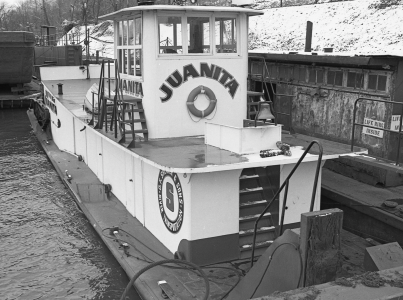
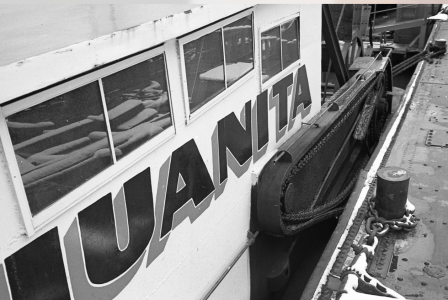
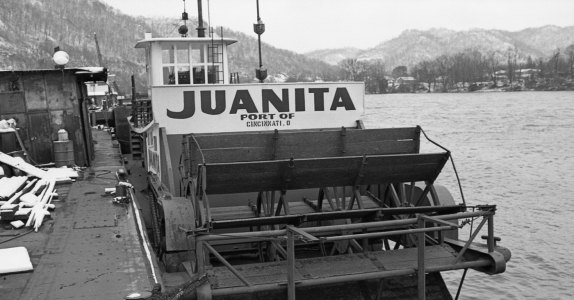
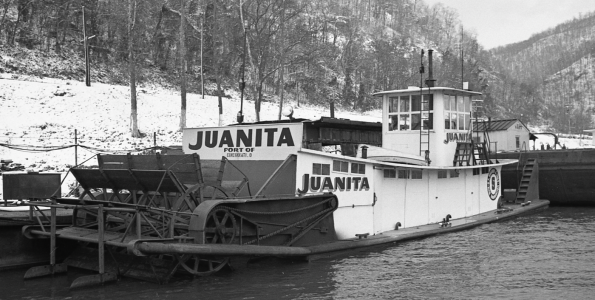
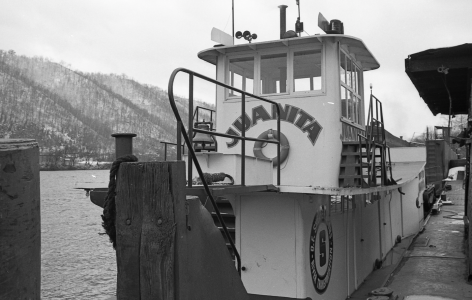
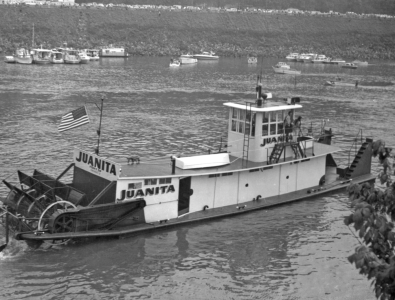
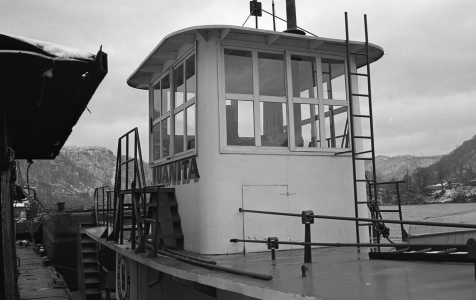
The Juanita Sternwheeler 1/24

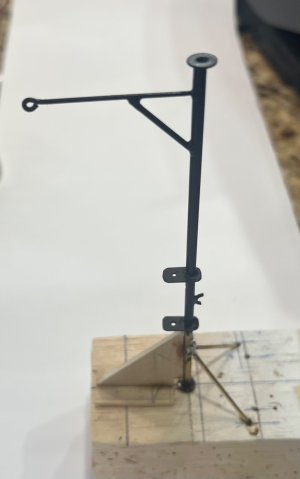
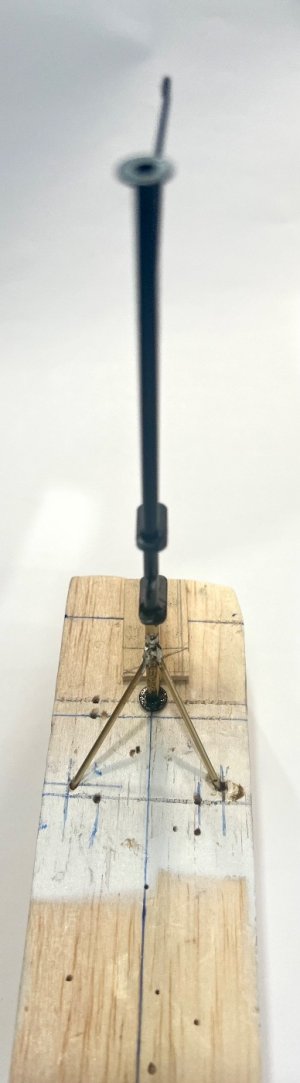
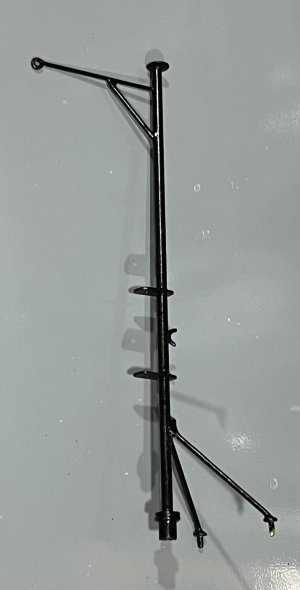
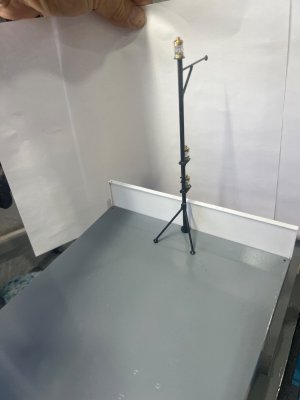
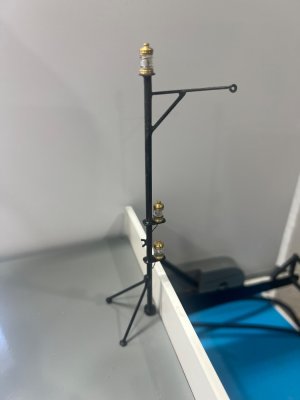
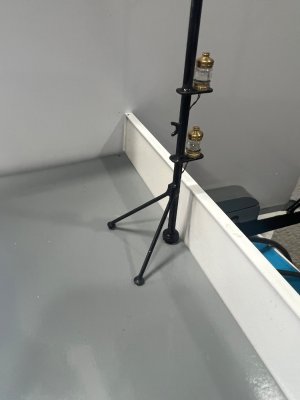
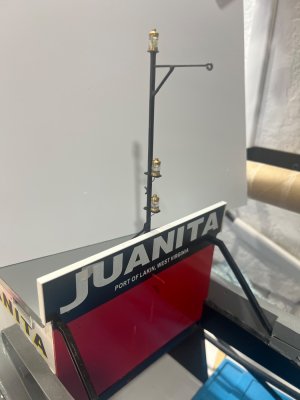
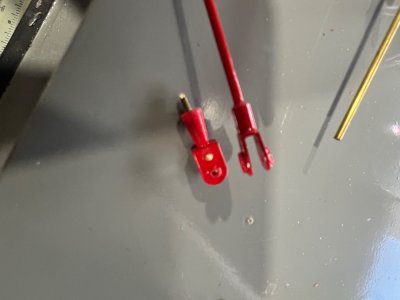
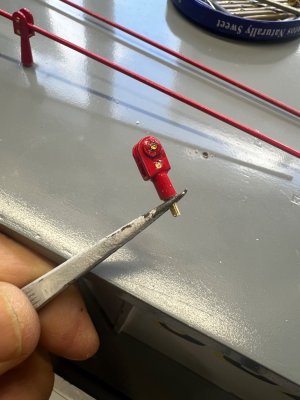
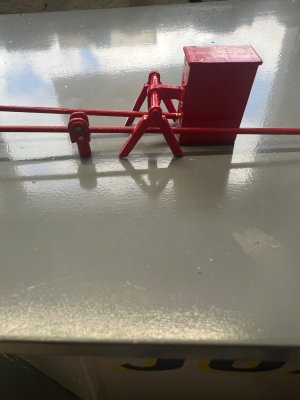
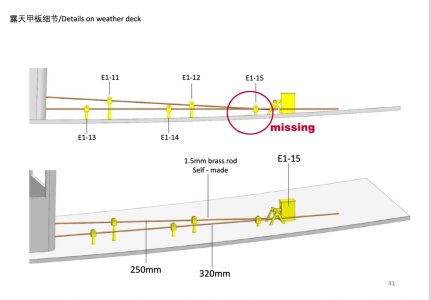
STERN TOWING MAST

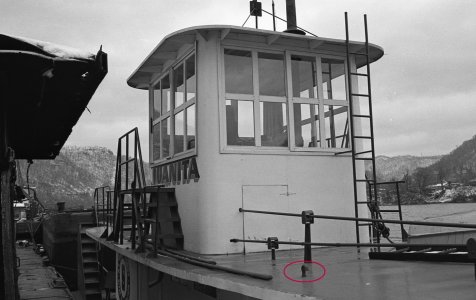
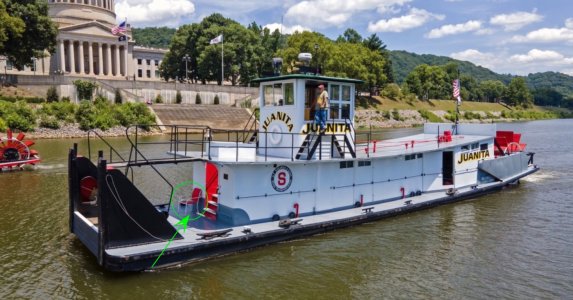
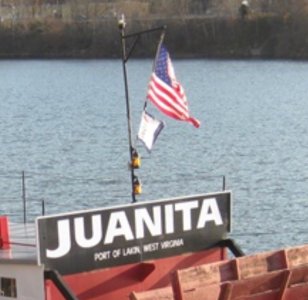
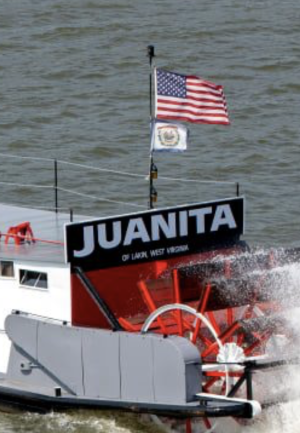
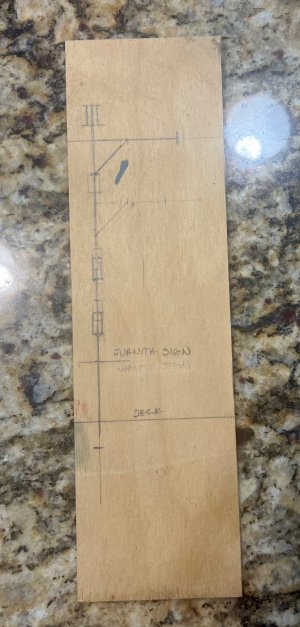
After extensive research and reviewing the information available online, I concluded that Juanita is fitted with a stern towing light mast.

White light on top → the stern light, configured as an all-round or stern-facing white light depending on operational requirements.

Two yellow (amber) lights arranged vertically → towing lights in accordance with the Inland Navigation Rules, indicating a vessel engaged in towing or pushing operations.

The mast’s sole purpose is to elevate and properly separate the navigation and towing lights so they remain clearly visible and compliant with regulatory requirements.

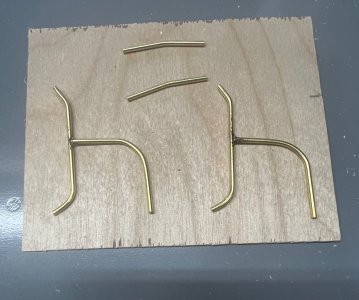
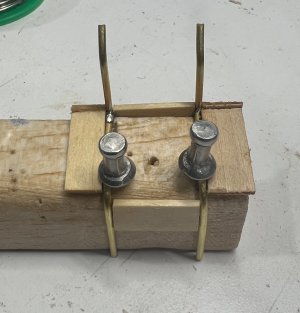
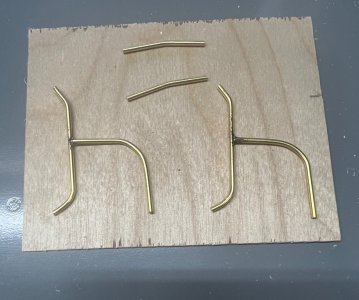
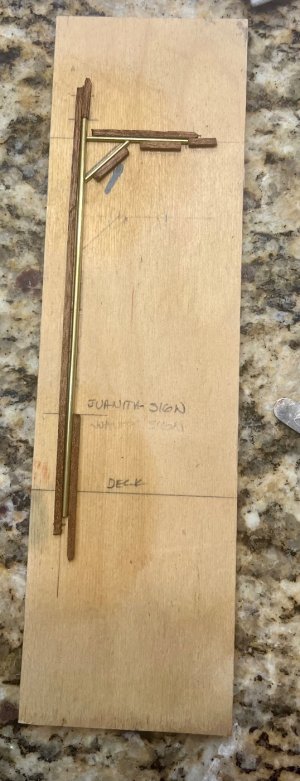
This is how I scratch-built the mast.
All that remains is to reduce to scale and hand-paint the Virginia State flag visible in the reference photo.
1.jpeg

1a.png


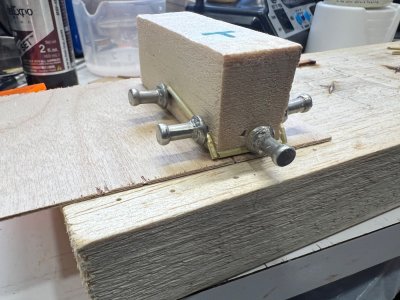
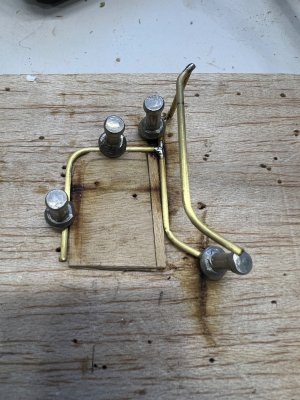
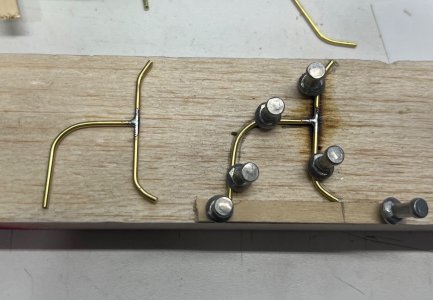
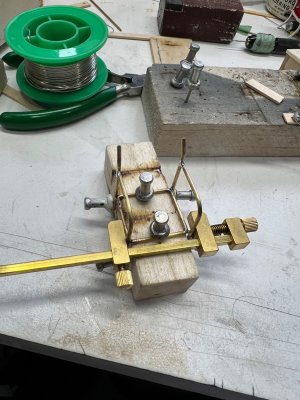
I first drew what I believed to be the correct dimensions directly on my jig and then used it as a guide for the soldering.
2.jpeg

3.jpeg


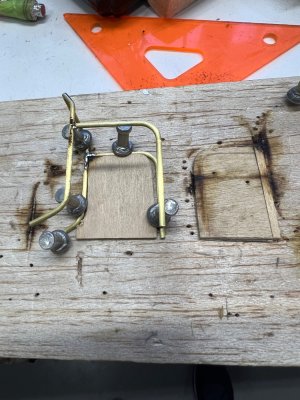
The bases for the lights were made from small brass plates.
4.jpeg

5.jpeg

5.jpeg

6.jpeg

7.jpeg

8.jpeg

9.jpeg

10.jpeg

11.jpeg
 
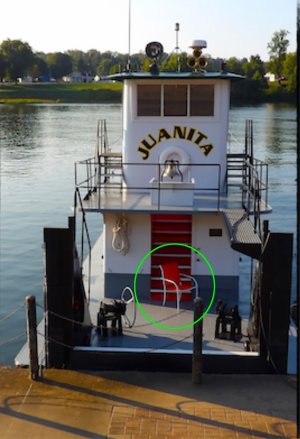
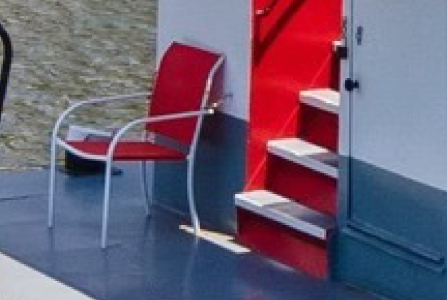
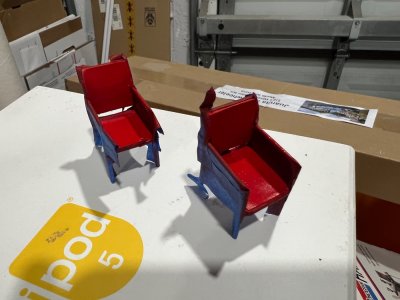
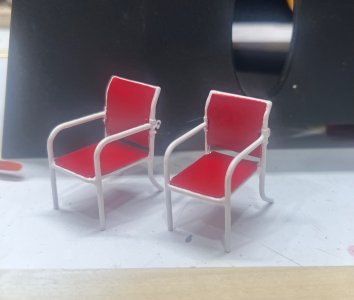
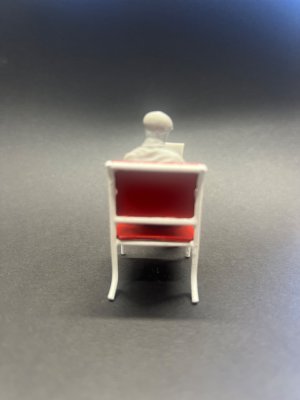
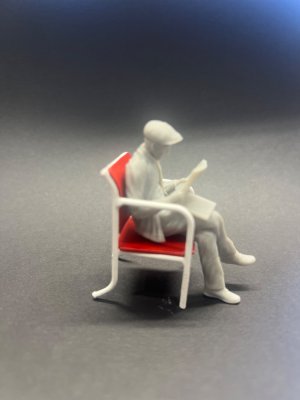
THE SMAL RED AND WHITE CHAIR
I’m almost finished completing all the loose deck and sundeck fittings.
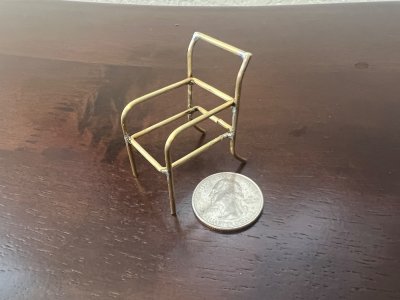
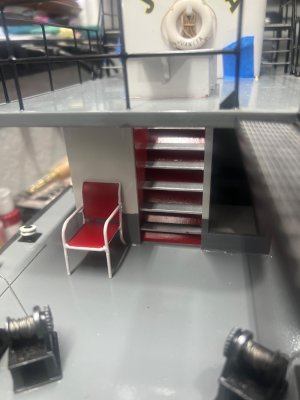
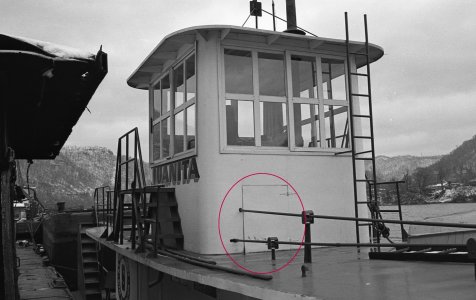
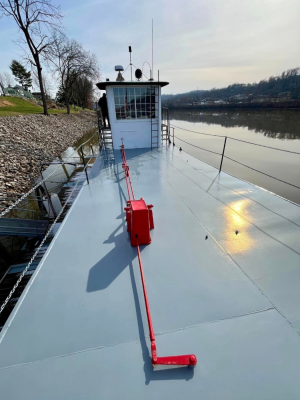
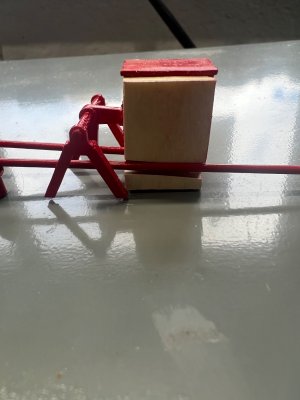
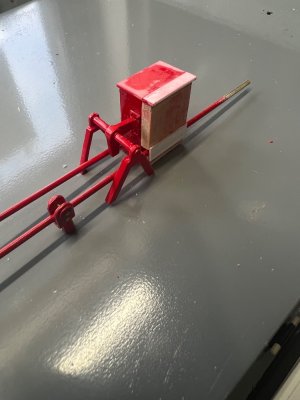
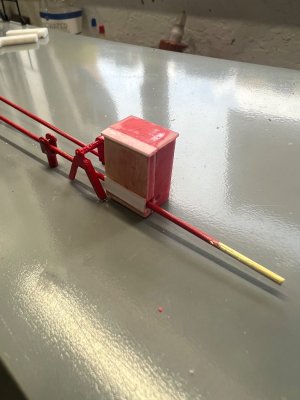
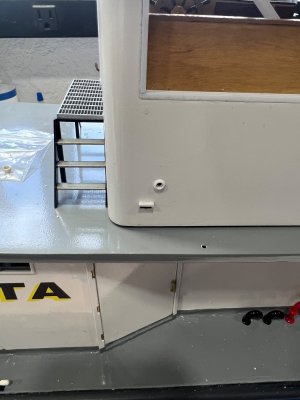
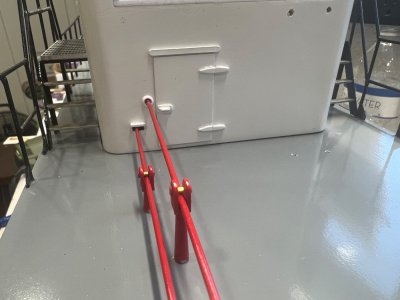
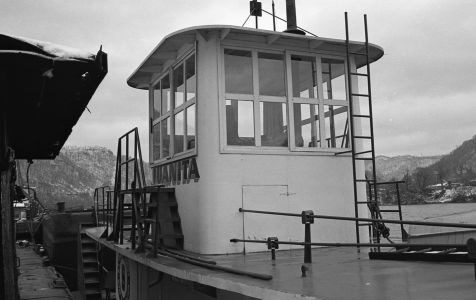
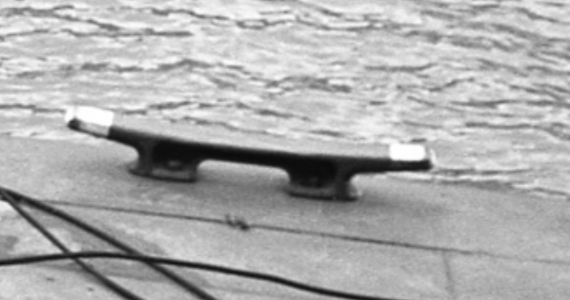
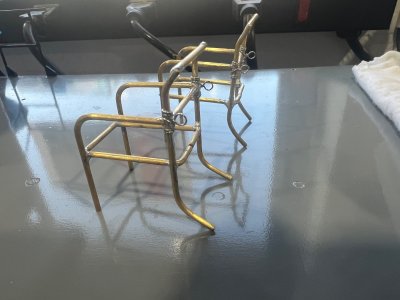
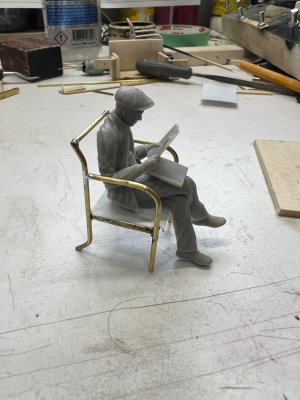
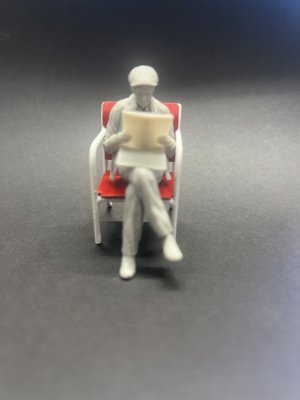
One small detail that caught my attention on the real Juanita was a little white and red chair positioned in front of the main structure.
Naturally, I had to build one.
100.jpg

101.png


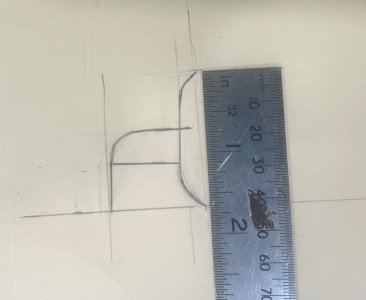
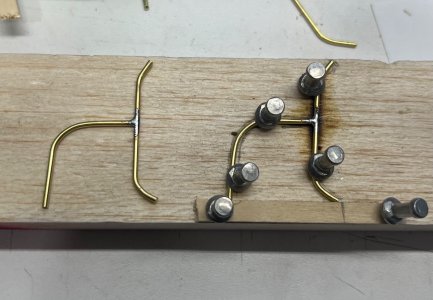
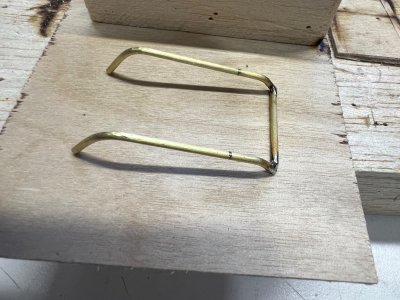
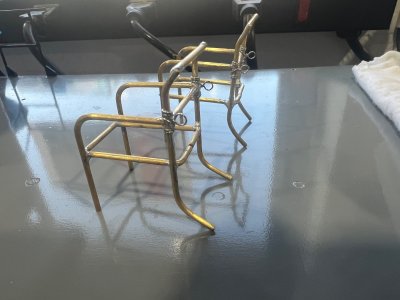
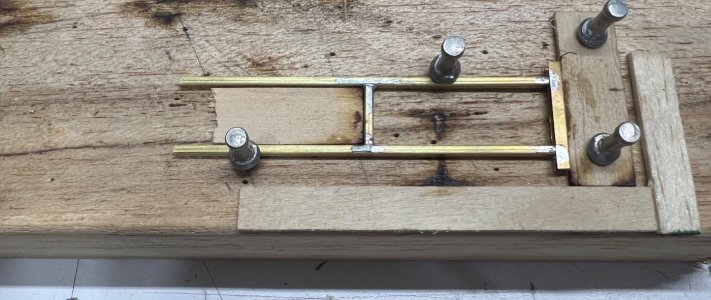
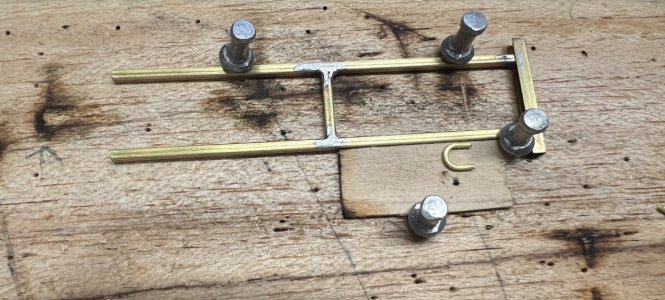
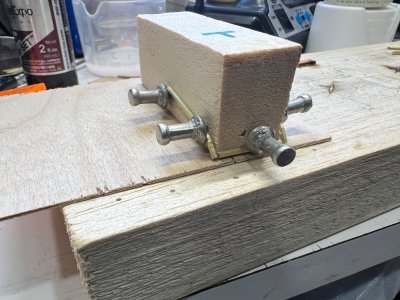
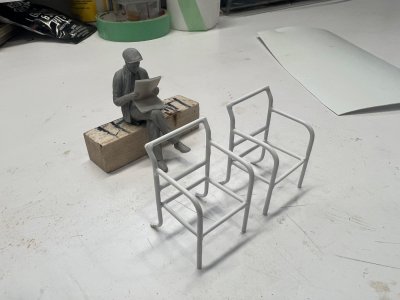
What I did not anticipate was that it would take an entire week—and several failed attempts consigned to the scrap bin—before I finally worked out the correct sequence for soldering such a tiny chair.

102.jpeg

The process required the use of multiple custom balsa jigs to maintain alignment and consistency during soldering. At this scale, alignment, heat control, and the order of assembly are absolutely critical.

103.jpeg

The slightest excess of solder or even minimal movement during heating becomes immediately apparent.
104.jpeg

105.jpeg

106.jpeg

106a.jpeg

107.jpeg

108.jpeg

109.jpeg

110.jpeg

My first attempt at painting was done with a brush, but it left very noticeable brush marks that were unacceptable at this scale.
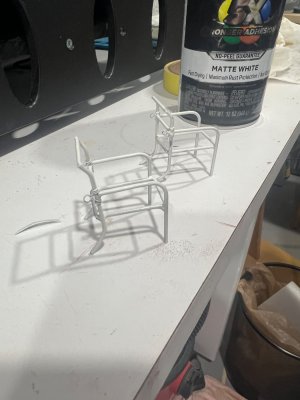
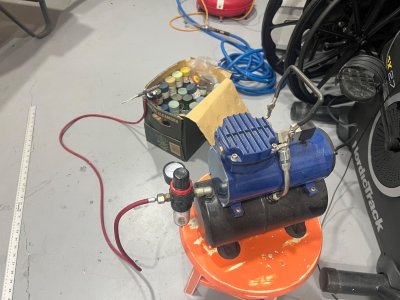
I ended up stripping the paint completely and refinishing the chairs using an airbrush.
111.jpeg


For the red detailing, careful masking was required—and yes, I had to use my jeweller’s glasses to see what I was doing. The final outcome, however, was well worth the extra effort.

112.jpeg

In many ways, it became a true shokunin experience — a lesson in patience, repetition, and craftsmanship, where improvement only comes through persistence and attention to the smallest details.
113.jpeg

This is how it looks on the model.
114.jpeg

111a.jpeg
 
BACK SPALSH PAINT REPAIR

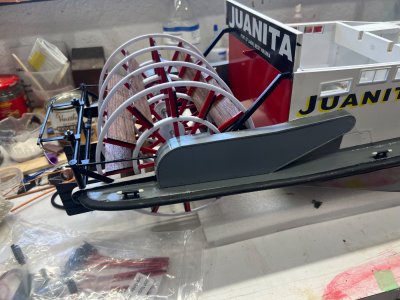
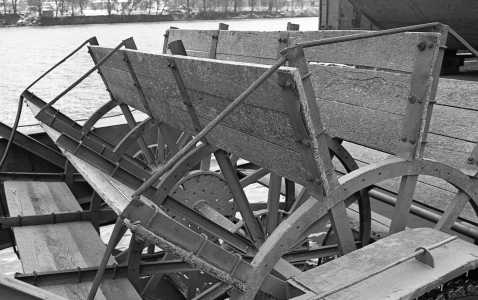
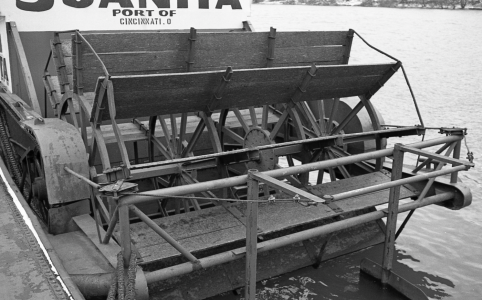
Since I’m done installing all the loose deck fittings, it was time to start assembling the paddle wheel. While test-fitting the parts, I noticed that the back splash board had a major flaw.
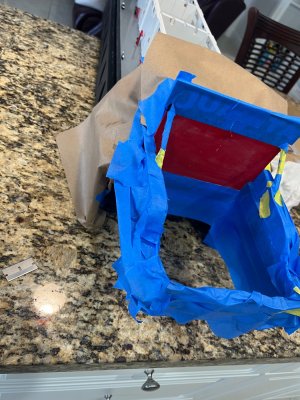
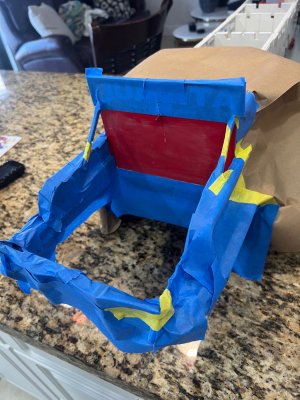
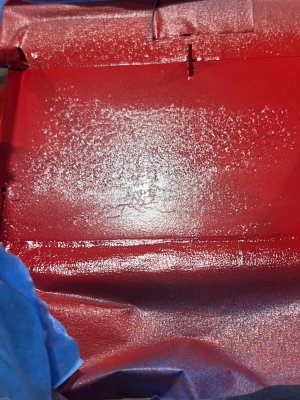
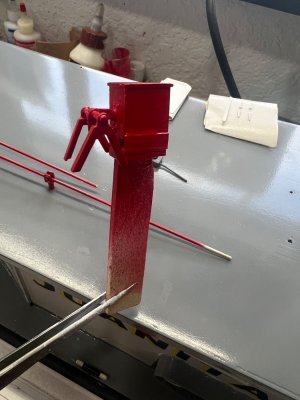
The red paint was badly damaged and full of tape marks. This happened because I didn’t allow enough drying time before applying masking tape to paint the other sections. Lesson learned the hard way.

To fix it, I had to strip the damaged area, remask everything, wet sand, and repaint.

800.jpeg
801.jpeg

All together I spent about four days reworking the back splash, but in the end the finish came out much better and smoother than before.
Sometimes going backwards is the only way to move forward in this hobby.

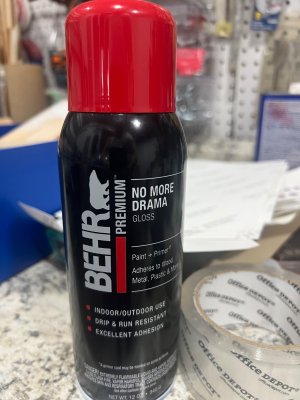
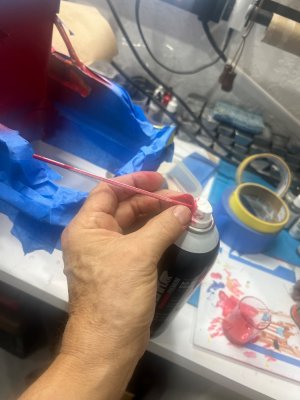
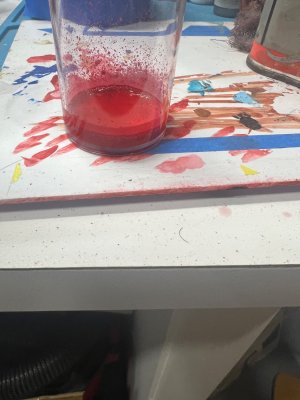
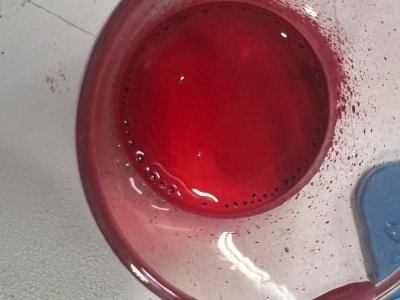
To repaint, this time Im using the DECANTING PROCESS.
How it’s usually done:

1. Insert a small straw into the spray nozzle
2. Spray into a glass jar or bottle.

802.jpeg
803.jpeg

3. The paint will come out mixed with propellant
Let it sit a few minutes until the bubbling stops.
804.jpeg

805.jpeg

Now the paint can be used in an airbrush.
806.jpeg

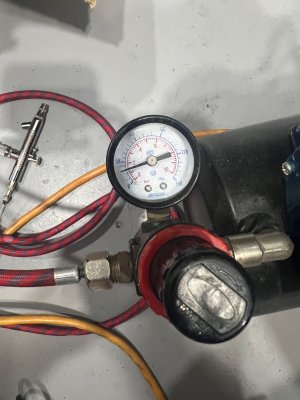
In my case, since I’m using Behr No-Drama paint, I decanted the spray can and diluted the propellant-free paint 50/50 with mineral spirits. Using my airbrush set at about 25 psi, I got excellent results. I applied a mist coat, followed by a medium coat, and then a final heavier coat.

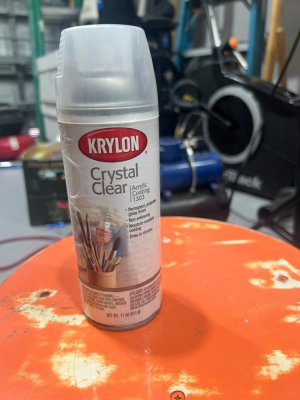
Now I will wait 48 hours before applying the Krylon Crystal Clear sealer.
 
KRYLON CRYSTAL CLEAR

After allowing the paint to cure, I lightly sanded the surface and then applied the Krylon Crystal Clear. As before, I sprayed a mist coat, followed by a medium coat, and then a heavier coat, waiting about 30 minutes between coats.
807.jpeg

Guess what… it wrinkled.

798.jpeg

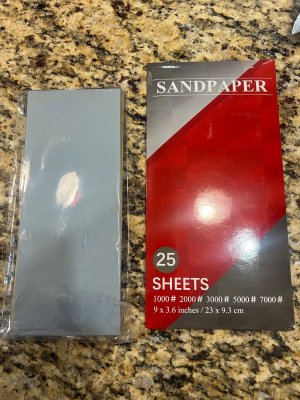
To repair the damage, I decided to try a different approach. I bought a couple of sets of very fine wet sandpaper from Amazon and started wet sanding the surface, beginning with 800 grit and gradually working my way down to 2000 grit until the wrinkles disappeared.
808.jpeg

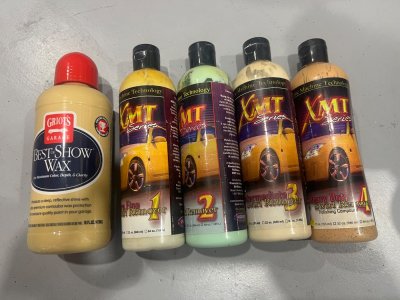
When the surface was smooth enough, I used a set of car polishes XMT Series, finishing the final shine with Best of Show giving the back splash a reflective shine.


809.jpeg


tempImageGjOM0n.png
 
CUSTOM CATWALK SUPPORT

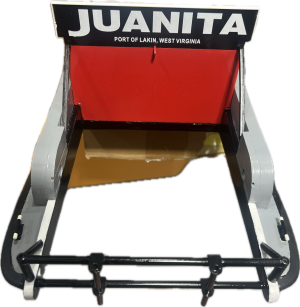
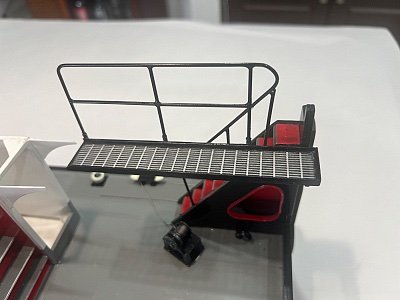
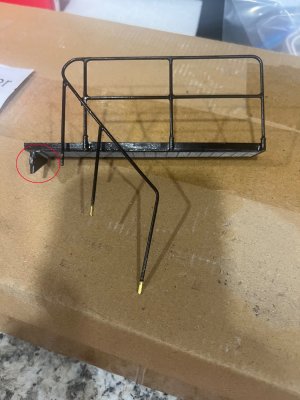
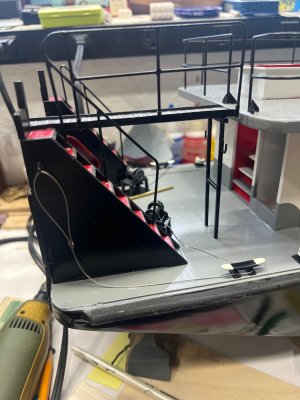
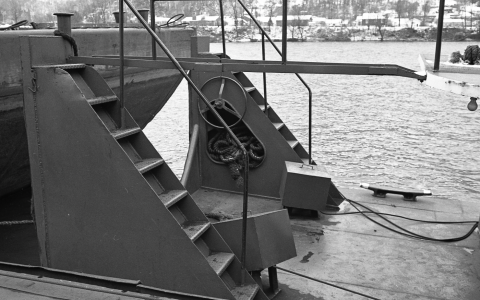
While finishing the deck details, I managed to damage the catwalk—mainly because I followed the kit instructions and built it as a free-standing unit. As designed, it sits extremely close to the sundeck, which creates a problem: every time access to the electronics and controls is needed, the sundeck has to be removed very carefully to avoid hitting the catwalk, since it is quite fragile.

The issue is made worse by the fact that the catwalk is supported by only a single pivot point on the right side of the knee. This makes the entire structure very flimsy and prone to damage during handling as you can see here.

aa.jpeg

IMG_1328 copy.jpg

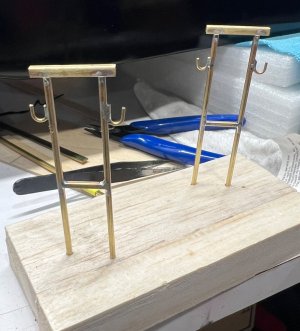
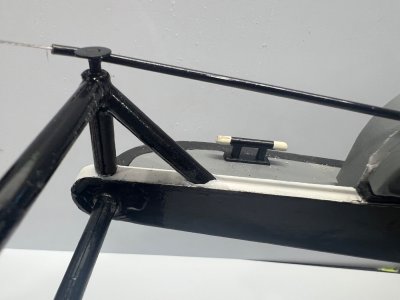
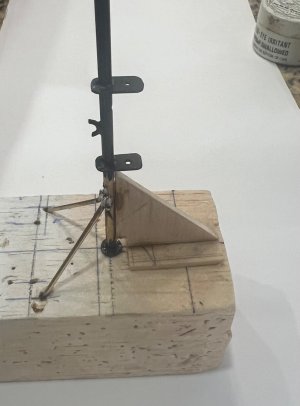
So I decided to add something that is not present on the real Juanita: catwalk support columns.

My plan is to install two columns at the outer edge so the whole assembly is not hanging only from that single pivot point. This should make the structure much stronger and eliminate a potential weak spot during transport and handling.

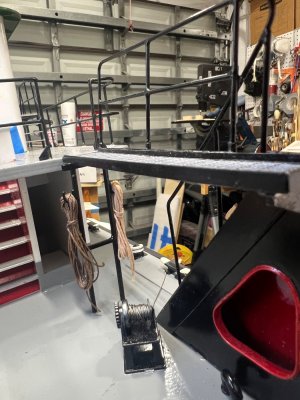
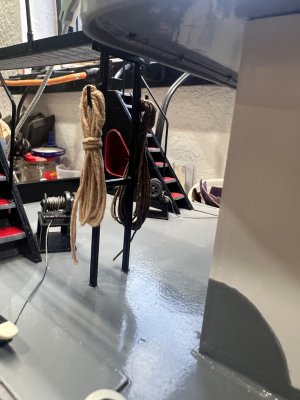
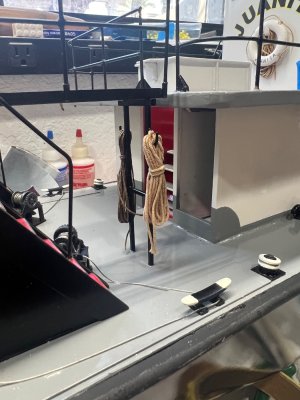
Once the columns are in place, I’m also thinking of adding a couple of hooks to them so I can hang some coiled ropes there. Besides looking good, it will help disguise the supports and add a bit more “working boat” character to the stern.

In the end it should make the platform look more natural and balanced… and at the same time give me a place to hang some serious looking ship lines.
This is the process.
I made two of these so I could share one with a fellow modeler from this forum.
a.jpeg

b.jpeg

c.jpeg

e.jpeg

Hanging Ropes

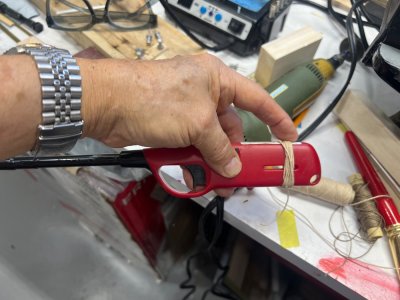
I decided to give the rope coils a try. I ended up making a few, and I have to admit they came out better than I expected.

Here’s the simple method I used:

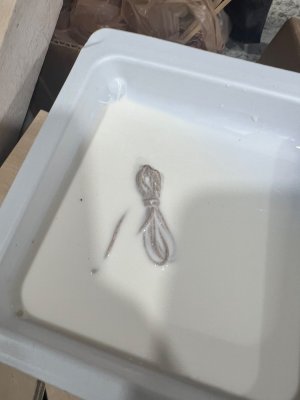
1. I wrapped the rope with 12 turns around a BBQ lighter to get consistent loops.
2. Slipped the coil off and tied it near the top with a short piece of the same line.
3. Then I soaked the whole thing in diluted white glue to hold the shape.
4. After it dried, I trimmed the ends and shaped the coil.

Simple little detail, but it really adds some life to the working deck.

f.jpeg

g.jpeg

h.jpeg

IMG_1396.jpeg

IMG_1397.jpeg

Now I can finally relax knowing the catwalk is strong and secure. Even though these columns do not exist on the real Juanita, it may look a little out of place—but it’s not going anywhere.
 
Last edited:
THE MOTOR ASSEMBLING

Well guys, since my last entry I’ve done quite a bit of work.

Before I show the progress, I’d like to ask—how many of us here actually bought “Chuck’s” 1/24 Juanita?

I’ll repeat what I mentioned before: I bought one of his first-edition kits, and Chuck clearly said there was no time to prepare written instructions—he just wanted to get the model released. So all we got were photos.

That means we’re relying on pure wit, a lot of thinking, and sometimes making decisions that lead to doing things twice.

That’s exactly why I’m posting this build—if someone else is struggling, maybe this will help.

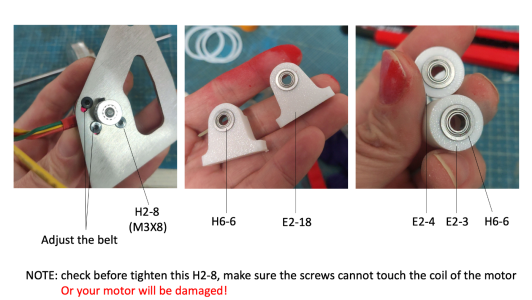
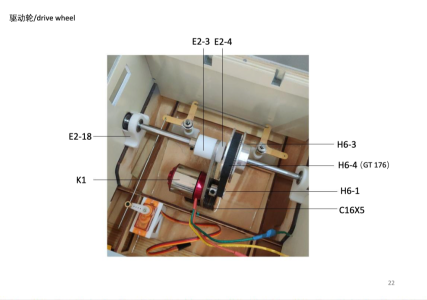
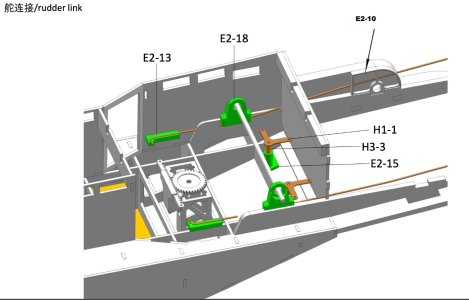
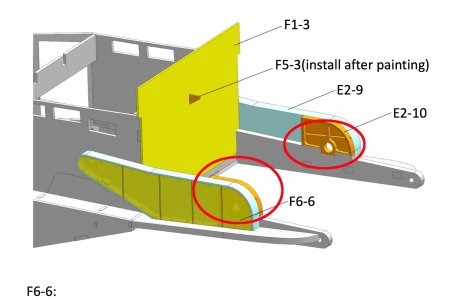
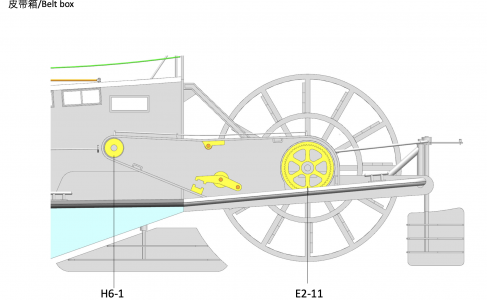
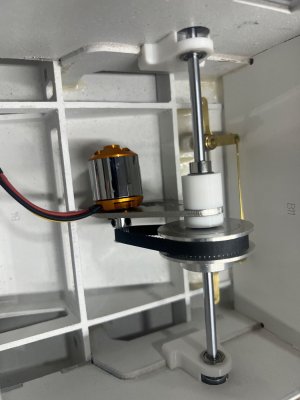
That was definitely the case for me when assembling the motor. This is the instruction reference for the parts that support the motor shaft. The main support comes from two E2-18 brackets with the E6-6 rollers inserted. You can also see on the left the screws that will hold the motor to its mounting plate.

1a.png


Here’s what worked best:

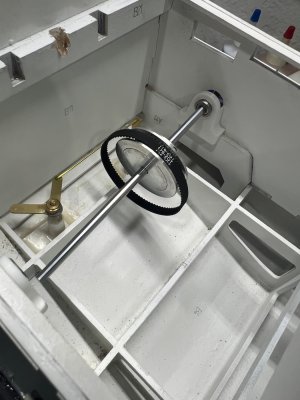
1. I start it by inserting the shaft through the right and left E2-18 supports. Install it inside the super structure and make sure it spins freely.
Believe me, this is not as simple as it sounds—any slight misalignment will cause binding.
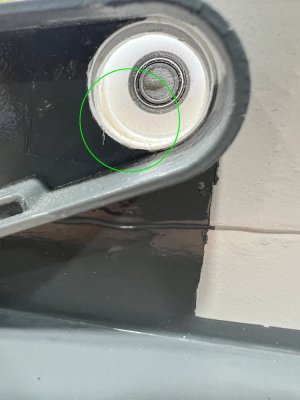
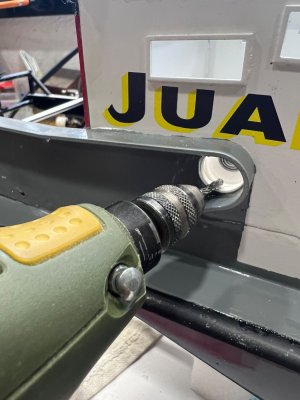
In my case I had to grind some of the E2-18 from the Portside so I would be able to insert the shaft collar.

3-1.jpeg


4.jpeg


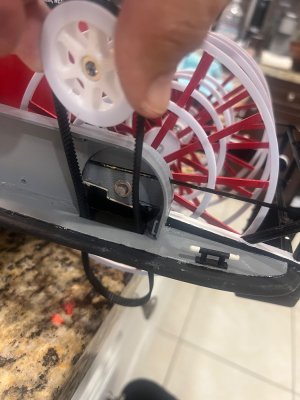
2. Install the main pulley
(Picture #1)
Insert the metal pulley along with the drive belt.
9-1.jpeg

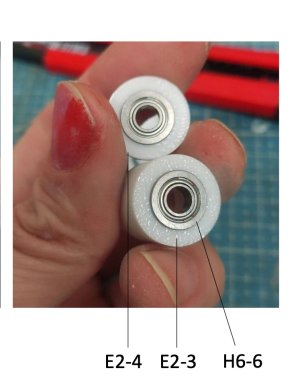
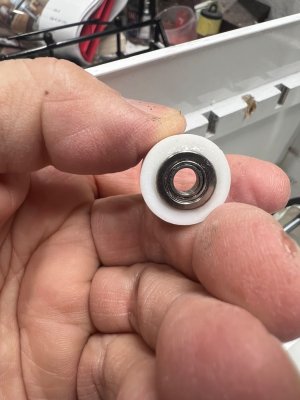
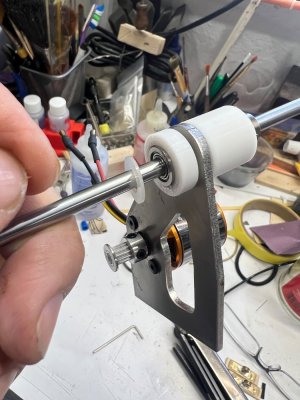
3. Add the small E2-4 bushing next to the big metal motor cog with the metal side of the bushing facing the big cog.
1a copy.jpg
13-2.jpeg


Then install the motor plate.
Next, add E2-3 (larger) on the opposite side of the motor plate.
Finally, slide on a shaft collar.

⚠️ Very important: keep all these components tight against each other so the motor doesn’t wobble. Also, make sure the motor plate sits centered within the hull frame—adding a reference mark can help ensure proper alignment.
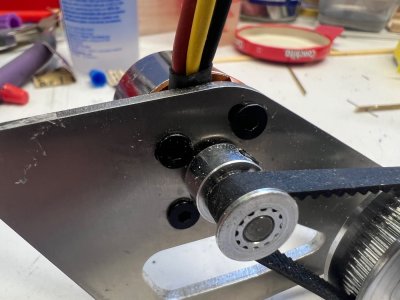
15-1.jpeg

4. Set belt tension and alignment.
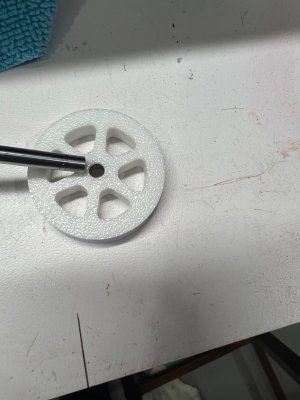
Once everything is in place, loosen the starboard shaft collar and slide the assembly out slightly. This allows you to pull the motor and set proper belt tension.
Before setting the belt tension, I noticed I had to add a thin nylon washer to properly align the small cog with the larger shaft cog.
Once aligned, set the belt tension and return the assembly to its place.

25.jpeg

24.jpeg
5. Final assembly
Slide everything back into position.
Tighten the starboard shaft collar, and finally install the starboard small pulley.
1.jpeg


It should look like this.
36.png
 
Now that the motor is set, next step is
ASSEMBLING THE STEERING SERVOS

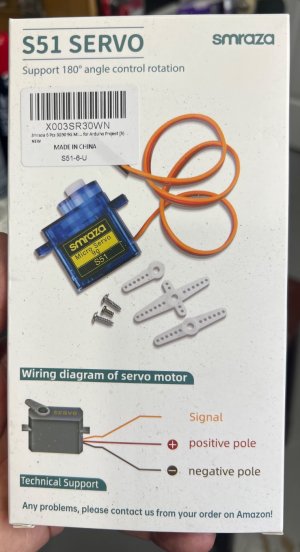
For both the aft rudder and the monkey rudders, I used SMRAZA S51 9g servos.
1a.jpeg

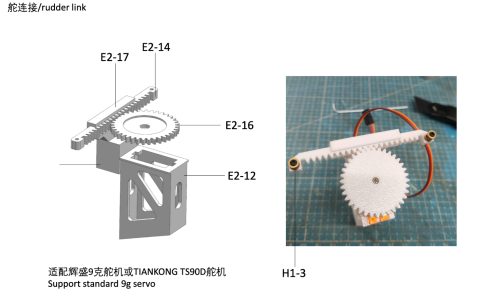
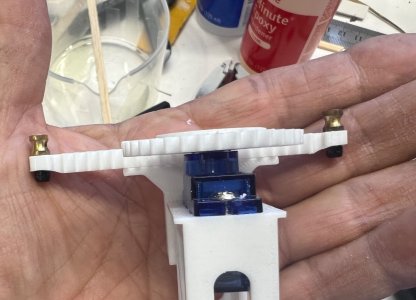
The servo housing (E2-12) cog and arm (E2-16 and E2-14) is supplied with the kit and already has the correct bottom angle to match the hull, which makes installation easier.
1.png
Here is the process I followed:

Step 1 – Preparing the servo and main gear

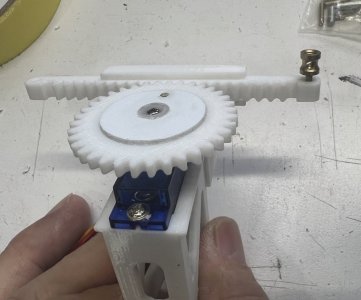
The E2-16 cog needs to be adapted to fit the servo output shaft.
To do this, reshape the servo arm so it fits snugly inside the cog.
Nothing complicated here—just take your time and test fit as you go.

Step 2 – Modifying the carrier arm
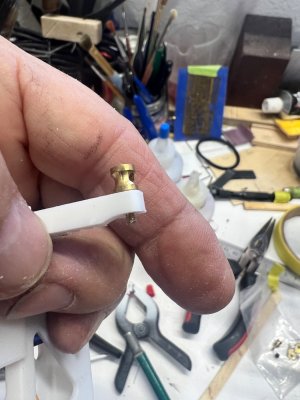
The carrier arm was too thick underneath where the linkage hardware goes.
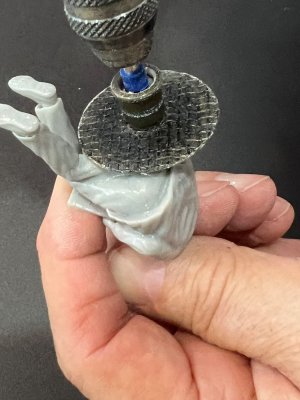
I had to carefully grind down that area so the small black nut could be properly installed.
1b.jpeg

2.jpeg

3.jpeg

4.jpeg

Step 3 – Installing the servo in the housing
Once the modifications were done, install the servo into the E2-12 housing.
Make sure everything sits flush and the servo is firmly secured.

Step 4 – Positioning the servo assembly
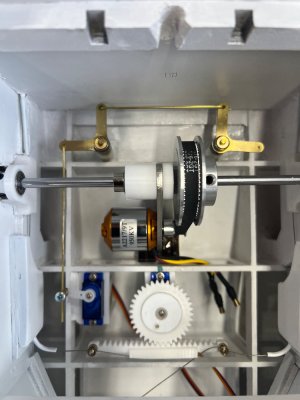
Glue the E2-12 housing in place, positioning it at the center of the bottom frame and aligned with the motor plate.
This helps keep everything balanced and ensures proper linkage geometry. (You can see the green mark on the frame center used to align both the motor plate and the servo.)

IMG_1665.jpeg

Step 5 – Monkey rudder servo adjustment
For the monkey rudders, I had to raise the servo slightly using scrap wood.
This was necessary to achieve a straight and clean alignment between the servo linkage and the rudder horns.

Step 6 – Final check
Before finalizing everything:
Make sure the linkage moves freely
Check that there is no binding
Confirm both rudders respond evenly
This setup took a bit of tweaking, but in the end it works smoothly and gives good control.
 
Now that the motor and servos where in place , came the time to
INSTALL THE STEERING CABLES MECHANISM

This part took a bit of improvisation and patience, but here’s how I approached it:

Step 1 – Preparing the brass tubes
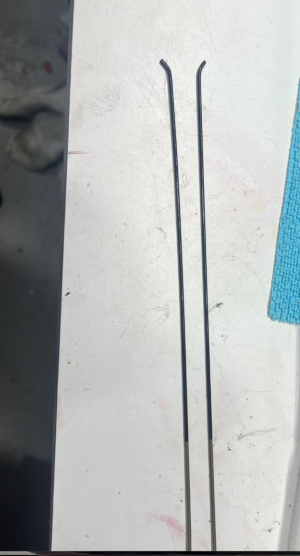
Next came the tedious part—bending two pieces of 300mm brass tube
(2mm OD, 0.5mm wall thickness).
To make this easier, I annealed the tubes:

Heat the brass until it turns red
Let it cool naturally
This makes the material softer and easier to bend without kinking or cracking.

10.png


Step 1 – Making custom tube holders
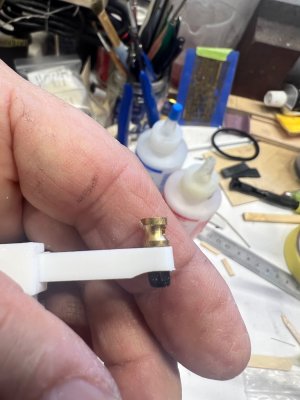
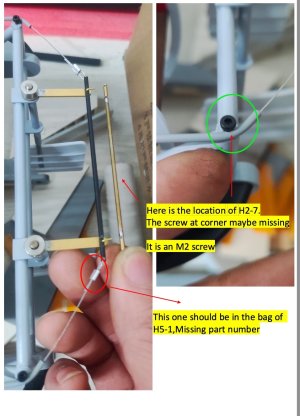
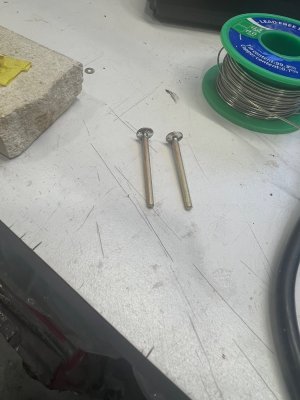
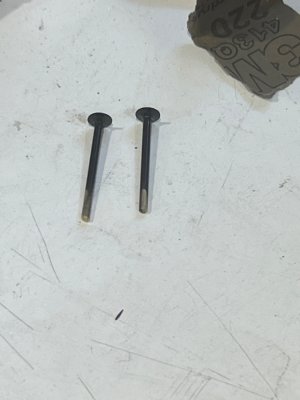
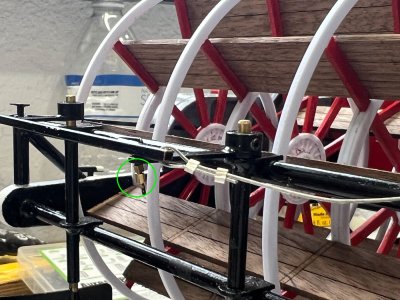
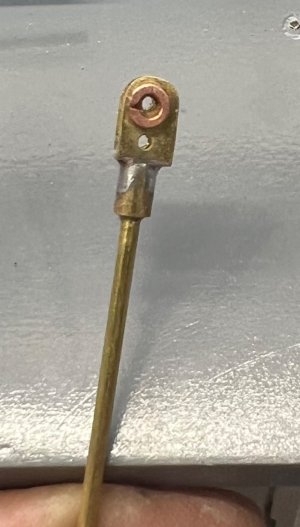
The kit didn’t include the M2 screws for the tube supports, so I had to make my own.
I used some brass rod from my stash and soldered a small washer on top of each piece.
After painting them, they actually look better and provide a larger holding surface.

1.jpg

3.jpeg

4.jpeg

11.jpeg

Step 4 – Painting and routing
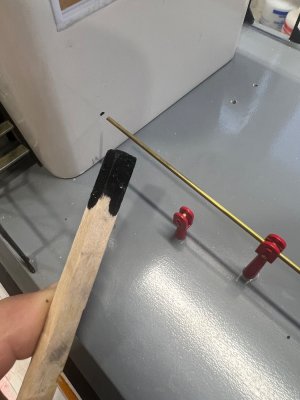
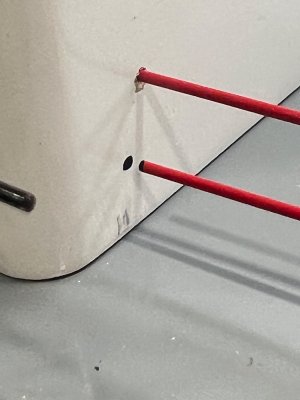
After bending, I painted the tubes and routed them through:
The E2-10 horns
The back splash
The bottom of the motor shaft holder
Not an easy task, but doable with patience.

1a.png

9a.jpg

Step 5 – Securing the tubes
Once in place, I installed my custom hold-downs at the rear rudder assembly to secure everything.

Step 6 – Creating the cable guide system (improved setup)
Now comes the good part.
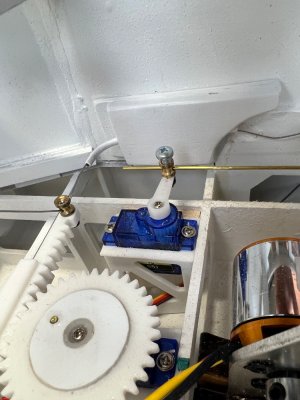
You’ll need to bend two smaller tubes at a 90° angle so the cable can pass through and meet the servo cog tracking ends.

The kit includes small nylon guides for this, but honestly… that setup didn’t work well for me.
14a.jpeg

So I made my own:

Instead of 2mm tubing, I used 3mm brass tubing
Much easier to bend
Allows the cable to pass more freely (here I use my own cable, just a bit thinner and runs very easy in all the bends.)

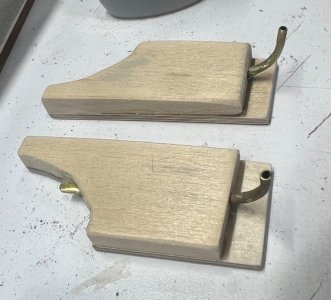
I then used some scrap wood to build a small support block and glued the whole assembly to the superstructure wall, making sure it aligned perfectly with the steering servo horn.
16.jpeg

17.jpeg

19.jpeg


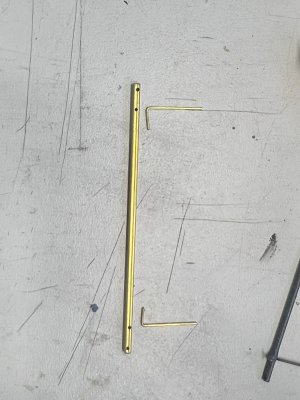
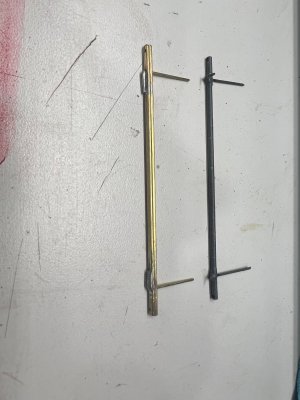
Step 7 – Reinforcing the rudder linkage bar
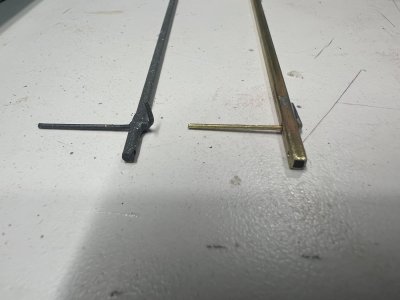
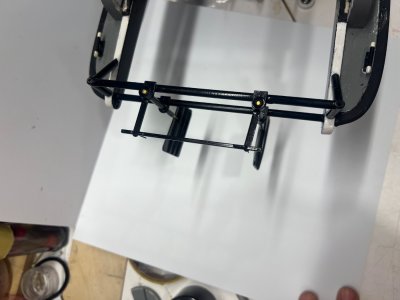
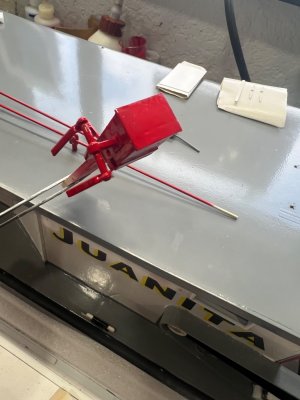
The bar that connects both small rudders didn’t look strong enough to me, so I scratch-built a new one using square brass tubing.
Much stronger and gives a more solid feel to the whole system.

1a.jpeg

6.jpeg

7.jpeg

9.jpeg
25 copy.jpg


Final thoughts
This whole setup required some trial and error, but in the end it works smoothly and feels much more robust than the stock configuration.
 
Now moving to the stern
WHEEL SHAFT PREPARATION

This section I had to redo a few times due to one very important detail:
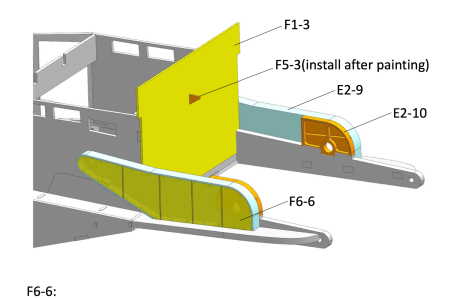
both E2-10 shaft holders must be perfectly aligned, otherwise the shaft will bind when turning.
6 copy.jpg

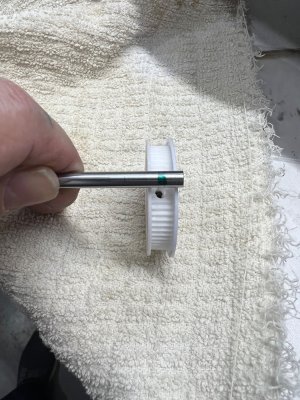
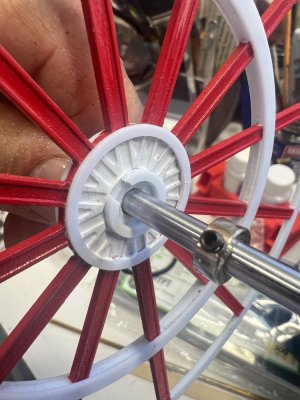
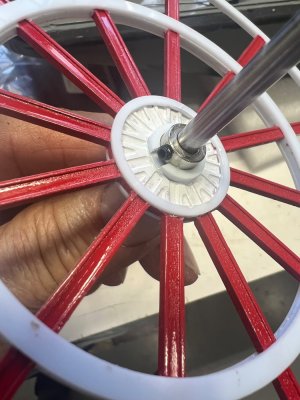
1.The first step is to slightly widen the opening on the plastic face of the wheel hub.
This part has two faces:
One is plain plastic
The other has a stainless steel washer embedded
The washer side must face outwards.

1.jpeg

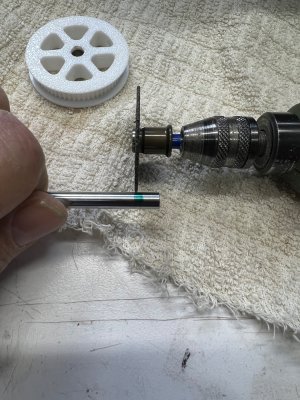
2.Mark the location where the set screw will sit and grind a small notch (flat spot) on the shaft.
This will:
Prevent slipping
Ensure proper grip from the set screw
2.jpeg

3.jpeg

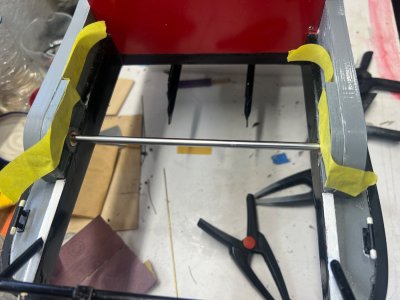
3. Slide the shaft into the E2-10 holders and test for free movement.
⚠️ This is the most critical step:
The shaft must spin freely
No binding or resistance
If it binds, adjust alignment before going any further.


4. At this stage, I simply positioned the E2-10 with the shaft in place and held everything using masking tape. After confirming smooth, free movement, I applied epoxy glue.
Important:
I did not use clamps—only the tape—to avoid adding any pressure that could misalign the shaft during curing.

4.jpeg

5.jpg

Now that we know the E2-10’s are glued in perfect harmony with the shaft, it’s time to install the wheel.
 
With the free turning shaft in place then came
MASKING AND PAINTING THE WHEELS before installation.

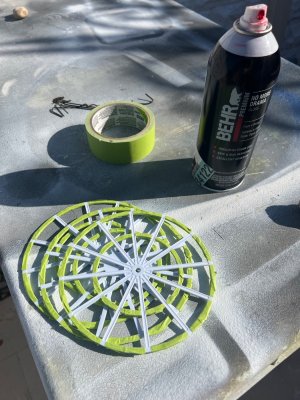
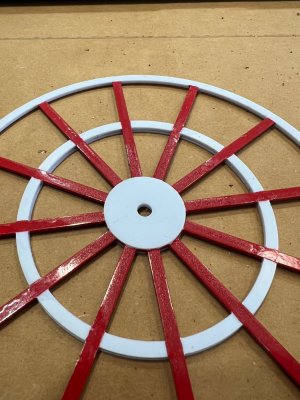
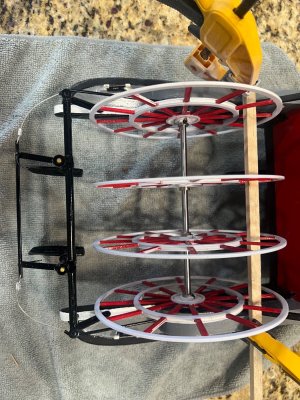
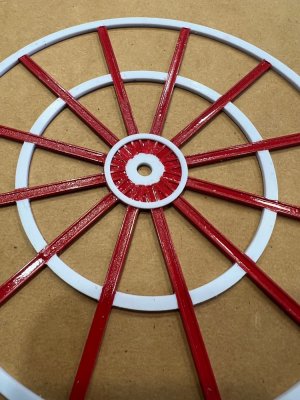
First and foremost is masking the four wheels.
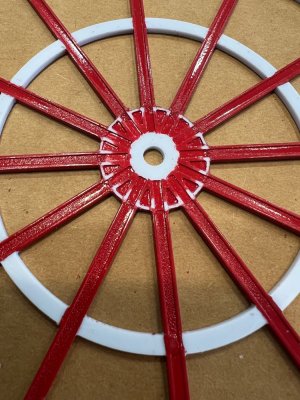
This is a very fastidious task, as you need to carefully cover all the white areas in order to paint the red sections cleanly.
Take your time here—good masking will make a big difference in the final look.
3.jpeg

4.jpeg

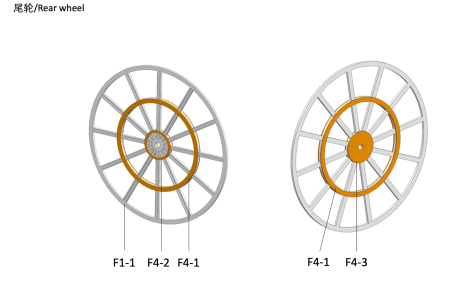
Step 2 – Adding the side rings (F4-1)
Once the paint is complete and fully cured:
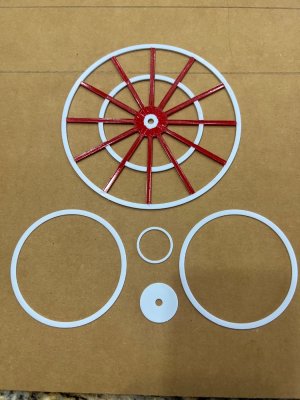
Install two F4-1 rings, one on each side of the main wheel
These are sandwiched onto the wheel to build up the correct thickness and detail

1a.png

Step 3 – Installing F4-2 and F4-3
Next:
Add one F4-2 and one F4-3
Again, one set on each side of the wheel
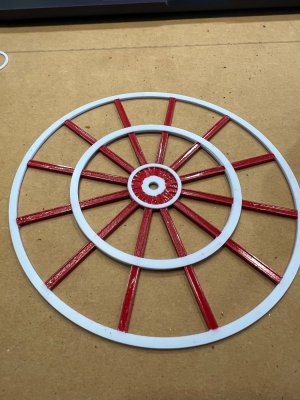
At this point, each wheel should be fully built up with all its corresponding parts.
6.jpeg

7.jpeg

8.jpeg

9.jpeg

10.jpeg

Step 4 – Preparing for shaft installation
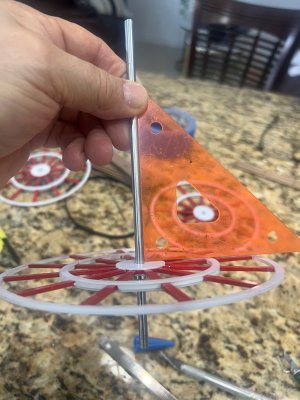
With all wheels assembled, it’s time to mount them onto the shaft.
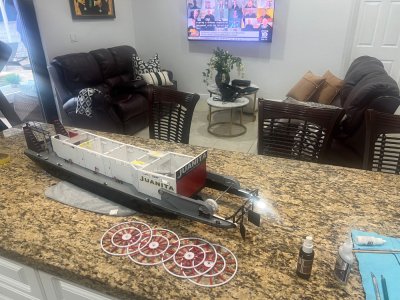
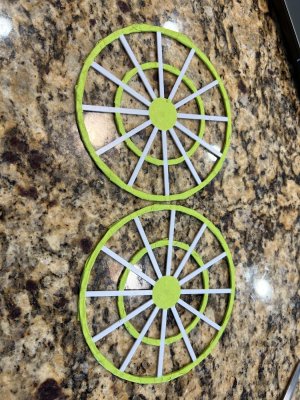
For this step, I moved from my workbench to the kitchen counter to have a more comfortable and stable working area—this helps a lot with alignment and handling.
10a.jpeg

Step 5 – Installing the washer and collars
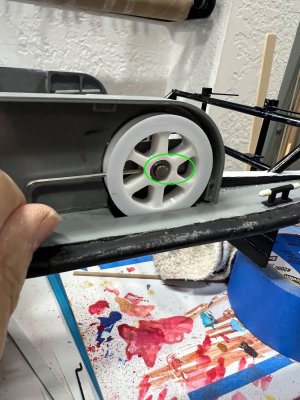
I started by gluing a small plastic washer with a cut-out.
This washer acts as a seat for the shaft collars
When tightening the collars, it helps keep the wheel centered and properly aligned

Take your time positioning this part, as it plays an important role in keeping everything running true.
11.jpeg

12.jpeg

13.jpeg


Final check
Once everything is in place:
Make sure both wheels are aligned
Spin them by hand to check for smooth operation
Confirm there is no wobble or binding
This step really brings the model to life—once the wheels are in, it finally starts looking like a proper sternwheeler.

Next step is to add the add the PADDLE BOARDS.
 
PADDLE BOARDS INSTALLATION

Step 1 – Locking the wheels in position
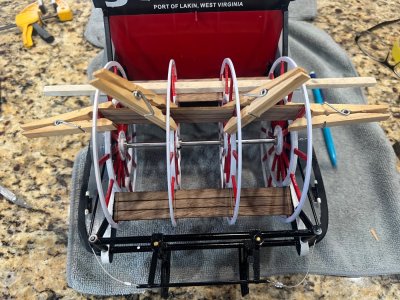
First, you will need a piece of wood (a small block or strip) to lock all the wheels in one fixed position.
This will:
Keep all wheels aligned
Prevent movement while installing the first boards.
14.jpeg

Step 2 – Setting the outer wheels
Tighten the shaft collar bolts on the outer wheels only.
Leave just a slight clearance from the sides
Make sure nothing is rubbing.

Step 3 – Installing the first paddle board
Start by installing your first board:
Apply glue only to the outer wheels
Position the board carefully. (I used cloth pins because they apply just enough pressure for the glue to settle without distorting the parts).
15.jpeg

Good thing is the boards come with laser markings, which guide you exactly where each wheel should sit.
Once the outer wheels are glued and secured:
Glue the two inner wheels using the alignment markings.
16.png

Final Step
Once all boards are installed and everything is aligned, give the assembly a final check for smooth rotation…
and finally I brushed two coats of varnish.
 
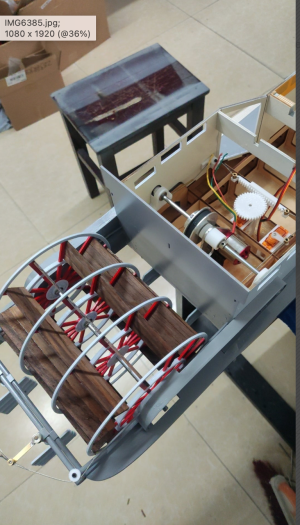
With all 12 paddle boards contrasting against the white and red, you’ll most likely feel accomplished like I did. But there’s still more work to do on the wheel—you’ll need to connect the motor cog to the wheel cog.

THE BELT DRIVE AND COVER INSTALLATION
n.png


Moving on to the belt drive system, here’s how I approached the installation step by step.

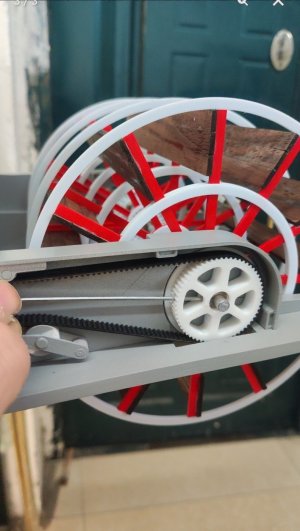
Step 1 – Install the main belt
Loosen the main wheel cog, pull it out slightly, and install the belt. Once in place, return the cog to its position and tighten the set screw.
101.jpeg

102.jpeg

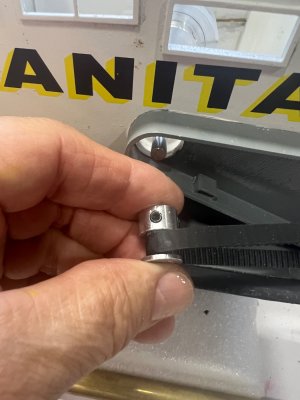
Step 2 – Install the motor belt
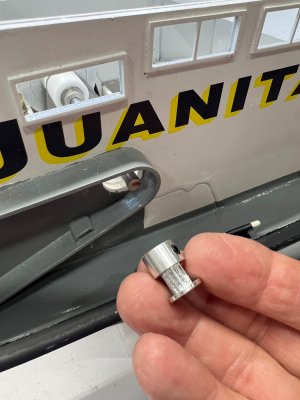
Loosen the small motor cog and fit the belt. You may need to gently tap it into position using a small hammer to seat it properly.
103.jpeg

104.jpeg

Step 3 – Adjust the tension system
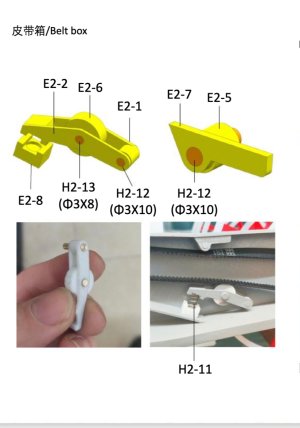
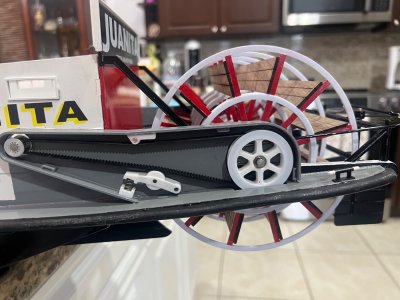
Install all the components responsible for keeping the belt tight and properly aligned. This will prevent the belt from slipping or jumping during operation.
105.jpg

105a.jpeg

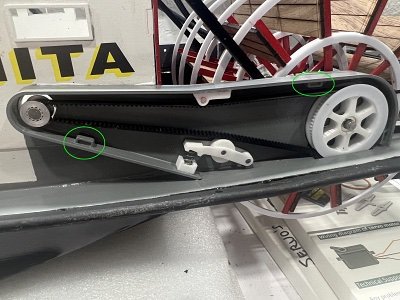
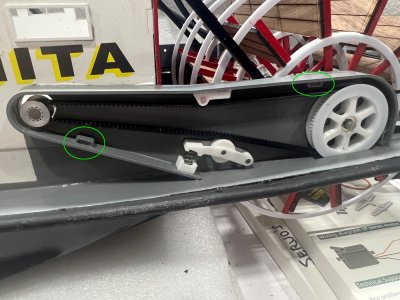
Step 4 – Install the magnets
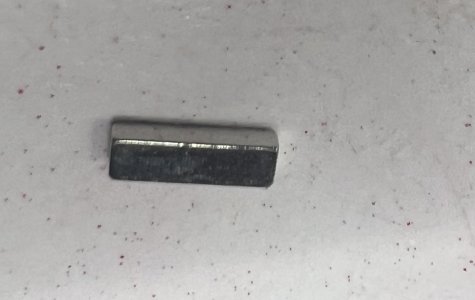
Insert the small rectangular magnets supplied with the kit.
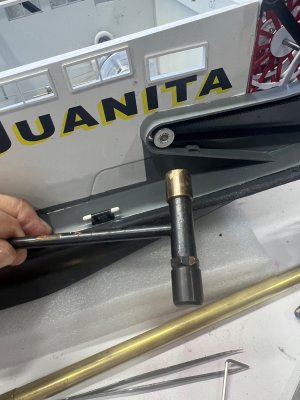
You may need to clean out any paint residue, as the magnets fit very tightly. In my case, I had to carefully tap them in using a piece of hardwood.
106a.jpeg

n-5.jpeg

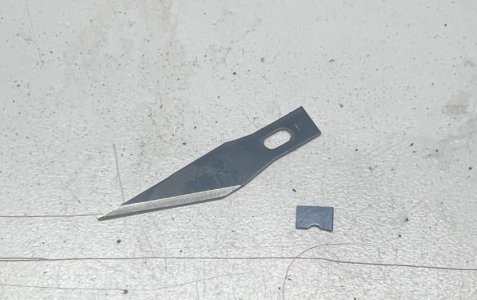
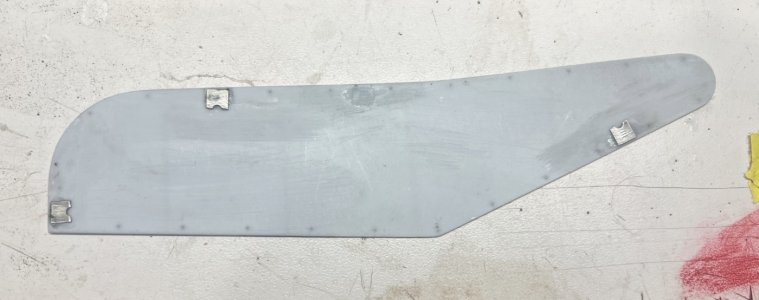
Step 5 – Prepare the belt cover mounts.
To secure the cover, I broke off small sections from old X-Acto blades and used them as metal contact points.
After marking where the magnets would meet, I applied a small drop of CA glue to fix them in place.

107.jpeg

108.jpeg

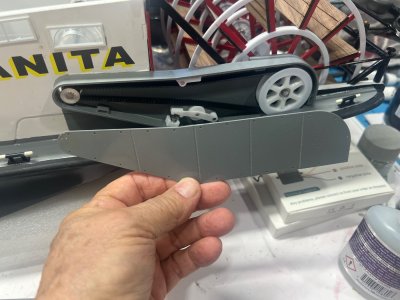
Step 6 – Fit the belt cover
Test fit the cover and lightly sand the edges where needed.
After a bit of adjustment, the cover fit perfectly—like a glove.

109.jpeg

110.jpeg

Final note
Take your time aligning everything properly—once done, the whole system looks clean, tight, and very satisfying.

106.jpg
 
Back
Top