Follow along with the video below to see how to install our site as a web app on your home screen.
Note: This feature may not be available in some browsers.
Ships of Scale has incorportated an extra level of security when you log In. Please follow
on-screen prompts to acknowledge that you are not a robot via a "Check Box" or a "Pictorial Check Box Puzzle". This is needed due
to higher level of AI Activity Security.
The beloved Ships in Scale Magazine is back and charting a new course for 2026!
Discover new skills, new techniques, and new inspirations in every issue.
NOTE THAT OUR NEXT ISSUE WILL BE July/August 2026
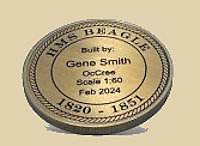
Win a Free Custom Engraved Brass Coin!!!
As a way to introduce our brass coins to the community, we will raffle off a free coin during the month
of August. Follow link ABOVE for instructions for entering.
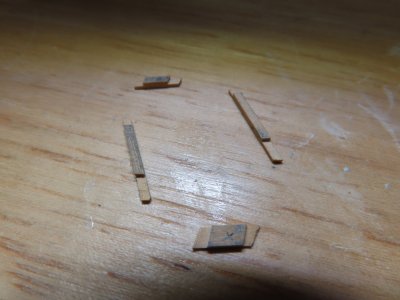
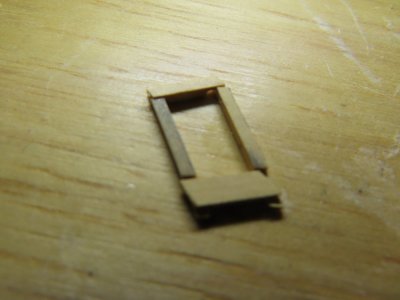
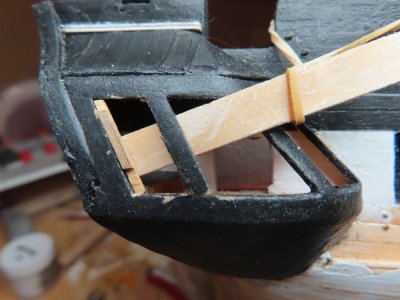
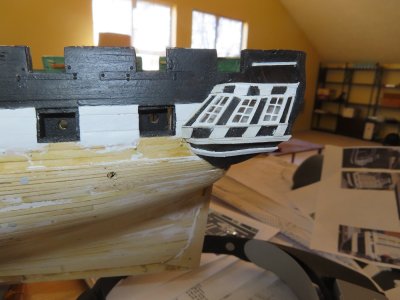
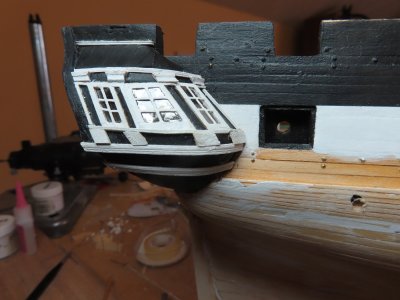
Plan C worked…mostly. To create an accurate window frame, I measured directly from the model’s window opening, skipping making a template. Boxwood stock was place along the window opening and cut and trimmed to fit. Once the four sides pieces were made, a lap joint was made using the Byrnes saw.
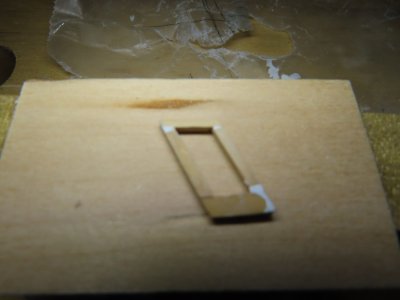
The first corner (in this case the lower left in the image) was glued together with a very small dab of Weldbond glue at the joint. This allowed for final adjustment. Before the joint cured, CA glue was used to get glue into the joint seams. The other three window joints were glued in the same method. The sash was NOT glued to the window opening at this time. Scrap wood was jury-rigged to provide a backing to prevent the pieces from falling into the model.
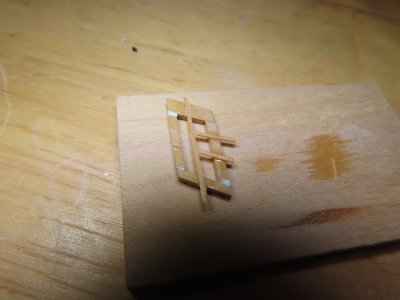
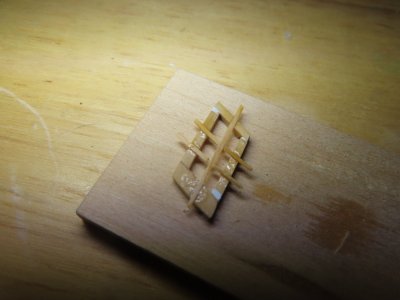
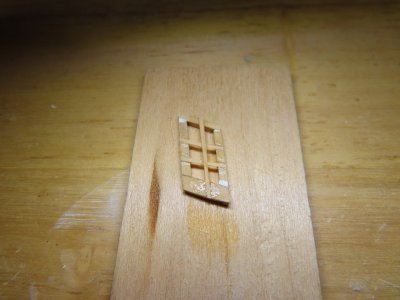
Once the frame was formed and solid, any voids in the frame were filled in (sorry for out of focus image). Next came the window muntins. Using my fine hand miter saw, grooves were cut into the frame, one vertical and two horizontals about 1/64” deep. Because the grooves provide a solid gluing surface, the 1/64” square horizontal muntins met at the vertical muntin and touched. No support at this point was needed. The excess material was removed, and the surfaces sanded very carefully.
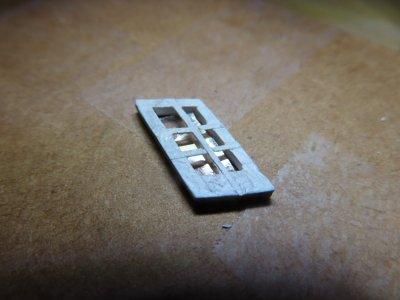
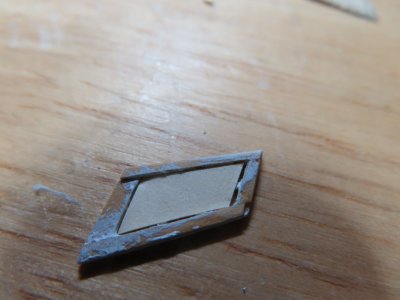
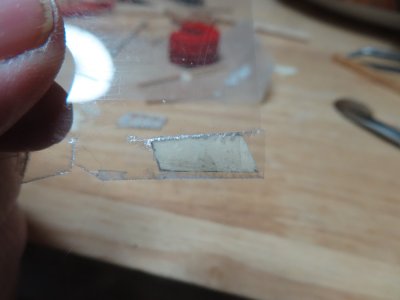
The front surface of the frame and all but the back surfaces of the muntins were painted white. Once dry, the frame was flipped over, and a piece of mica was place inside the back of the sash and secured with four dabs of Wellbond at the interior frame corners. The results, to my eyes, were acceptable but not the great. I attribute that to my building skills, not to the method. Although the window fit, the horizontal muntins should have been more parallel with the base of the window opening. I will see how the next window goes. I may go back and do this first window a fourth time.
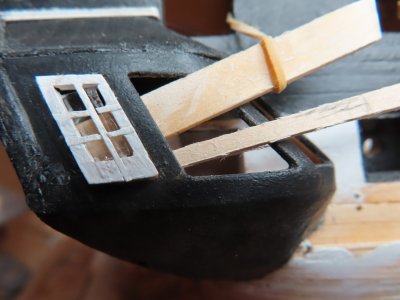
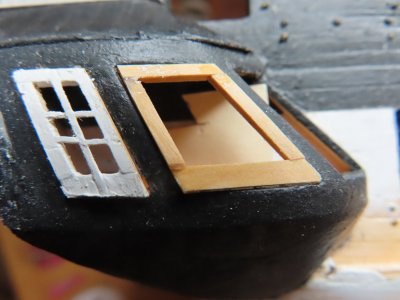
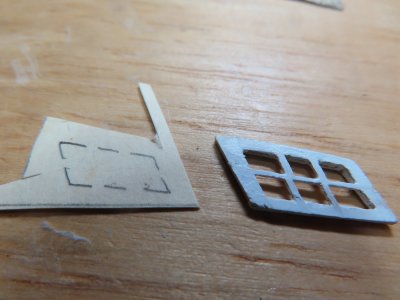
The more I looked at the sash, the more I didn’t like it. So, I started over and made a fourth attempt, using the same method as the third, and although not perfect, the results were more acceptable. So much so, I’ve started on the next sash. The picture below shows the dry fit of the painted, sans mica, fourth attempt as well as my progress on the second sash. The close-up shows waaaaay more flaws than a normal viewing would reveal. Luckily, most people will not see them.
Slowly making progress, but progress, nevertheless. 2nd window, starboard side dry fit, sans mica. From these close-up shots I see that I still have to clean them up a bit.
After a lot of interruptions, false starts, do-overs, lost pieces (the rug gets very hungry), clogged CA glue applicators, and other gremlins all well known by model builders world-wide, I finally got all six sash frames completed. Some came out better then others, none was perfect to my standards (which were probable over my skill level).
Once the frames were touched up, voids filled, tweaked the frame openings for fit, and painted, individual templates were made from card stock for the mica pane inserts.
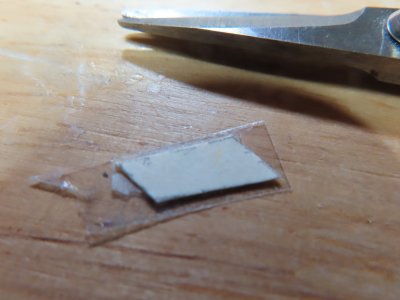
Using just a bit of double-sided tape to secure the template to the mica, the mica was cut to size with scissors and a very sharp X-acto knife. Then the template was pried off with the blade. In most cases, the mica cleaved apart from itself leaving a fine layer still stuck to the tape. The mica was then placed inside the back of the window frame and secured there with a few tiny dabs of PVC glue in the corners of the frame.
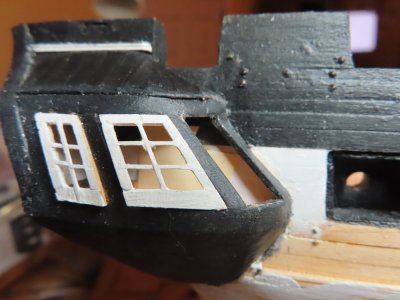
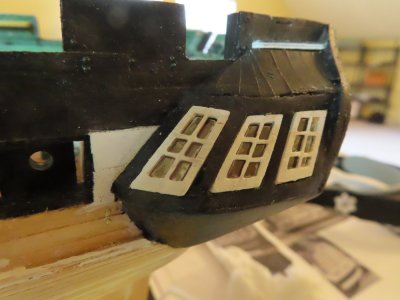
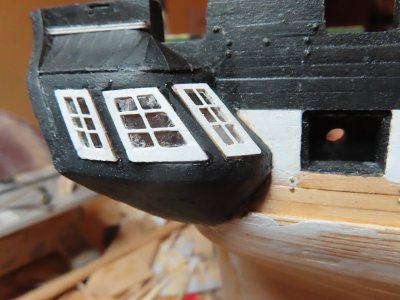
The frames were then inserted and glued into the window openings of the quarter galleries. Simple process, it only took me …breaks out the calculator…60 days.
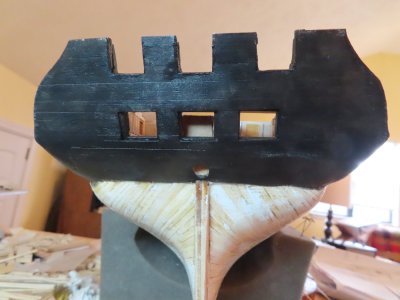
In preparation for the trim work for the quarter galleries, I needed to make some more trim from stock. That meant setting up the Dremel drill to make more scrapers. All I managed to do was break two grinding discs before I even turn on the tool. Realizing I could not see well enough yet to make the trim, I did manage to paint the transom black which had to be done anyways.
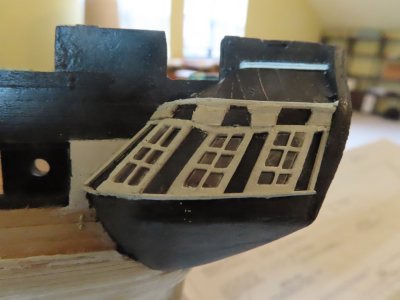
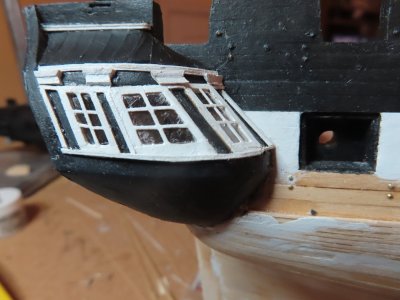
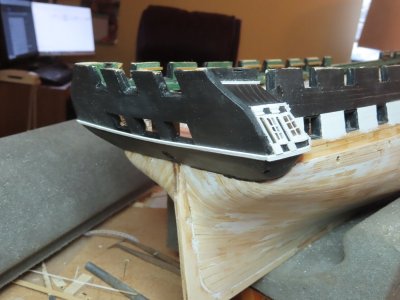
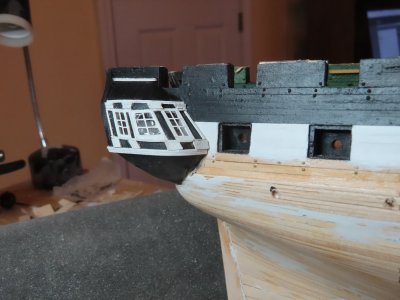
Adding the trim work to the quarter galleries revealed glaring distortions which I tried to minimize. How successful I was, is for you to judge. The key to my frustrations was of course, I did not have a true plan view or image of the windows. After all my effort, the trim and the windows didn’t align as I would have liked it, but I am moving forward.
The next piece of trim to be added to the quarter galleries was the decorative molding just under the windows. The thing is, the quarter gallery molding must line-up with the transom molding and the molding on the opposite quarter gallery. A length of 3/32” boxwood strip was scraped to create the grooves in the decorative molding. First, the transom molding was installed just below the window/gun port openings Then using that molding as a guide, the quarter galleries’ moldings were installed. Finally, the remaining decorative blocks were added to the quarter galleries. All the decorative boxwood panels, blocks, and moldings were pre-painted prior to installation and touched up later if required.
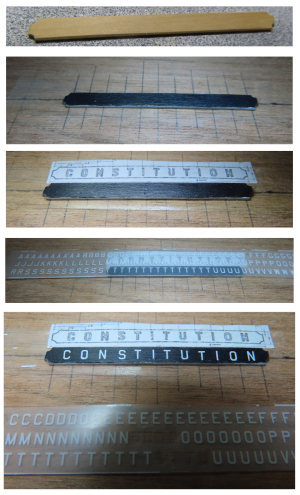
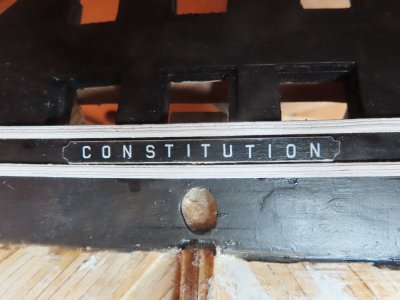
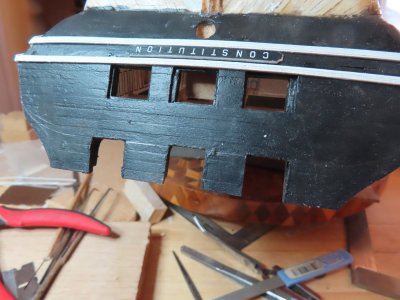
Separating the lower decorative molding on the transom is the ship’s nameplate. To create this, I used the US Navy plan as my guide. The nameplate shown on the kit’s plans is remarkably close to the Navy plans, but the Navy plans provided the actual dimensions. But like the kit, I had to make compromises due to scale issues. In the end, I used a 1/16” wide x 1/32” thick strip of boxwood cut to the proper length. The corner notches were filed in, and the side were beveled slightly. With a couple coats of paint, the edges were painted white and the face black. Finally, the face was cover with a clear coat of Minwax Polycrylic Protective Finish for a smooth finish. Following the instructions of the practicum, I bought a single sheet, item MG6740, 45° USA Gothic White dry transfers made by Woodland Scenic. This sheet has several different sized white letters and numbers sets. I used the 3/32” set. I bought other different sheets as well which I will discuss when I use them.
To transfer the lettering, I drew some guides lines as a visual aid on a piece of wood which was then covered by a length of double-sided tape. The blank nameplate and a copy of the name plan (reduced to scale) were then laid on the tape. The plan image acted as my layout guide. All I had to do was burnish the transfer letters onto the nameplate below the corresponding letter on the plan. To make the burnishing a bit easier, I cut the 3/32” set off from the original dry transfer sheet for easier handling. Once all the letters were applied to the name plate, another coat of Polyacrylic Protective Finish was applied to protect and seal the dry transfers.
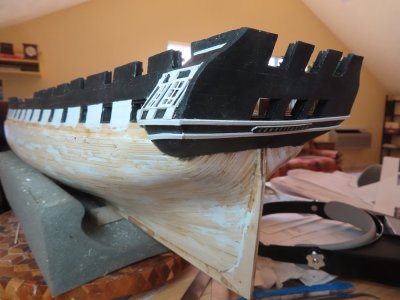
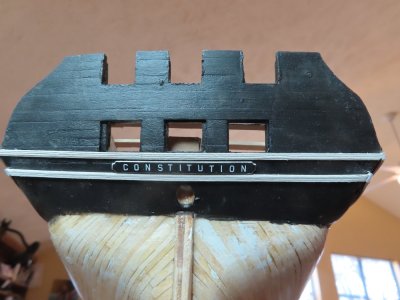
The name plate was glued to the transom on the centerline just below the first decorative molding. A second molding was made for the transom and quarter galleries and applied directly below the name plate and wrapped around to the galleries.
Next, the lower decorative moldings were added to the quarter galleries which have no flat surfaces. To make them wrap around the galleries, they had to be bent both horizontally and vertically, which was a bit tricky. I’m not proud of the craftmanship, but it’s what I got with the skills I have. It could have been better, and it could have been worse. It’s what I now have. There is still a bunch left to do on the transom, but at least they are on a relatively flat surface.
The practicum chose not to use the laser cut double arch molding because they:
It became very fragile once removed from the laser cut board.
Were square cross section whereas the actual molding is half circle cross section
Were difficult to shape and sand
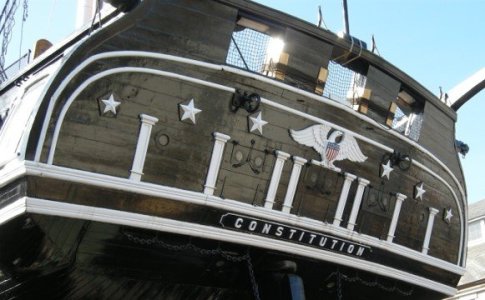
As much as I wanted the trim to be made from wood, it was much more practical to follow the practicum guidance and use white 0.060" half round styrene. Like the practicum directed, I used the kit's laser part to pencil in a faint line across the transom where the styrene piece was to go. By holding the laser cut piece in place with one hand, I traced around one edge with the other marking the curvature on the transom with a pencil which you can just see in the second image. The first image below shows the actual transom as a reference.
I remember someone had commented somewhere on another build log that one should paint the white styrene, white. He claimed that over time the plastic tended to yellow a bit. I also find that the styrene has a sort of translucent look to it, so it doesn’t quite match the look of the white paint wood. Therefore, instead of using the Styrene molding strip straight from the package, I painted it white.
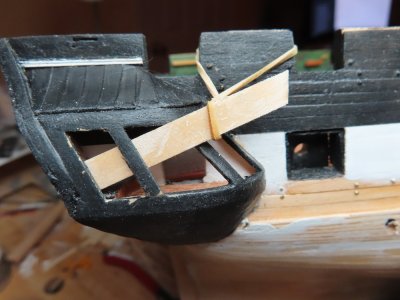
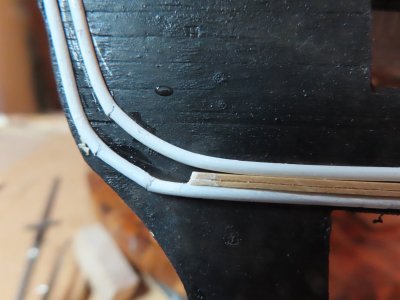
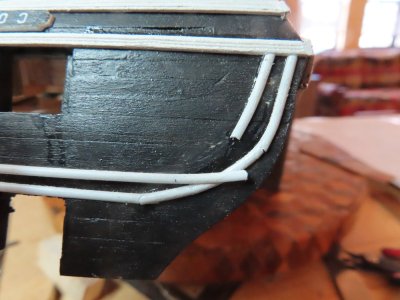
I also tried to pre-bend the styrene to give it some bend memory to make it easier to install. I bent the plastic to shape and held it overnight. I wanted to heat it as well, but my hair drying just didn’t get hot enough. In the end, the pre-bending didn’t help that much. Following the practicum, I CA glued the transom gluing a little at a time while bending it. What did surprise me was the effect CA glue had on the plastic. It made it brittle and made the plastic break as I was bending it as shown in the images below. The broken pieces were repaired and glued back into position. Please note, the piece of wood between the styrene strips was used as a spacer.
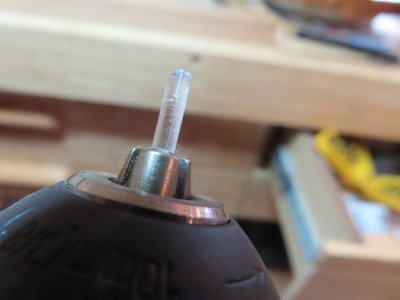
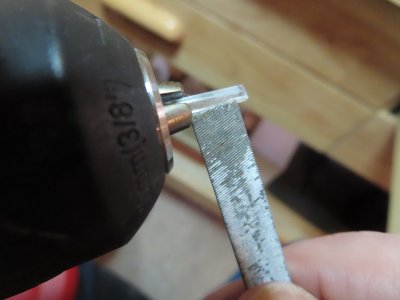
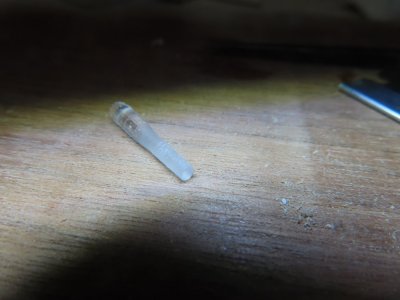
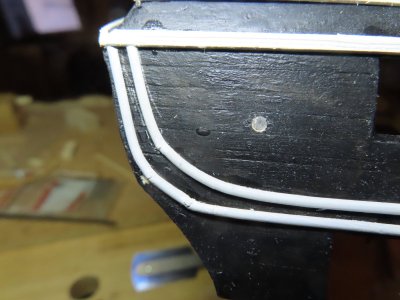
There are port holes the on either side of the gun ports. After the hole positions were measured, they were drilled in. I didn’t want to leave the holes open so used a piece of clear plastic from an old car model’s parts tree. Using my Dremel drill as a lathe, I filed the plastic as it was spinning in the drill till it obtained the proper hole diameter. I sliced off two pieces and when placed into the porthole openings, they had a nice snug fit. No glue was necessary. Voila, “glass” portholes.
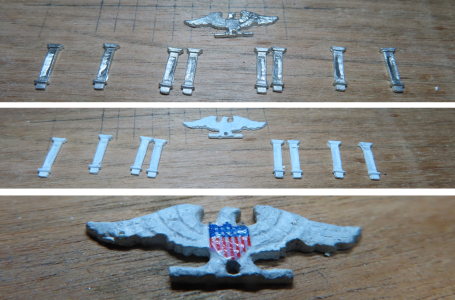
The practicum gives the builder two choices: use the kit provided columns or scratch build them. Mr. Hunt scratch built his from styrene. In the end he states: “the kit parts, when painted white are quite adequate and due to the size of the parts, I feel it will be very difficult for most to make these pillars.” In this case, I chose the easier route, and used the kit parts
For the eagle, I used the kit provided pre-cast decoration. I have no carving talent. The practicum provides a scaled image of the eagle chest flag shield, which it instructs to be printed on paper and cut out to be glued on. I chose to make a decal. The decal was applied to the eagle and coated with a small amount of softening agent, Micro Sol. This allowed the decal to conform better to the minor irregularities of the painted precast metal. Note the decal is shiny in this image because it was still wet when I took the picture.
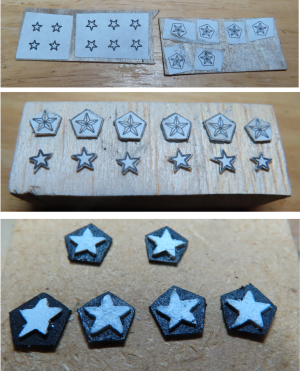
If you look carefully at images or the actual ship transom, you will notice that there are 6 white stars which are mounted on pentagon bases which in turn are mounted to the transom. The practicum provides a template for the stars. Four are one size while the two outside end ones are slightly smaller. The kit shows them on the plans but does not provide any laser cut or precast stars. Neither the kit nor the practicum addresses the pentagon backing. The US Navy plans do provide the details for the complete star. Using this information, the stars and pentagons were printed to scale, cut and rubber cemented to 1/64” plywood. The plywood was cut to shape. It should be noted that the stars are faceted and not flat in real life, but at 1/76.8 scale that detail is lost and not worth the effort to recreate. If fact, I had difficulty just creating the star’s basic shape due its small scale. The stars were painted white and pentagons black, then assembled as one unit.